EasyManua.ls Logo

Ricoh WG-80 - User Manual

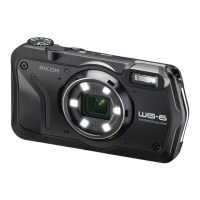
Ricoh WG-80
202 pages
Print Icon
To Next Page IconTo Next Page
Loading...
Digital Camera
Operating Manual
To ensure the best performance from your camera, please read
the Operating Manual before using the camera.
Model:R06020
RICOH IMAGING COMPANY, LTD.
1-3-6, Nakamagome, Ohta-ku, Tokyo 143-8555, JAPAN
(https://www.ricoh-imaging.co.jp)
RICOH IMAGING EUROPE
S.A.S.
Parc Tertiaire SILIC 7-9, avenue Robert Schuman -
B.P. 70102, 94513 Rungis Cedex, FRANCE
(https://www.ricoh-imaging.eu)
RICOH IMAGING
AMERICAS CORPORATION
2 Gatehall Drive Suite 204, Parsippany, New Jersey
07054, U.S.A.
(https://www.us.ricoh-imaging.com)
RICOH IMAGING CANADA
INC.
5560 Explorer Drive Suite 100, Mississauga, Ontario,
L4W 5M3, CANADA
(https://www.ricoh-imaging.ca)
RICOH IMAGING CHINA
CO., LTD.
Room A 23F Lansheng Building, 2-8 Huaihaizhong
Road, Huangpu District, Shanghai, 200021, CHINA
(http://www.ricoh-imaging.com.cn)
https://www.ricoh-imaging.co.jp/english/
This contact information may change without notice.
Please check the latest information on our websites.
Specifications and external dimensions are subject to change without notice.
Copyright © RICOH IMAGING COMPANY, LTD. 2022
R01BAB22
e_kb615_EN.book Page 1 Monday, February 28, 2022 4:32 PM

Table of Contents

Other manuals for Ricoh WG-80

Questions and Answers

  • F
    Frances WatsonJul 29, 2025
    How to fix Ricoh WG-80 that will not turn on?
    • P
      Patrick GarciaJul 29, 2025
      If your Ricoh Digital Camera won't turn on, there are several possible reasons. First, check if a battery is installed. If not, install a battery. Second, the battery may be installed incorrectly. Reinsert the battery according to the +- symbols in the battery compartment. Finally, the battery may be exhausted. In this case, charge the battery.
  • L
    Laura EdwardsAug 4, 2025
    What to do if the shutter will not release on Ricoh Digital Camera?
    • S
      Sarah KimAug 4, 2025
      If the shutter on your Ricoh Digital Camera won't release, it could be due to a few reasons. It may be because the flash is charging; pictures cannot be taken while the flash is charging, so wait until charging is finished. Another reason may be that there is no available space on the SD Memory Card or in the built-in memory. Insert an SD Memory Card with available space or delete unwanted images. Finally, the camera may be recording; wait until recording is finished.
  • T
    tanyavasquezAug 10, 2025
    Why no image appears on Ricoh Digital Camera display?
    • R
      rturnerAug 10, 2025
      If no image appears on the display of your Ricoh Digital Camera, it could be because the camera is connected to a computer or TV; the display is off when connected. Alternatively, the display might be set to off. Press the 4 button to turn the display on.
  • J
    Jason RoweAug 16, 2025
    How to fix Ricoh Digital Camera display that is hard to see?
    • B
      Brett MartinAug 16, 2025
      If the display on your Ricoh Digital Camera is hard to see, it might be because the brightness level is set too dark. Adjust the brightness level in [Brightness Level] in the [W Setting] menu. Also, the Power Saving function may be on. When this function is on, the display automatically darkens after a certain amount of time. Press a button to return to the normal brightness level or select [Off] in [Power Saving] in the [W Setting] menu to turn the Power Saving function off.
  • L
    Laura GrahamAug 22, 2025
    Why Ricoh WG-80 Digital Camera picture is dark when using the flash?
    • N
      Nathan HendersonAug 22, 2025
      If your Ricoh Digital Camera picture is dark when using the flash, the subject is too far away in a dark environment. Take pictures within the specified flash range.

Summary

Using Your Camera Safely

About the Camera

Describes warnings and cautions for camera operation and handling.

About the USB Power Adapter

Details safety warnings and cautions for the USB power adapter.

About the Battery

Covers safety warnings and cautions for battery usage and handling.

Keep Camera and Accessories from Children

Safety instructions for keeping the camera and accessories out of children's reach.

Regarding Waterproof, Dustproof, and Shockproof Design

Precautions Before Using the Camera in the Water

Checks and preparations required before underwater operation.

Precautions When Using the Camera in the Water

Specific instructions for operating the camera underwater.

Precautions After Using the Camera in the Water

Steps to follow after using the camera in water.

Getting Started

Powering the Camera

Instructions for installing the battery and turning the camera on.

Initial Settings

Guide to setting language, date, and time upon first use.

Common Operations

Taking Pictures

Taking Still Pictures

Basic guide for capturing still photographs.

Settings

Formatting the Memory

Preparing storage media for use by the camera.

Resetting to Default Settings (Reset)

Restoring camera settings to factory defaults.

Connecting to a Computer

Appendix

Troubleshooting

Solutions for common camera problems.

Ricoh WG-80 Specifications

General IconGeneral
Megapixel16 MP
Camera typeCompact camera
Sensor typeCMOS
Image stabilizer-
Image sensor size1/2.3 \
Image formats supportedJPEG
Maximum image resolution4608 x 3456 pixels
Still image resolution(s)4608x3456, 3546x3456, 4608x2592, 3072x2304, 3072x1728, 2592x1944, 2592x1464, 2048x1536, 1600x1200, 1920x1080, 1280x960, 1024x768, 640x480
Scene modesFireworks, Flower, Food, Night, Portrait, Snow, Sports, Underwater
White balanceAuto, Daylight, Fluorescent H, Fluorescent L, Manual, Shade, Tungsten
Shooting modesAuto, Manual, Program
Self-timer delay2, 10 s
Country of originChina
Digital zoom7.2 x
Optical zoom5 x
Combined zoom36 x
Focal length range5 - 25 mm
Number of aspheric elements5
Lens structure (elements/groups)11/9
Maximum focal length (35mm film equiv)140 mm
Minimum focal length (35mm film equiv)28 mm
Focus adjustmentAuto/Manual
Auto Focus (AF) points9
Auto focusing (AF) modesTracking Auto Focus
Product colorBlack
Light meteringCentre-weighted, Evaluative (Multi-pattern), Spot
Light exposure modesAuto, Manual
ISO sensitivity (max)6400
ISO sensitivity (min)125
Light exposure correction± 2EV (1/3EV step)
Battery typeD-LI92
Battery voltage3.7 V
Battery capacity925 mAh
Battery life (CIPA standard)300 shots
Number of batteries supported1
Camera shutter typeElectronic, Mechanical
Fastest camera shutter speed1/4000 s
Slowest camera shutter speed0.25 s
Flash modesFlash off, Flash on, Red-eye reduction
Flash range (tele)0.2 - 3.5 m
Flash range (wide)0.2 - 5.5 m
Video recordingYes
Motion JPEG frame rate30 fps
Maximum video resolution1920 x 1080 pixels
Internal memory64 MB
Compatible memory cardsSD, SDHC, SDXC
Display diagonal2.7 \
Display resolution230000 dot
USB version2.0
USB connectorUSB Type-C
HDMI connector typeMicro
Weight and Dimensions IconWeight and Dimensions
Depth82 mm
Height175 mm
Weight492 g
Weight (including battery)194 g

Related product manuals