EasyManua.ls Logo

Ricoh WG-6 - User Manual

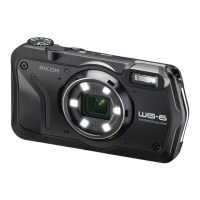
Ricoh WG-6
130 pages
Print Icon
To Next Page IconTo Next Page
Loading...
Chapter 1: Introduction
Read this chapter before use.
This chapter gives you an overview of the RICOH WG-6.
Chapter 2: Getting Started
Read this chapter before using the RICOH WG-6 for the first time.
This chapter explains about basic operations such as turning the camera on,
performing shooting, and playing back images.
Chapter 3 and later
Read these chapters when you want to learn more about the different
camera functions.
These chapters explain about shooting and playback functions, as well as
how to customize the camera settings and use it with a computer.
Operating Manual
The serial number is located inside the battery/card cover.
Model: R02050

Table of Contents

Questions and Answers

  • P
    Preston FloresSep 3, 2025
    Why is the monitor blank on my Ricoh Digital Camera?
    • S
      Shawn ThorntonSep 4, 2025
      If your Ricoh Digital Camera's monitor is blank, adjust the monitor brightness in the E menu. If that doesn't work, press e to turn the monitor on. Also, if an AV device is connected, disconnect the cable from the camera.
  • M
    Mason SingletonSep 18, 2025
    Why has the date setting been reset on my Ricoh WG-6?
    • H
      hendersonmartinSep 18, 2025
      If the date setting on your Ricoh Digital Camera has been reset, it's likely because the battery was removed for more than about five days. Reset the date and time in the E menu.
  • A
    Amy PriceSep 16, 2025
    How to delete protected files on Ricoh Digital Camera?
    • S
      snyderdavidSep 16, 2025
      If you are unable to delete files on your Ricoh Digital Camera, check if the images are protected. If [Protect] is set for the image(s), cancel the protection using the [Protect] option in the C menu.
  • C
    Christina JenningsSep 14, 2025
    How to fix Ricoh WG-6 Digital Camera format card error?
    • J
      Julie AdamsSep 14, 2025
      If your Ricoh Digital Camera displays an 'Format card' error, it means the memory card is unformatted or has been previously used on another device. Format the card using this camera before use.
  • W
    William ThompsonSep 12, 2025
    Why can't I play back images from memory card on Ricoh Digital Camera?
    • B
      Barbara MyersSep 12, 2025
      If you cannot play back images from the memory card on your Ricoh Digital Camera, and images are not displayed on the monitor, format the memory card using the [Format [Card]] option in the E menu of this camera.
  • S
    Scott McclainSep 12, 2025
    How to fix Ricoh WG-6 insufficient memory error?
    • R
      Rebecca ClaySep 12, 2025
      If your Ricoh Digital Camera displays an 'Insufficient Memory' error, it means the memory card is full. Insert a new memory card or delete unwanted files to resolve this.
  • Q
    qguerraSep 9, 2025
    How to display shooting information on Ricoh Digital Camera?
    • C
      Cynthia ArmstrongSep 9, 2025
      If shooting information is not displayed on your Ricoh Digital Camera, press e to switch the information displayed on the screen, as it may be set to “No information display”.
  • R
    Rebecca NguyenSep 7, 2025
    Why did my Ricoh WG-6 monitor turn off?
    • J
      john48Sep 7, 2025
      If your Ricoh Digital Camera's monitor turned off, it might be due to the battery being exhausted, so charge the battery. Alternatively, the [Auto Power Off] function may have been activated; simply turn the camera back on.
  • K
    Kimberly BennettSep 5, 2025
    Why is my Ricoh WG-6 Digital Camera battery not charging?
    • D
      Dr. Laura SantanaSep 6, 2025
      If your Ricoh Digital Camera battery cannot be charged, it may have reached the end of its service life, requiring a replacement. If the battery is hot, allow it to cool down to ambient temperature before attempting to charge it again.
  • A
    Andrea LevyAug 20, 2025
    How to fix Ricoh Digital Camera that does not turn on?
    • D
      derek90Aug 20, 2025
      If your Ricoh Digital Camera does not turn on, make sure that the battery is correctly inserted and charged. If the issue persists, ensure you are using the DB-110 battery, as it's exclusively developed for this camera. Also, check that the AC adapter is correctly connected.

Summary

Introduction to RICOH WG-6

Operating Controls

Explains the camera's buttons and dials.

Getting Started with Your Camera

Setting the Battery and a Memory Card

Step-by-step guide to installing battery and memory card.

Charging the Battery

Instructions for charging the camera's battery.

Initial Settings

Guide for first-time setup including language and date/time.

Basic Shooting Operation

Covers initial shooting steps in Auto mode and reviewing images.

Taking Pictures with RICOH WG-6

Setting the Capture Mode

Explains different shooting modes available on the camera.

Playback Functions

Changing Camera Settings

Appendix and Support

Troubleshooting Common Issues

Solutions for common camera problems.

Precautions for Use

General advice and warnings for safe operation.

Ricoh WG-6 Specifications

General IconGeneral
FreezeproofYes
Product colorBlack, Orange
Waterproof up to20 m
Freezeproof up to-10 °C
Megapixel20 MP
Camera typeCompact camera
Sensor typeCMOS
Image stabilizer-
Image sensor size1/2.3 \
Supported aspect ratios1:1, 3:2, 4:3
Maximum image resolution3840 x 2160 pixels
Still image resolution(s)5184x3888, 5184x3456, 3888x3888, 3648x2736, 3648x2432, 2736x2736, 2592x1944, 2592x1728, 1920x1920, 2048x1536, 2048x1368, 1440x1440, 1600x1200, 1280x960, 640x480
Digital zoom8.1 x
Optical zoom5 x
Focal length range5 - 25 mm
Maximum aperture number5.5
Minimum aperture number3.5
Lens structure (elements/groups)11/9
Maximum focal length (35mm film equiv)140 mm
Minimum focal length (35mm film equiv)28 mm
Light meteringCentre-weighted, Evaluative (Multi-pattern), Spot
ISO sensitivity125, 6400
Light exposure modesAuto, Manual
ISO sensitivity (max)6400
ISO sensitivity (min)125
Light exposure correction± 2EV (1/3EV step)
Focus adjustmentAuto/Manual
Auto Focus (AF) points9
Auto focusing (AF) modesSpot Auto Focus, Tracking Auto Focus
Normal focusing range (wide)- m
Memory slots1
Internal memory27 MB
Compatible memory cardsSD, SDHC, SDXC
Battery typeDB-110
Battery life (CIPA standard)340 shots
Scene modesSelf-portrait, Snow, Surf
Image editingCrop, Resizing, Rotating
White balanceAuto, Cloudy, Daylight, Fluorescent, Manual, Shade, Tungsten
Playback modesRotation
Camera playbackSlide show
Self-timer delay- s
Languages supportCHI (SIMPL), CHI (TR), CZE, DAN, DEU, DUT, ENG, ESP, FIN, FRE, GRE, HUN, ITA, JPN, KOR, POL, POR, RUS, SWE, THA, TUR
Windows operating systems supportedWindows 10, Windows 7, Windows 8.1
Camera shutter typeElectronic, Mechanical
Fastest camera shutter speed1/4000 s
Slowest camera shutter speed0.25 s
Flash modesFlash off, Flash on, Red-eye reduction
Flash range (tele)0.2 - 3.5 m
Flash range (wide)0.2 - 5.5 m
Video resolutions1280 x 720, 1920 x 1080, 3840 x 2160 pixels
Cables includedUSB
Display diagonal3 \
Display resolution (numeric)1040000 pixels
USB version3.2 Gen 1 (3.1 Gen 1)
USB connectorUSB Type-C
HDMI connector typeMicro
Weight and Dimensions IconWeight and Dimensions
Depth33.1 mm
Width118.2 mm
Height65.5 mm
Weight219 g
Weight (including battery)246 g

Related product manuals