S9922 3G/4G Router User Manual
RICON: Mobile Connect Tecnology
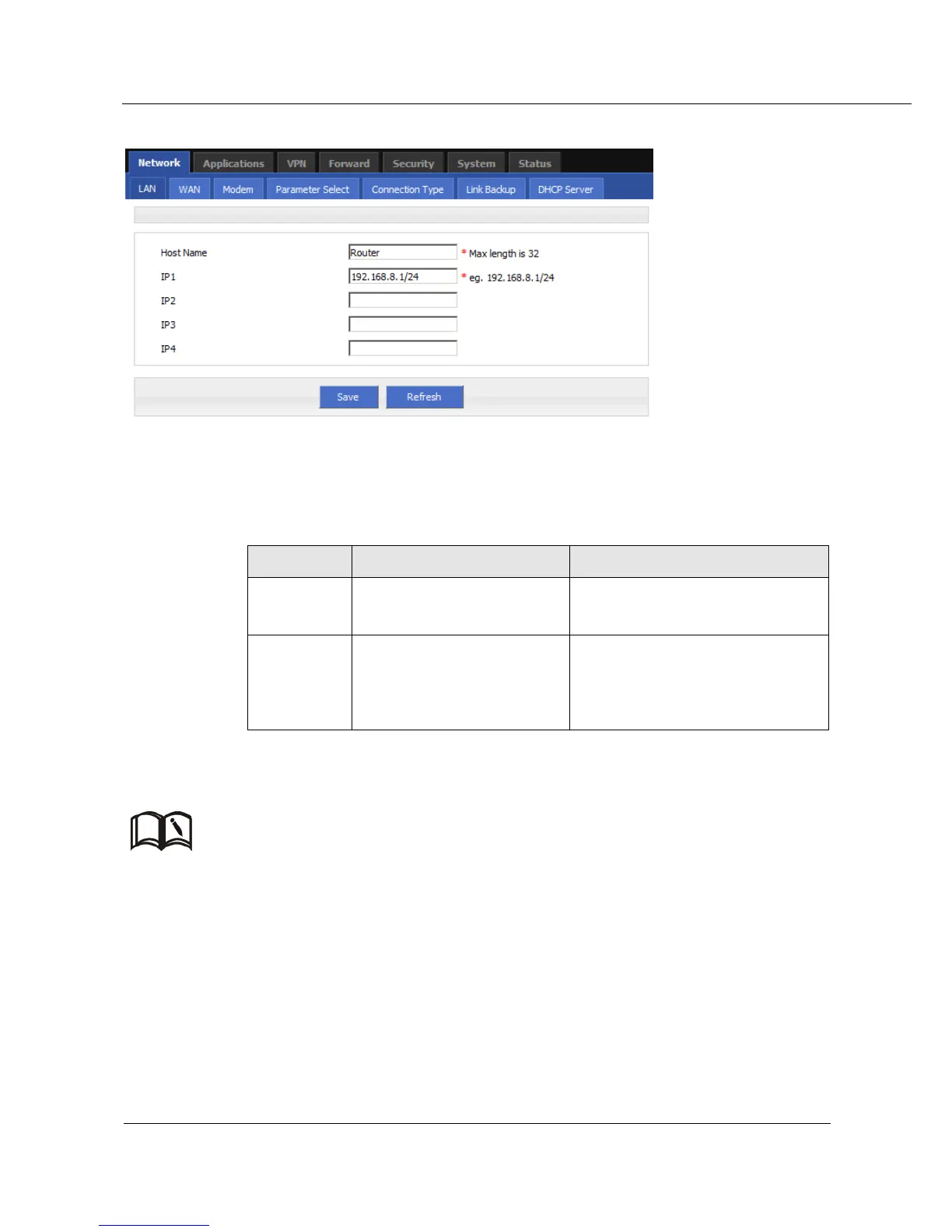
Figure 5-2 LAN window
Step 3 LAN parameter .
Table 5-1 LAN Parameter instruction
Manual input, Maximum length
limited to 32 word type character
Divide sub-network, those
sub-net could communicate.
Manual input
Format: A.B.C.D/Mask
IP1 default: 192.168.8.1/24
Step 4 Single click “save” icon, done.
After change the LAN IP, if page has no response anymore, please make sure your PC address is in the
same network segment, or set a new IP to your PC to insure that.
---END
WAN
Wired connect to Internet by static IP, DHCP or PPPoE
Step 1 Login S9922 WEB GUI
Step 2 Single click “network > WAN”



 To Next Page