S9922 3G/4G Router User Manual
RICON: Mobile Connect Tecnology
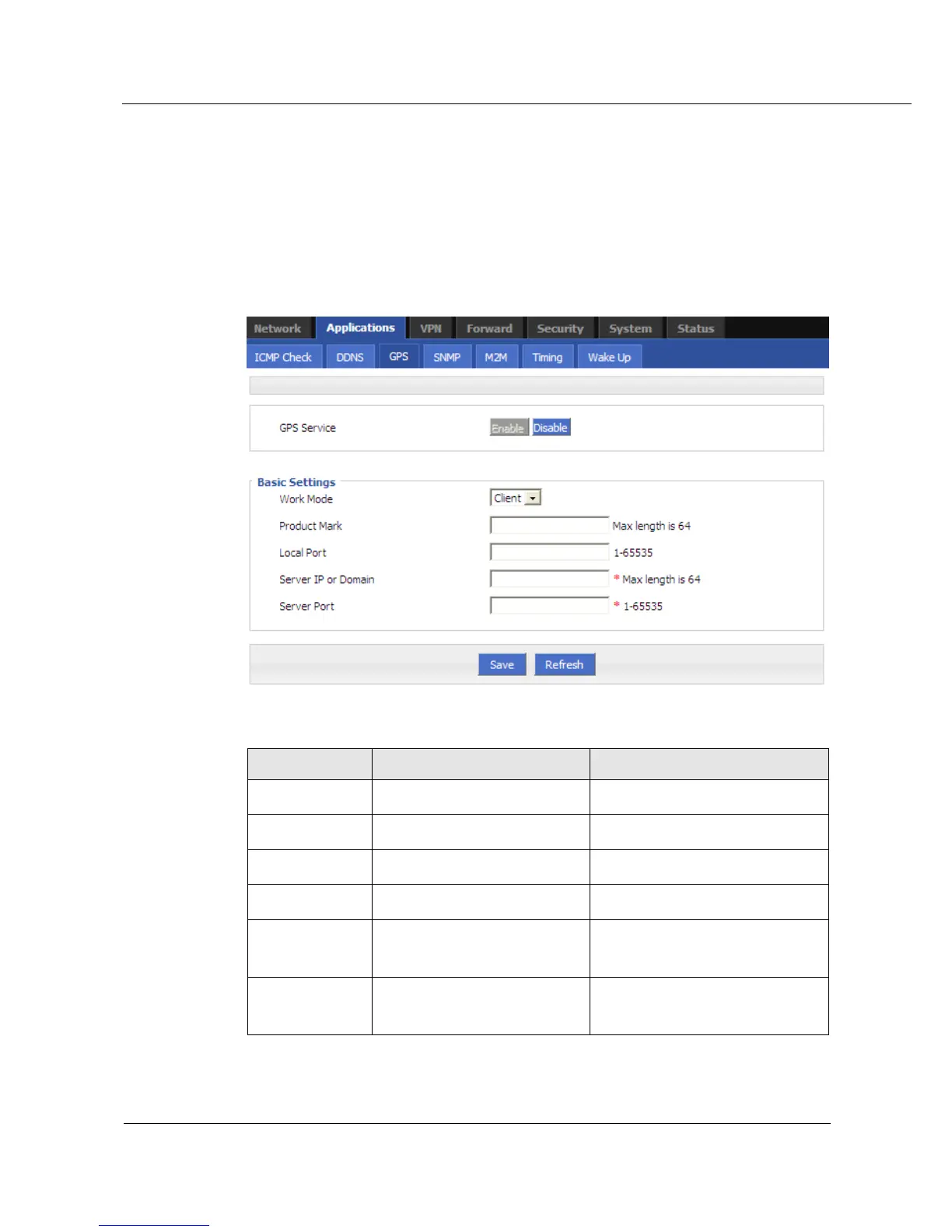
5.3.8 GPS configuration (Optional)
GPS is to transfer GPS data the device gets from satellite. It uses UDP protocol.
Step 1 Log on WEB GUI of S9922 4G Routers.
Step 2 Click “Applications > GPS” to open “GPS” tab.
Figure 5-22 GPS configuration
Table 5-14 GPS Parameter instruction
Enable/Disable GPS service
Add a mark to end of data
Local port of UDP connection
Server IP or domain for getting
the GPS data
Specify server IP or domain
Server port for getting the GPS
data
Step 1 Single click “save” icon to finish “GPS” configuration



 To Next Page