EasyManua.ls Logo

Ricon S9922 - Tunnel Configuration

Default Icon
130 pages
Print Icon
To Next Page IconTo Next Page
To Previous Page IconTo Previous Page
Loading...
S9922 3G/4G Router User Manual
RICON: Mobile Connect Tecnology
---END
5.6.3 Tunnel configuration
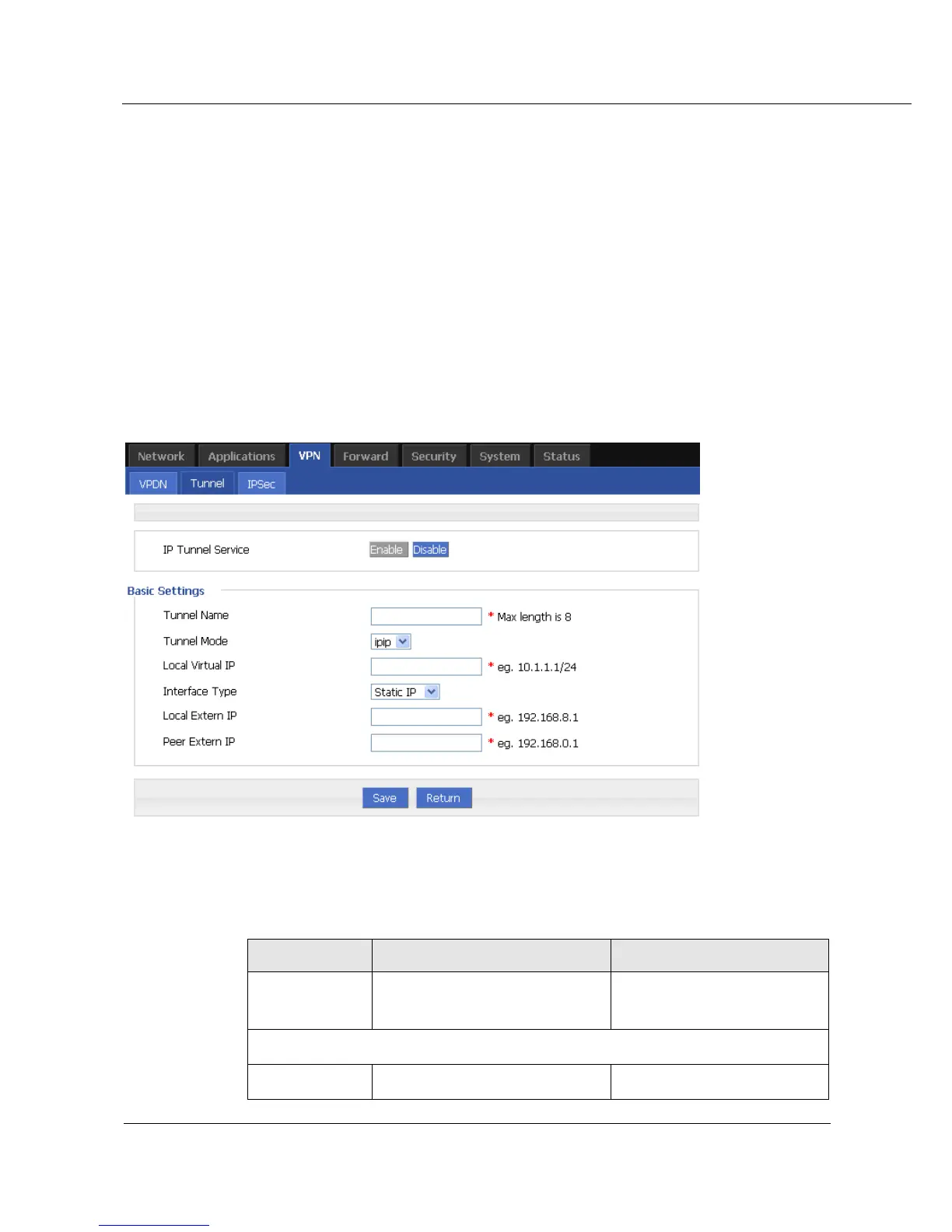
Tunnel supports GRE and IPIP.
Step 1 Log on WEB GUI of S9922 4G Router.
Step 2 Click VPN > Tunnel to open Tunnel tab.
Step 3 Click Add to add a new tunnel.
Figure 5-39 Tunnel configuration
Step 4 Configure Tunnel rule parameter .
Table 5-23 Tunnel rule parameter instruction

Parameter
Details
Operation
IP Tunnel
Service
To enable or disable IP tunnel
service.
Click Enable.
Basic Settings
Tunnel name
Name of the tunnel, cannot be
Input the name of tunnel

Table of Contents