Step 1 Log on WEB GUI of S9922 4G Router.
Step 2 Click “Applications > M2M” to open M2M configuration tab.
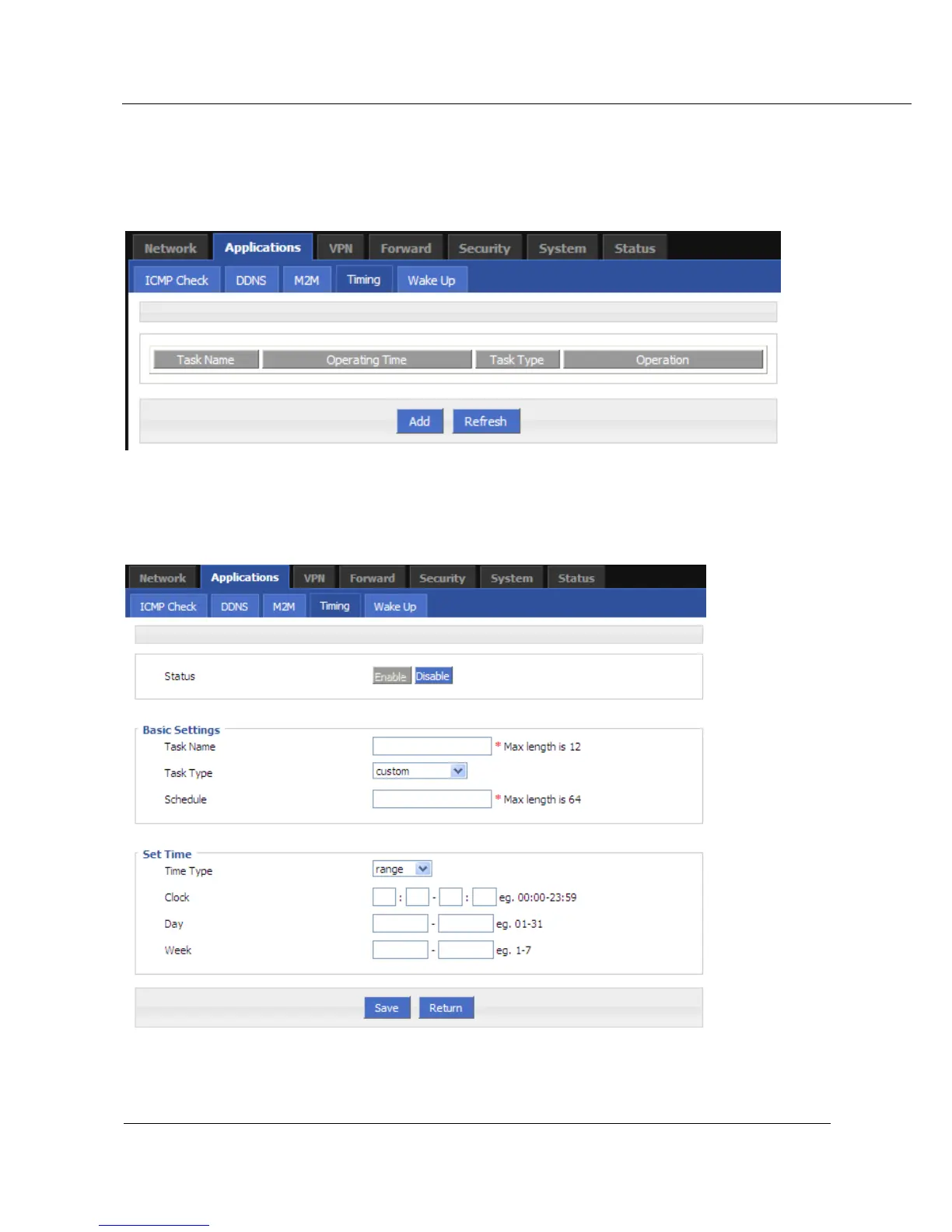
Figure 5-18 Timing configuration
Step 3 To add a timing task, pls click “Add”.
Figure 5-19 To add timing task
Step 4 Configure timing task parameter .


 To Next Page
 Loading...