External LED
➥Power Settings
IF External LED Modification is installed …
OFF External LED not used.
OxP Red in case of OxP (Protection).
CC Red in CC mode.
CC + OxP CV - Green, CC - Yellow, OxP (Protection) - Red.
CV-G/CC-R CV - Green; CC - Red.
CV-R/CC-G CV - Red; CC - Green.
VG/CR/OxP CV - Green; CC - Red; OxP (Protection) - Blinking Red.
VR/CG/OxP CV - Red; CC - Green; OxP (Protection) - Blinking Red.
IF the External LED Modification has NOT been made…
This value has NO effect.
Good practice - Set to OFF
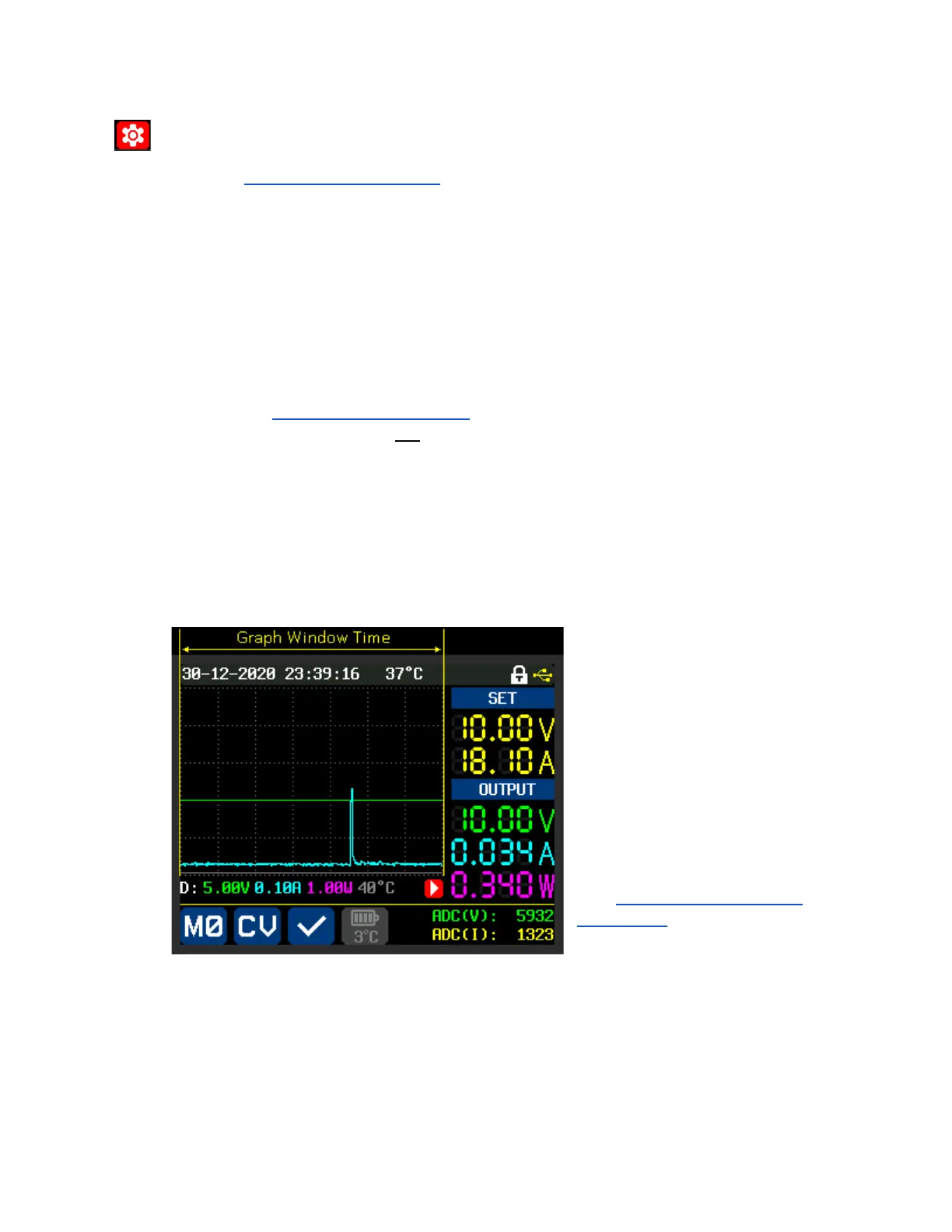
Graph Window Accessed via Quick Setting Menu (“SHIFT” + “▼”)
Settable Range: 00h 01m - 23h 59m
This is the time of the entire width of the
graphing window, as indicated in the
image.
Note:
Values will be averaged as needed
to fit the desired time.
See ‘Graph Display - Detailed
Explanation’ for a detailed explanation of
the Graphing Mode.



 To Next Page