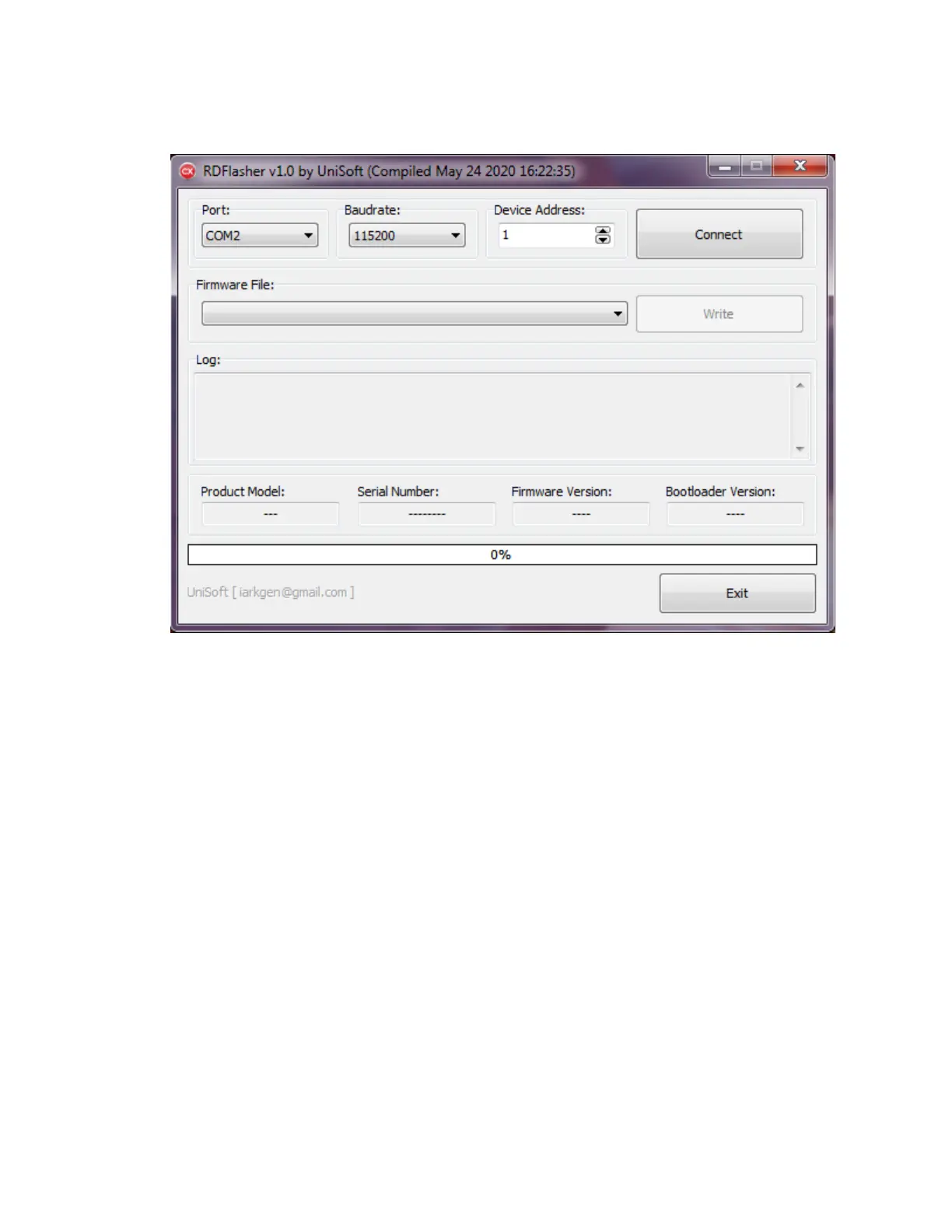
2) In the RDFlasher utility:
a) Ensure your Port, Baudrate and Device Address are set for your RD60xx.
b) Select the desired firmware from the “Firmware File” dropdown box.
< Turn ON the RD60xx’s Primary Power Supply >
c) Click the ‘Connect’ button.
d) Click the ‘Write’ button.
e) Wait for the write process to complete.
DO NOT turn off the power during this process!
Notes:
If you flash back to the stock firmware from the custom firmware, you should restore
default settings:
To reset default parameters: Press "0" while powering on the RD60xx.



 To Next Page