声明:本说明书著作权归杭州睿登科技有限公司所有,未经允许任何单位或个人不得用于商业用途。
54
2.4G network, and the router must disable the AP isolation function and the WMM
function).
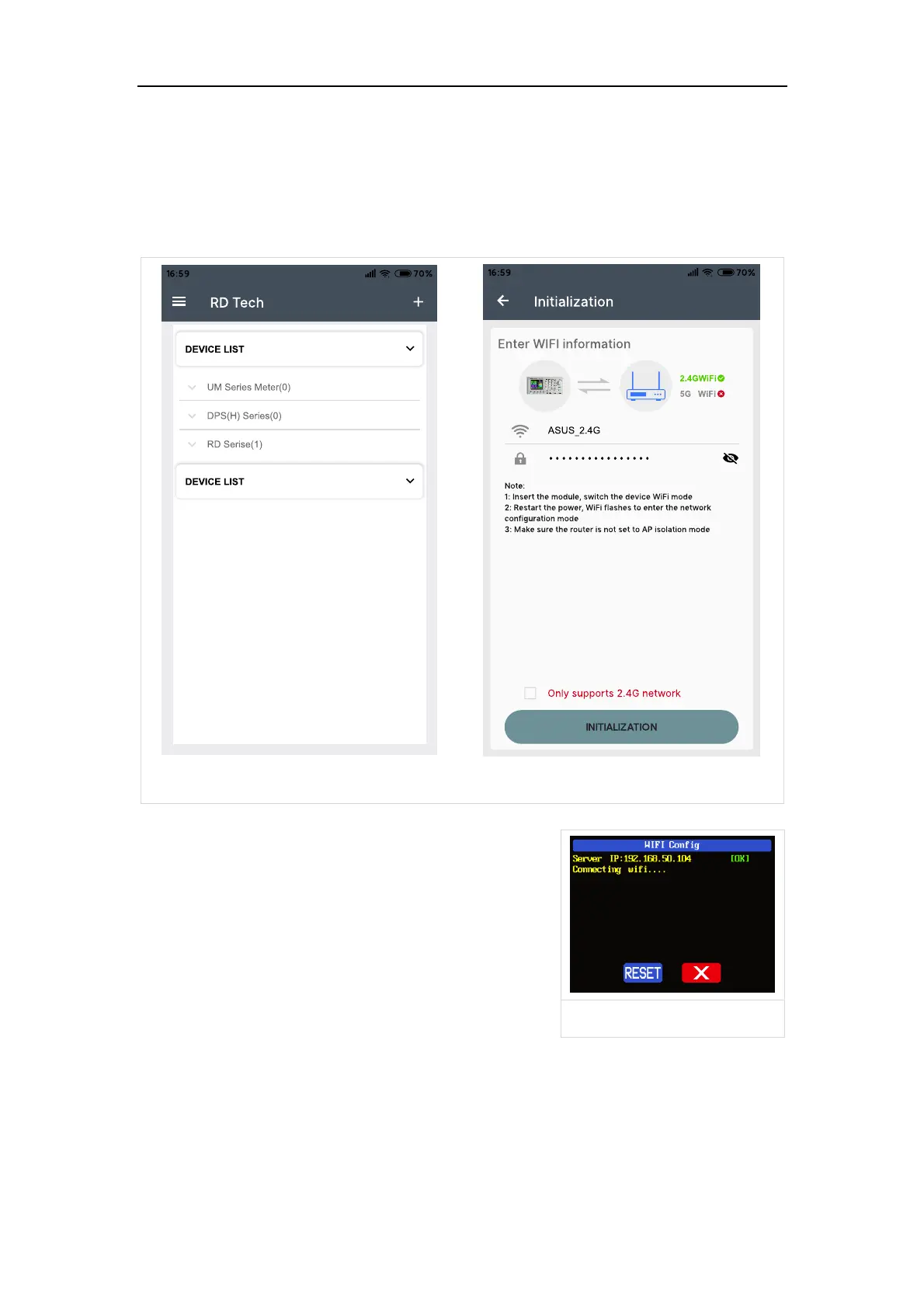
RD6012P will wait for the phone to connect as shown in Picture 16. Press “BA”
(add device) and choose “RD power series”, it will show like Picture 17, then enter
the WiFi password and confirm you are using 2.4G network as shown in Picture 18.
Press “INITIALIZATION” and wait 10 seconds
RD6012P will obtain the IP address of your
phone(figure 19), if it shows right, confirm that
“device display sever IP”, and click “Confirm”, wait 20s
(figure 20) , APP show connection successful,
RD6012P will start automatically, the network
distribution success, return to the main page and
click the connect in the “BB”.



 To Next Page