声明:本说明书著作权归杭州睿登科技有限公司所有,未经允许任何单位或个人不得用于商业用途。
60
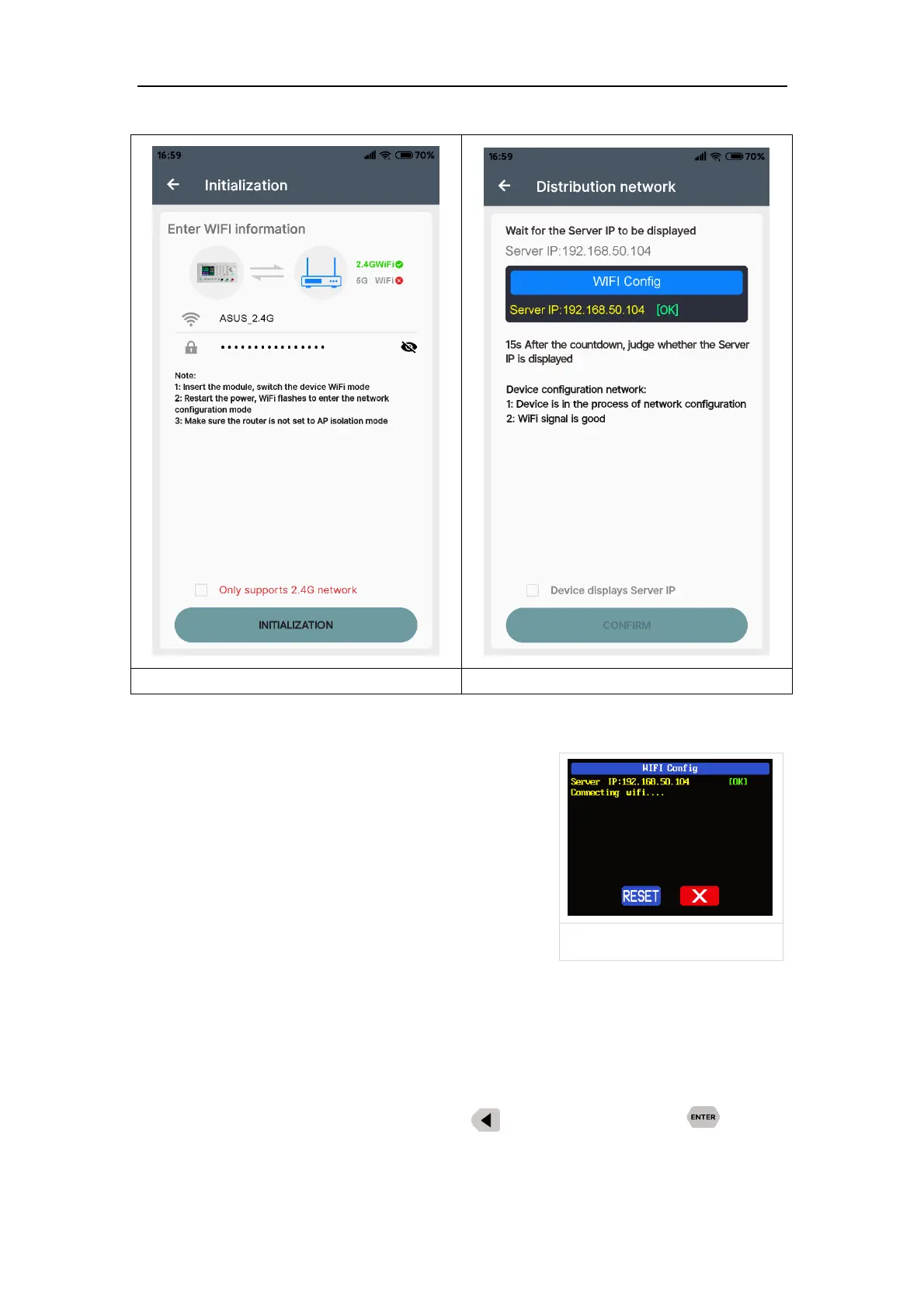
RD6012P will obtain the IP address of your phone(figure 26), if it shows right,
confirm that “device displays sever IP”, and click
“CONFIRM”, wait 30s (figure 25) , APP shows
connection successful, RD6012P will start
automatically, the network distribution success,
return to the main page and click “DA” to connect.
If the distribution network fails, please power
off the module and re-operate in the same way
(multiple networking failures you can watch the
video and try to use the hotspot of the mobile phone to test).
3.2.3.2 Proper Wi-Fi Connection
When power on RD6012P, it will connect Wi-Fi first, and then detect if it can be
connected to APP, and it may not be connected successfully if the phone is under
screen-lock status or the APP is running at the background. If the IP address of the
phone has changed, you need to press the button and then press button
to reset the net, repeat 2.2.3.1 operation.



 To Next Page