声明:本说明书著作权归杭州睿登科技有限公司所有,未经允许任何单位或个人不得用于商业用途。
12
1.4.2.6 Main Page Display Style Setting
Main interface display style setting operation video:https://youtu.be/f51VDiY2VHE
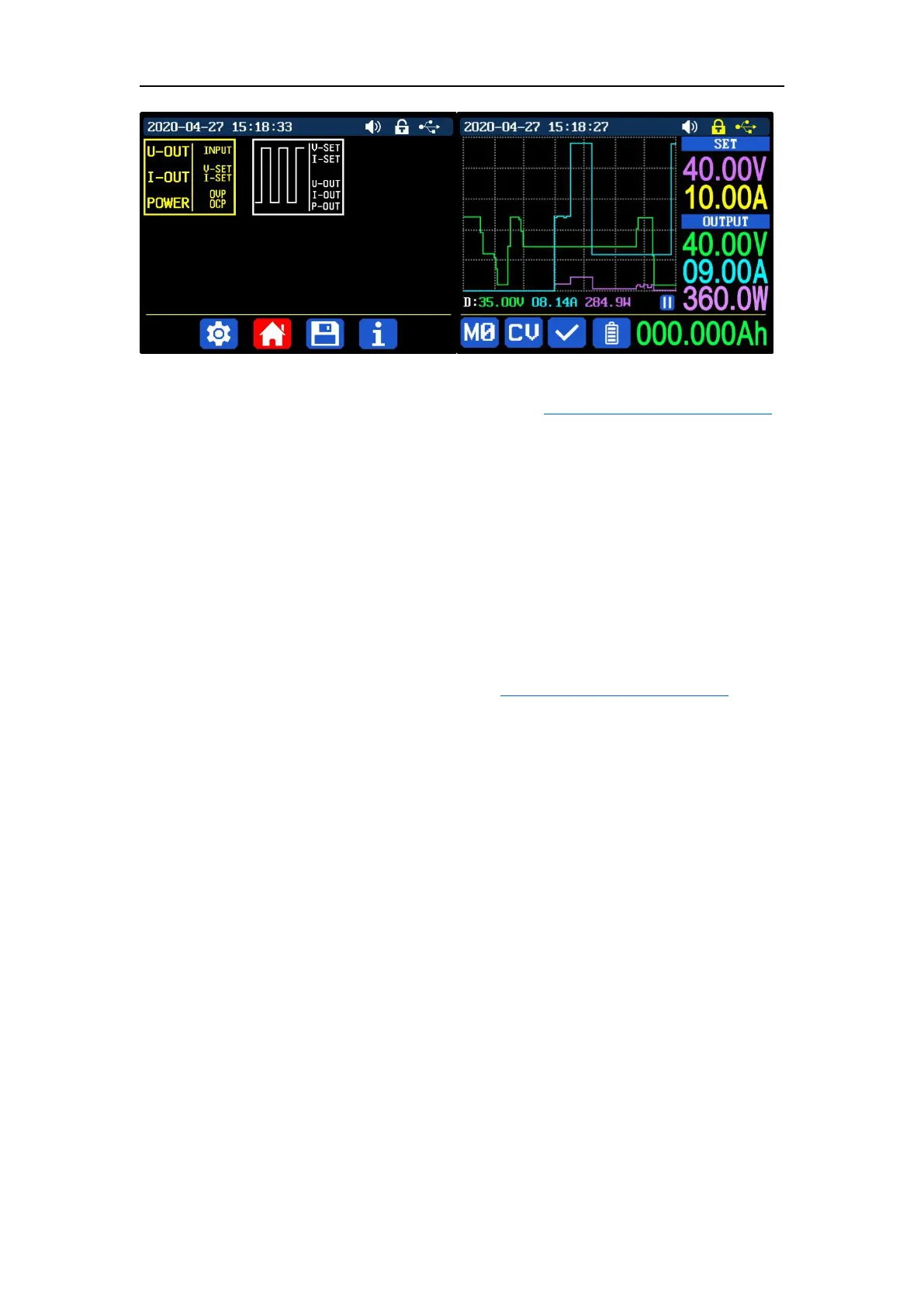
You can press SHIFT + MENU to enter the system setting menu, and then press
the right button to enter the main page style setting menu as shown above. Press
ENTER and then use direction button to set classic style or curve style. The pattern in
red is the style being chosen. Press the encoder potentiometer to return and save
the settings. The classic style is the system default style, it shows the voltage, current
and power in large font. The curve style is as shown above, the color of the three
curves corresponds to the output voltage, current and power. D is the scale of the
ordinate, Press “ENTER” to start or pause the curve, and rotate the encoder
potentiometer to scale the ordinate of the curve.
1.4.2.7 Storage Data Setting
Data group setting in manual operation video:https://youtu.be/i1kTeurS13I
You can press SHIFT + MENU to enter the system setting menu, and then press
the right button twice to enter the data storage setting menu as shown below, press
ENTER to enter the setting menu, the icon in red is the chosen data group, press the
direction button to select data group number. Press “I-SET” button to set the storage
output current value, then rotate the encoder potentiometer the adjust the output
value, press the direction button to move the cursor. You can also set the value with
keypad, press ENTER to confirm. If you set the wrong value, you can press the
encoder potentiometer to cancel. Press “V-SET” button to set the storage output
voltage value, the operation method is similar to storage output current setting.
Press “SHIFT”+ “I-SET” button or “SHIFT”+ “V-SET” button to set the storage
over current protection/ storage over voltage protection value. The operation
method is similar to storage output current value setting. Press encoder
potentiometer to return, and the data will be automatically saved.



 To Next Page