EasyManua.ls Logo

RIDGID MS1250 - User Manual

RIDGID MS1250
88 pages
Print Icon
To Next Page IconTo Next Page
Loading...
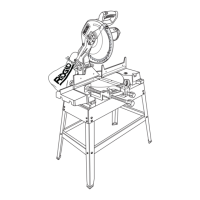
OWNERS MANUAL
For Your Safety:
Read all instructions carefully
Save this manual for future
referenece
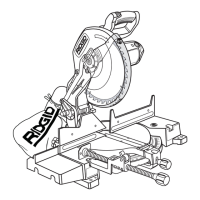
12 INCH COMPO UND
MITER SA W
WITH LEGSET
Part No. SP6449 Printed in Taiwan
MS1250

Table of Contents

Questions and Answers

  • J
    John MortonAug 19, 2025
    What to do if the power head on my RIDGID MS1250 Saw won't fully rise?
    • T
      Tammy RossAug 19, 2025
      If the power head of your RIDGID Saw won’t fully rise or the blade guard won’t fully close, lubrication may be needed; refer to the “Lubrication” section. It could also be due to part failure, a pivot or guard spring not replaced properly after service, or sawdust sticking to the stops. In the case of part failure or spring issues, get authorized service. If sawdust is the problem, inspect and clean the stops.
  • R
    Robert ParkAug 21, 2025
    How to fix a stuck miter adjustment on a RIDGID MS1250?
    • J
      Jesse BaileyAug 21, 2025
      If you can’t move the miter adjustment on your RIDGID Saw, it may be due to sawdust under the table. Vacuum or blow out the dust, and wear eye protection while doing so.
  • C
    clarkjorgeAug 23, 2025
    Why does my RIDGID MS1250 vibrate when cutting?
    • V
      Vickie CollinsAug 23, 2025
      If the RIDGID Saw vibrates or shakes, it could be due to several reasons: * The saw blade might not be round. * The saw blade might be damaged. * The saw blade might be loose; in this case, tighten the arbor screw.
  • B
    Brittany WarnerAug 26, 2025
    What to do if my RIDGID Saw blade binds while cutting?
    • K
      Karen Phillips DDSAug 26, 2025
      If the blade of your RIDGID Saw binds, jams, burns wood, or results in rough cuts, consider the following: * Ensure proper operation. * The blade might be dull and needs replacement or sharpening. * The blade might be unsuitable; replace it with a 12” diameter blade designed for the material you are cutting. * The blade might be bent; check its flatness across the expansion slots and replace if necessary.
  • E
    ericrobertsAug 27, 2025
    How to fix a RIDGID MS1250 when the brake doesn't stop the blade?
    • L
      linda69Aug 28, 2025
      If the brake on your RIDGID Saw doesn't stop the blade within 6 seconds, here are a few things to check: 1. Inspect, clean, or replace the brushes if they are not seated properly or are sticking. 2. Ensure you are using only recommended blades and accessories. Allow the motor to cool down if the motor brake winding has overheated due to prohibited accessories or rapid on/off cycling. 3. Retighten the arbor screw if it is loose.
  • L
    Laura CraigAug 30, 2025
    What to do if my RIDGID MS1250 Saw motor won't start?
    • C
      Cheryl Lindsey DDSAug 30, 2025
      If the motor of your RIDGID Saw does not start, check the following: * Ensure the fuse is a 15 amp time delay fuse, or check the circuit breaker. * Inspect the brushes, they may be worn.
  • E
    Erin RomeroSep 1, 2025
    How to clean RIDGID Saw miter adjustment?
    • E
      Eric LamSep 1, 2025
      If you can't move the miter adjustment on your RIDGID Saw, try vacuuming or blowing out any sawdust that may be under the table. Remember to wear eye protection while doing so.
  • K
    Kimberly LeeSep 3, 2025
    Why is my RIDGID MS1250 Saw brush sparking?
    • J
      jessica13Sep 3, 2025
      If the brush is sparking when the switch is released on your RIDGID Saw, this indicates the normal automatic brake is working properly, so no action is needed.
  • J
    Jose NealSep 5, 2025
    Why does the blade on my RIDGID MS1250 bind and burn the wood?
    • C
      Charles PattersonSep 5, 2025
      If the blade binds, jams, burns the wood, or makes rough cuts when using your RIDGID Saw, the issue may stem from improper operation. Refer to the “Basic Saw Operation” section for guidance. It could also be due to a dull blade, in which case you should replace or sharpen it. Ensure you are using the correct blade; replace it with a 12” diameter blade designed for the material you're cutting. A bent blade can also cause these issues; check its flatness across the expansion slots and replace it if bent.
  • N
    Nathan GloverSep 8, 2025
    What to do if my RIDGID Saw motor does not start?
    • B
      Brett YuSep 8, 2025
      If the motor of your RIDGID Saw doesn't start, check the fuse or circuit breaker. Also, the brushes may be worn; in that case, refer to the “Maintenance” section. For any other issues, get authorized service.

Summary

Safety Instructions For Miter Saw

Safety Signal Words

Defines DANGER, WARNING, and CAUTION terms used for safety information.

Before Using The Saw

Instructions and warnings to check before operating the saw for the first time.

Whenever Saw Is Running

Critical precautions to take while the saw is in operation to prevent accidents.

Motor Specifications and Electrical Requirements

Assembly

Installing or Removing the Blade

Provides safety instructions and procedures for changing the saw blade.

Getting to Know Your Miter Saw

Alignment (Adjustments)

Step One: Blade Square to Table (Bevel Alignment)

Details how to align the blade to be square to the table for correct bevel cuts.

Assembling Leg Set

Mounting The Miter Saw

Safety Instructions For Basic Saw Operations

Plan Ahead To Protect Your Eyes, Hands, Face and Ears

Essential safety measures to protect the user from hazards during operation.

Basic Saw Operations

Maintenance and Lubrication

Troubleshooting Guide

RIDGID MS1250 Specifications

General IconGeneral
Motor15 Amp
Voltage120 V
Weight45 lbs
Blade Diameter12 inches
Arbor Size1 inch
Bevel Capacity0-48 degrees
Depth of Cut at 90 degrees4 inches
Depth of Cut at 45 degrees2-3/4 in

Related product manuals