72
3.13 RF receiver conguration
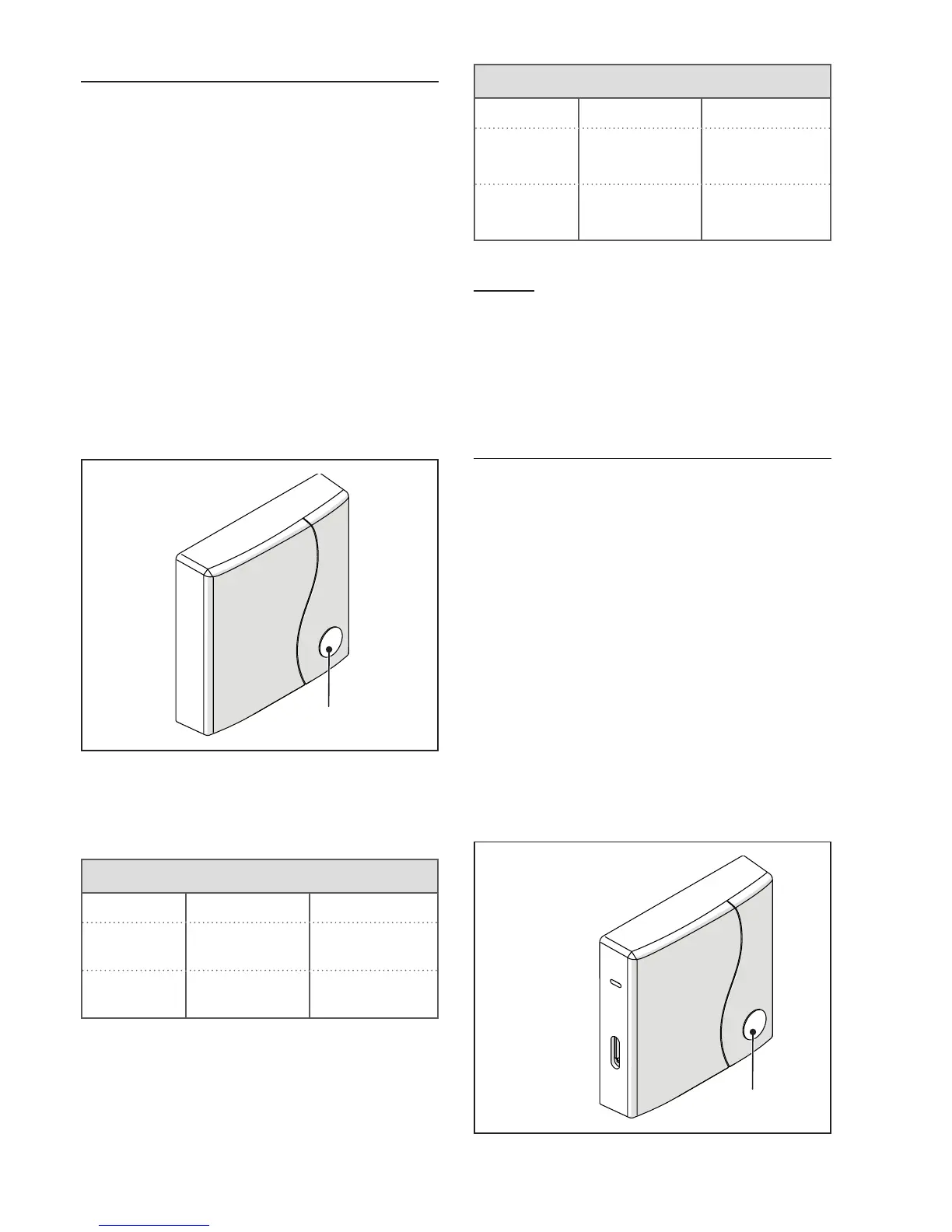
The RF receiver must be configured
for use as a boiler RF receiver or RF
receiver for the zone valve.
To configure the RF receiver pro-
ceed as follows:
− Power up the receiver
− Press button B once during the
two seconds in which the gr
een
and red leds remain lit.
The operating mode of the RF recei-
ver switches from boiler RF receiver
to zone valve RF receiver and vice
versa.
Boiler RF
receiver
The change in configuration is
identifiable by the different flashing
mode of the green led.
Congured as boiler RF receiver
Green LED Red LED
Relay Off
0.5 sec. on
0.5 sec. off
-
Relay On
0.2 sec. on
0.2 sec. off
-
Congured as zone receiver
Green LED Red LED
Relay Off
2 sec. on
2 sec. off
-
Relay On
1 sec. on
1 sec. off
-
NOTE
If the receiver is configured as a
boiler RF receiver, the Opentherm
connection to the boiler should be
detached to enable display of the
flashing green led.
3.14 Linking function
BeSMART linking with the WiFi
Box
The BeSMART and the WiFi Box in
the WiFi BeSMART package are al-
ready linked.If installing an addition-
al BeSMART, follow the procedure
below.Ensure that the BeSMART
and the WiFi Box are connected to
a power source and there are no
alarms.Press the prismatic dome
clear LED button (A) and hold for
5 seconds until the green and red
LEDs slow flashing (1 seconds) at
the same time (once linked the flash
will return to normal).
WPS/Smartlink
Outputs Boiler


 To Next Page