EasyManua.ls Logo

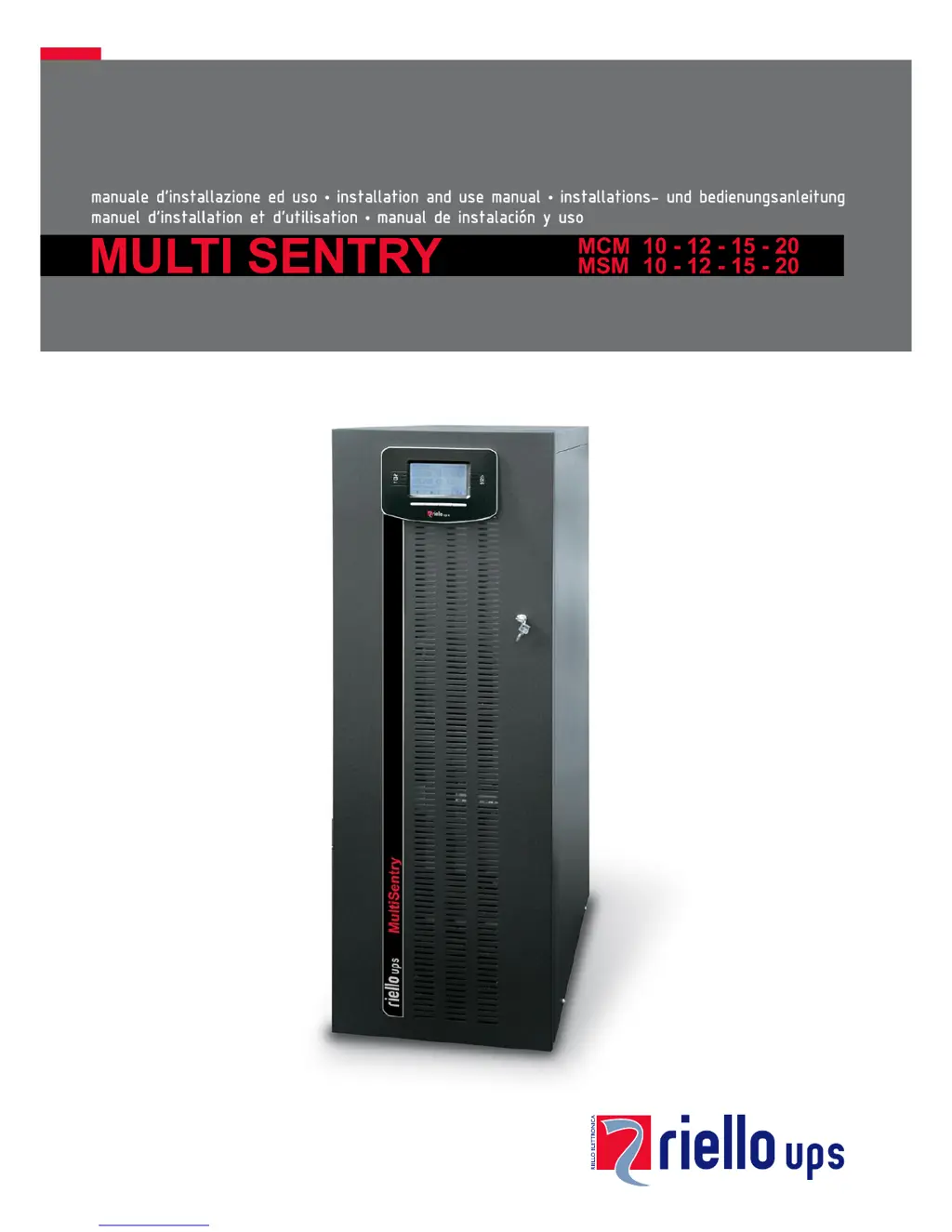
Riello MCM 10 - User Manual

Riello MCM 10
59 pages
Print Icon
To Next Page IconTo Next Page
Loading...

Table of Contents

Questions and Answers

Summary

OVERVIEW AND PRODUCT VERSIONS

MULTI SENTRY SERIES

Introduces the Multi Sentry UPS range and its advanced features for maximum performance.

VIEW OF THE MCM CONNECTIONS

VIEW OF THE MSM CONNECTIONS

INSTALLATION GUIDE

PREPARING FOR INSTALLATION

Covers preliminary information, environmental requirements, and UPS specifications for installation.

INTERNAL BATTERIES SAFETY

BATTERY HANDLING AND SAFETY PRECAUTIONS

Provides crucial safety precautions and guidelines for handling internal UPS batteries.

UNIT UNPACKING AND REMOVAL

MSM VERSION UNPACKING

INSTALLATION COMPLETION

INSTALLING THE UPS AND BATTERY BOX

Covers unit placement, securing, and considerations for installation environment.

ELECTRICAL CONNECTIONS

WIRING DIAGRAMS FOR ELECTRICAL SYSTEM

Presents various wiring diagrams for connecting the UPS to different electrical system configurations.

INTERNAL PROTECTIVE DEVICES

EXTERNAL PROTECTIVE DEVICES

CONNECTING THE REMOTE MAINTENANCE BYPASS

CONNECTING THE BATTERY BOX TO THE UPS

BATTERY BOX CONNECTION PROCEDURE

Step-by-step guide for connecting the battery box to the UPS, including power-off procedures.

USING THE UPS

UNIT DESCRIPTION AND FUNCTION

Explains the purpose of a UPS and the function of its main components like PFC converter and inverter.

PRELIMINARY OPERATIONS FOR USE

CONNECTION AND ISOLATOR CHECKS

Outlines essential checks of connections, isolators, and battery fuse holders before power-on.

POWERING ON FOR THE FIRST TIME

INITIAL POWER-ON SEQUENCE

Details the steps for powering on the UPS for the first time and checking its status.

UPS POWER-UP AND SHUTDOWN PROCEDURES

POWERING ON FROM MAINS AND BATTERY

Provides instructions for powering on the UPS from mains or using the cold start function.

POWERING OFF THE UPS

Explains the correct procedure for shutting down the UPS and its components.

DISPLAY MENUS NAVIGATION

OPERATING MODES AND MAINTENANCE BYPASS

MAINTENANCE BYPASS (SWMB) PROCEDURE

Details the process for performing maintenance without interrupting power supply to the load.

UPS CONFIGURATION AND LOAD REDUCTION

CONFIGURING UPS PARAMETERS

Lists user-configurable parameters via the control panel, including language, voltage, and modes.

UPS SOFTWARE MANAGEMENT

TROUBLESHOOTING GUIDE

COMMON UPS PROBLEMS AND SOLUTIONS

Provides solutions for frequent UPS operational issues like connection errors or no power.

STATUS AND ALARM CODES

UPS STATUS CODES

Lists and explains various UPS status codes indicating operational states.

ANOMALY AND FAULT CODE DESCRIPTIONS

UPS ANOMALY CODES

Details anomaly codes indicating minor problems affecting UPS performance or functions.

FAULT CODE DESCRIPTIONS

UPS FAULT CODES

Details fault codes indicating critical problems that may halt UPS operation.

LOCK CODE DESCRIPTIONS

UPS LOCK CODES

Explains lock codes indicating UPS breakdowns or part failures, often preceded by alarms.

TECHNICAL DATA

INPUT SPECIFICATIONS

Presents technical data for UPS input voltage, frequency tolerance, and power factor.

OUTPUT SPECIFICATIONS

Details technical data for UPS output voltage, power factor, and dynamic stability.

Summary

OVERVIEW AND PRODUCT VERSIONS

MULTI SENTRY SERIES

Introduces the Multi Sentry UPS range and its advanced features for maximum performance.

VIEW OF THE MCM CONNECTIONS

VIEW OF THE MSM CONNECTIONS

INSTALLATION GUIDE

PREPARING FOR INSTALLATION

Covers preliminary information, environmental requirements, and UPS specifications for installation.

INTERNAL BATTERIES SAFETY

BATTERY HANDLING AND SAFETY PRECAUTIONS

Provides crucial safety precautions and guidelines for handling internal UPS batteries.

UNIT UNPACKING AND REMOVAL

MSM VERSION UNPACKING

INSTALLATION COMPLETION

INSTALLING THE UPS AND BATTERY BOX

Covers unit placement, securing, and considerations for installation environment.

ELECTRICAL CONNECTIONS

WIRING DIAGRAMS FOR ELECTRICAL SYSTEM

Presents various wiring diagrams for connecting the UPS to different electrical system configurations.

INTERNAL PROTECTIVE DEVICES

EXTERNAL PROTECTIVE DEVICES

CONNECTING THE REMOTE MAINTENANCE BYPASS

CONNECTING THE BATTERY BOX TO THE UPS

BATTERY BOX CONNECTION PROCEDURE

Step-by-step guide for connecting the battery box to the UPS, including power-off procedures.

USING THE UPS

UNIT DESCRIPTION AND FUNCTION

Explains the purpose of a UPS and the function of its main components like PFC converter and inverter.

PRELIMINARY OPERATIONS FOR USE

CONNECTION AND ISOLATOR CHECKS

Outlines essential checks of connections, isolators, and battery fuse holders before power-on.

POWERING ON FOR THE FIRST TIME

INITIAL POWER-ON SEQUENCE

Details the steps for powering on the UPS for the first time and checking its status.

UPS POWER-UP AND SHUTDOWN PROCEDURES

POWERING ON FROM MAINS AND BATTERY

Provides instructions for powering on the UPS from mains or using the cold start function.

POWERING OFF THE UPS

Explains the correct procedure for shutting down the UPS and its components.

DISPLAY MENUS NAVIGATION

OPERATING MODES AND MAINTENANCE BYPASS

MAINTENANCE BYPASS (SWMB) PROCEDURE

Details the process for performing maintenance without interrupting power supply to the load.

UPS CONFIGURATION AND LOAD REDUCTION

CONFIGURING UPS PARAMETERS

Lists user-configurable parameters via the control panel, including language, voltage, and modes.

UPS SOFTWARE MANAGEMENT

TROUBLESHOOTING GUIDE

COMMON UPS PROBLEMS AND SOLUTIONS

Provides solutions for frequent UPS operational issues like connection errors or no power.

STATUS AND ALARM CODES

UPS STATUS CODES

Lists and explains various UPS status codes indicating operational states.

ANOMALY AND FAULT CODE DESCRIPTIONS

UPS ANOMALY CODES

Details anomaly codes indicating minor problems affecting UPS performance or functions.

FAULT CODE DESCRIPTIONS

UPS FAULT CODES

Details fault codes indicating critical problems that may halt UPS operation.

LOCK CODE DESCRIPTIONS

UPS LOCK CODES

Explains lock codes indicating UPS breakdowns or part failures, often preceded by alarms.

TECHNICAL DATA

INPUT SPECIFICATIONS

Presents technical data for UPS input voltage, frequency tolerance, and power factor.

OUTPUT SPECIFICATIONS

Details technical data for UPS output voltage, power factor, and dynamic stability.

Riello MCM 10 Specifications

General IconGeneral
Rated Power (VA)10000 VA
Rated Power (W)9000 W
Frequency50/60 Hz
Communication InterfaceRS232, USB, SNMP
Input Voltage220/230/240 V
Output Voltage220/230/240 V
TopologyOnline Double Conversion
Battery TypeLead-acid
Operating Temperature0°C to 40°C

Related product manuals