EasyManua.ls Logo

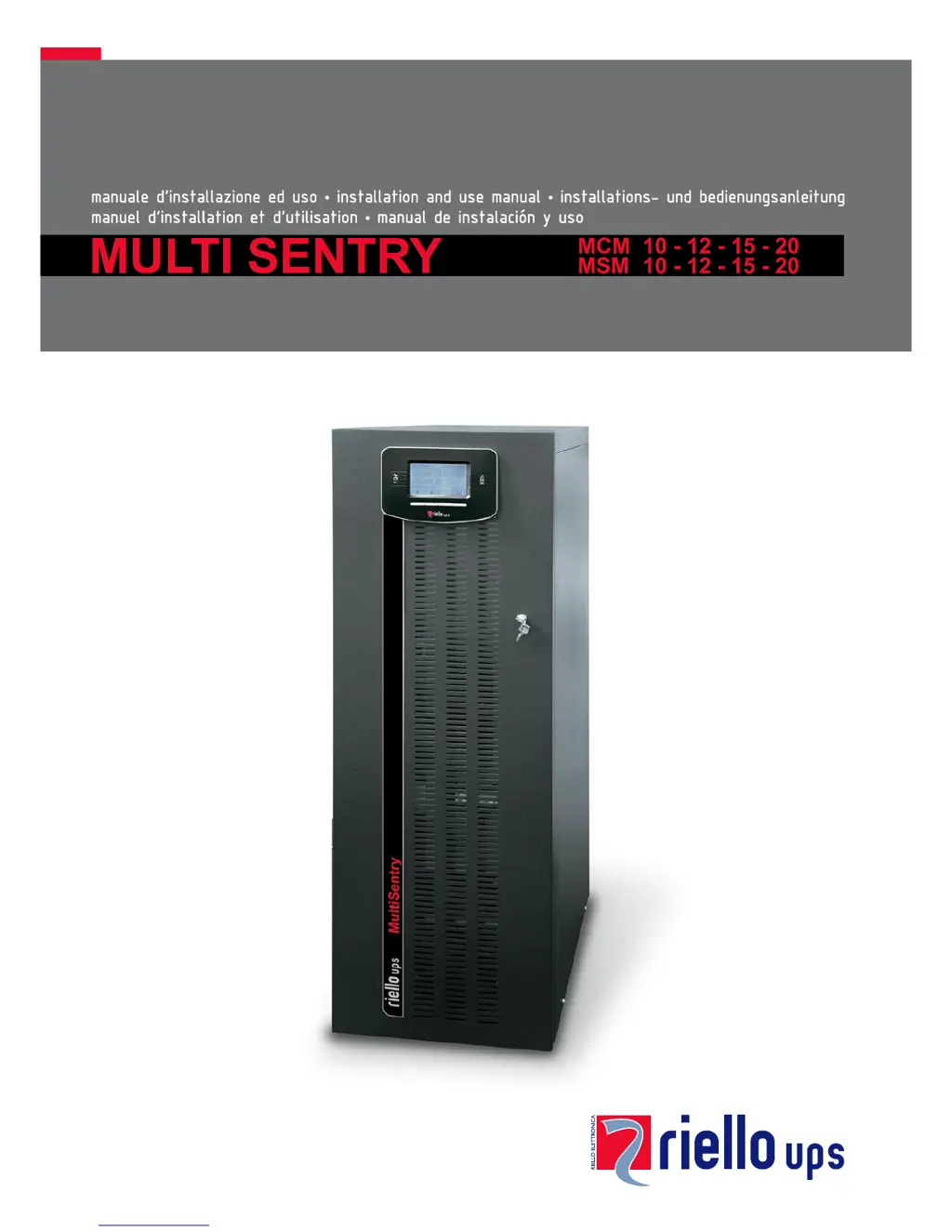
Riello MCM 20 - User Manual

Riello MCM 20
59 pages
Print Icon
To Next Page IconTo Next Page
Loading...

Table of Contents

Questions and Answers

  • T
    Taylor HahnSep 23, 2025
    What should I do if my Riello MCM 20 displays L26 indicating an output short circuit?
    • E
      edwardselizabethSep 23, 2025
      If the Riello UPS display shows one or more of the following codes: L26, it indicates an output short circuit. Switch the UPS off. Disconnect all the loads relating to the phases affected by the short circuit. Restart the UPS. Re-connect the loads one at a time in order to identify the fault.
  • S
    Steven RussellAug 25, 2025
    Why is my Riello UPS running on batteries even with mains power?
    • B
      Brian WoodwardAug 25, 2025
      If the Riello UPS is operating off the batteries even when mains power is available, it could be due to the upstream protection device intervention. In this case, restore the protection, ensuring there is no overload or short circuit on the UPS output. Another reason could be that the input voltage is outside the accepted operating values. If this is the case, wait until the input voltage falls within the tolerance values, and the UPS will automatically switch over to mains power.
  • R
    Robert Horton DVMAug 25, 2025
    What does S07 mean on my Riello UPS display?
    • C
      Caroline WatsonAug 26, 2025
      If your Riello UPS display shows the code S07, it means the batteries are discharged. The UPS is waiting until the battery voltage rises above the established threshold value. You can either wait for the batteries to recharge or manually force start up from the “START UP” menu.
  • H
    hawkinspamelaAug 27, 2025
    How to fix Riello MCM 20 UPS not switching to standby mode?
    • J
      Julie SnyderAug 27, 2025
      If your Riello UPS is connected to the mains but doesn't switch to standby mode, it could be due to several reasons. First, check the connection to the input terminal, ensuring it follows the installation instructions. A missing neutral connection can also cause this issue; the UPS cannot operate without it, and its absence could cause damage. Also, check the 1/0 switch behind the door and set it to 1 (if present) and make sure that the SWIN switch located behind the door is closed. Finally, verify that mains power is available and that no upstream protection device has been triggered. If a protection device has intervened, restore it after checking for overloads or short circuits.
  • S
    Sharon WardAug 27, 2025
    What does it mean when my Riello MCM 20 displays A39 or A40 and the battery replacement LED is on?
    • J
      Joshua MillerAug 27, 2025
      If the Riello UPS display shows one or more of the following codes: A39, A40, and the red “batteries to be replaced” LED is on, it indicates that the batteries have failed the periodic efficiency test. The batteries should be replaced by qualified personnel because they are no longer able to maintain the charge for a sufficient time.
  • D
    Dylan MunozSep 15, 2025
    Why is my Riello UPS load powered but the display and fans are off?
    • J
      Jillian EllisSep 15, 2025
      If the Riello UPS display is off, the fans are off, but the load is powered, it indicates that due to a fault in the auxiliaries, the UPS is in bypass supported by the redundant power supply. Activate the maintenance bypass (SWMB), shut down the UPS completely and wait for a few seconds. Try to switch on again. If the display does not light up or the sequence fails, contact the nearest technical support centre and leave the UPS in manual bypass mode.
  • K
    Kevin HaynesSep 13, 2025
    What does it mean when my Riello UPS displays A13?
    • M
      Misty MuellerSep 13, 2025
      If the Riello UPS display shows one or more of the following codes: A13, it could be due to the protection upstream of the bypass being open (only for separate bypass). Restore the upstream protection, ensuring there is no overload or short circuit on the UPS output. Another cause could be the bypass switch SWBYP being open (only for separate bypass). Close the switch located behind the door.
  • C
    Courtney KellySep 14, 2025
    What does code L11 mean on my Riello MCM 20 UPS display?
    • M
      Mr. Warren JenningsSep 14, 2025
      If the Riello UPS display shows the codes: L11, it means there is a breakdown or malfunctioning of the static bypass. Activate the maintenance bypass (SWMB), switch the UPS off and then on again. Exclude the maintenance bypass. If the fault persists, contact the nearest technical support centre.
  • S
    Stacie RichardsSep 5, 2025
    What should I do if my Riello MCM 20 UPS displays F09 or F10?
    • M
      Mark SmithSep 5, 2025
      If the Riello UPS display shows one or more of the following codes: F09, F10, it may indicate a malfunction at the UPS input stage. Activate the maintenance bypass (SWMB), switch the UPS off and then on again, and exclude the maintenance bypass. If the problem persists, contact the nearest service centre. It is also possible that phase 1 has a much lower voltage than the other two phases. Open the SWIN, start up the UPS using the batteries, wait until the sequence ends, and then close SWIN.
  • B
    Brandy HuertaSep 2, 2025
    What to do if my Riello UPS displays F37 or L37?
    • B
      Brandi MillerSep 2, 2025
      If the Riello UPS display shows one or more of the following codes: F37, L37, it could be due to ambient temperature exceeding 40°C, heat sources near the UPS, obstructed ventilation slits, or a fault in the temperature probe or battery charger cooling system. Eliminate the cause of the overtemperature. Open the battery fuse holder isolators (SWBATT) and wait for the battery charger heat sink to cool down. Close the battery fuse holders. If the problem recurs, contact your local service centre. Never open the SWBATT fuse holders during battery operation.

Summary

View of the MCM Connections

Installation

Preparing for Installation

Information required before proceeding with installation, such as preliminary checks and environmental factors.

Electrical Connections

Wiring Diagrams for Connecting to the Electrical System

Illustrates electrical connection diagrams for various UPS configurations and input types.

Internal Protective Devices of the UPS

Short Circuit

Explains the UPS's protection mechanisms against short circuits during normal and battery operation.

Backfeed

Describes the UPS's internal protection against backfeed and the optional relay board output.

External Protective Devices

Cross Section of the Cables

Connections

Details the initial connection steps, emphasizing earthing and neutral connections.

Connecting the Battery Box to the UPS

Use

Preliminary Operations

Operating Modes

Configuring the UPS

Troubleshooting Guide

Status; Alarm Codes

Technical Data

Riello MCM 20 Specifications

General IconGeneral
Rated Power20 kVA
Frequency50/60 Hz
TechnologyOnline Double Conversion
Battery TypeValve Regulated Lead Acid (VRLA)
CommunicationRS232, USB
Operating Temperature0 - 40 °C
Input Voltage400 V (3Ph+N)
Output Voltage400 V (3Ph+N)

Related product manuals