EasyManua.ls Logo

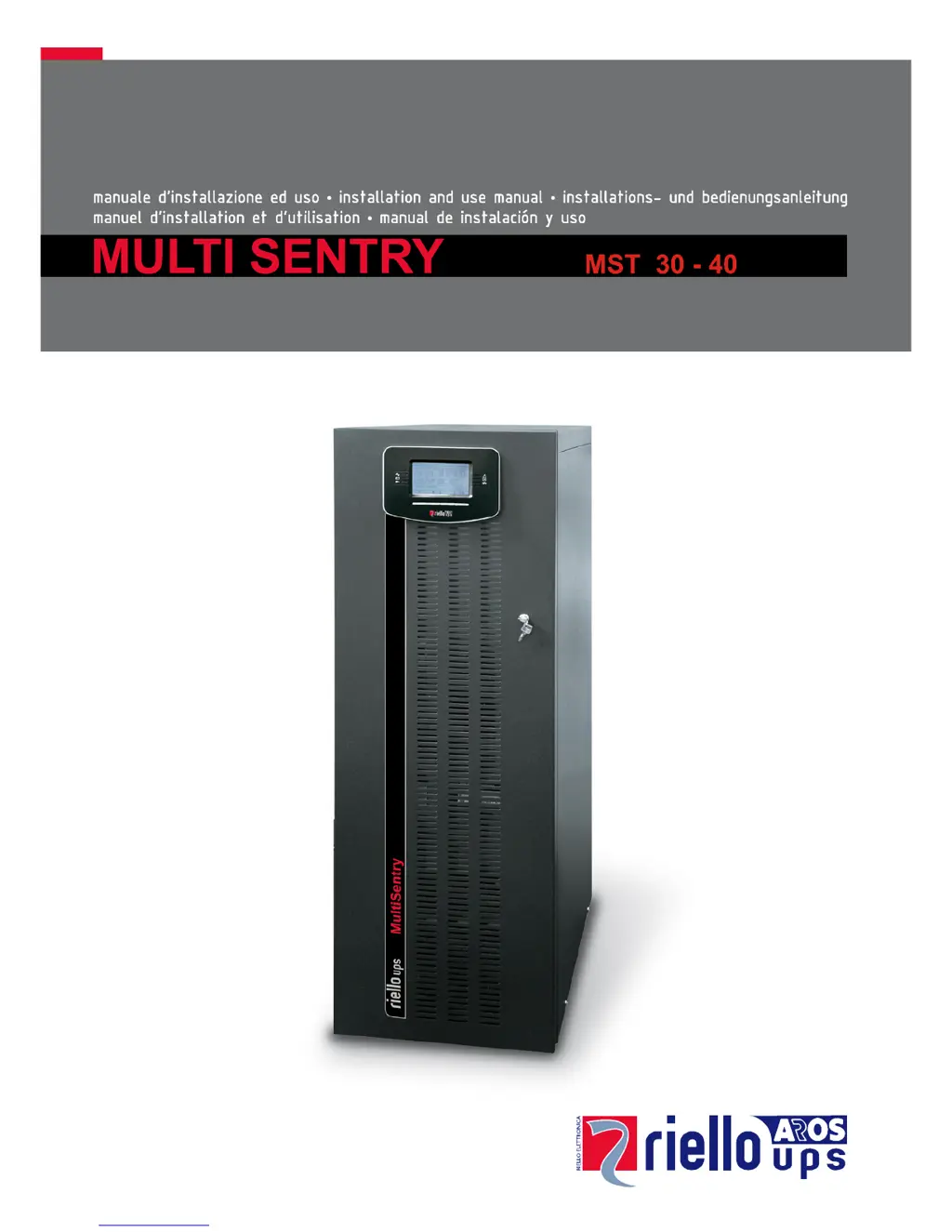
Riello MST 40 - User Manual

Riello MST 40
52 pages
Print Icon
To Next Page IconTo Next Page
Loading...

Table of Contents

Questions and Answers

Summary

Introduction and Environmental Aspects

Manual Introduction and Purpose

Welcomes the user and outlines the manual's content and purpose.

Environmental Protection and Material Information

Details the company's environmental policies and product material choices.

Product Disposal Guidelines for Hazardous Waste

Provides guidelines for the proper disposal of UPS components considered hazardous waste.

UPS Overview

Front View and Component Identification

Identifies key components visible on the front panel of the UPS.

Rear View and Connection Points

Identifies components and connection points on the rear panel of the UPS.

Control Panel and Display Features

Explains the UPS control panel, display areas, and button functions.

Bypass Input and Transformer Options

Details optional separate bypass input and internal transformer configurations.

UPS Installation

Storage, Preparation, and Environment

Guidelines for storing, preparing the UPS, and environmental requirements.

Installation Environment and EMC Compliance

Requirements for the installation area and electromagnetic compatibility.

Internal Batteries and Handling Safety

Safety precautions for installing and handling internal UPS batteries.

Pallet Removal and Unit Positioning

Instructions for safely removing the UPS from its pallet and positioning it.

Electrical Connections and Cabling Guidance

Guidance on cable cross-sections, routing, and terminal connections.

Bypass, Sync, and Battery Box Connections

Instructions for connecting bypass, synchronization, and external battery box.

UPS Operation and Configuration

System Description and Startup Procedures

Overview of UPS function, block diagram, and startup steps.

Operating Modes and Maintenance Bypass

Explanation of different operating modes and maintenance bypass functions.

Power Management and Features

Details on auxiliary sockets, power walk-in, and power reduction.

UPS Configuration and Settings Guide

Comprehensive guide to configuring UPS settings via control panel or software.

Communication Ports, Software, and Alarms

Information on communication ports, software, buzzer signals, and alarms.

Troubleshooting and Alarm Codes

Common Problems and Solutions

Table of common UPS issues and their troubleshooting steps.

Status, Commands, and Warning Codes

Explanation of UPS status, command, and warning codes.

Anomalies, Faults, and Lock Conditions

Detailed list and descriptions of UPS anomalies, faults, and lock conditions.

Technical Data

Input and Output Specifications

Detailed technical data for the UPS input and output stages.

Performance, Efficiency, and Environmental Data

Specifications on battery charging, modes, performance, and ambient temperature.

Summary

Introduction and Environmental Aspects

Manual Introduction and Purpose

Welcomes the user and outlines the manual's content and purpose.

Environmental Protection and Material Information

Details the company's environmental policies and product material choices.

Product Disposal Guidelines for Hazardous Waste

Provides guidelines for the proper disposal of UPS components considered hazardous waste.

UPS Overview

Front View and Component Identification

Identifies key components visible on the front panel of the UPS.

Rear View and Connection Points

Identifies components and connection points on the rear panel of the UPS.

Control Panel and Display Features

Explains the UPS control panel, display areas, and button functions.

Bypass Input and Transformer Options

Details optional separate bypass input and internal transformer configurations.

UPS Installation

Storage, Preparation, and Environment

Guidelines for storing, preparing the UPS, and environmental requirements.

Installation Environment and EMC Compliance

Requirements for the installation area and electromagnetic compatibility.

Internal Batteries and Handling Safety

Safety precautions for installing and handling internal UPS batteries.

Pallet Removal and Unit Positioning

Instructions for safely removing the UPS from its pallet and positioning it.

Electrical Connections and Cabling Guidance

Guidance on cable cross-sections, routing, and terminal connections.

Bypass, Sync, and Battery Box Connections

Instructions for connecting bypass, synchronization, and external battery box.

UPS Operation and Configuration

System Description and Startup Procedures

Overview of UPS function, block diagram, and startup steps.

Operating Modes and Maintenance Bypass

Explanation of different operating modes and maintenance bypass functions.

Power Management and Features

Details on auxiliary sockets, power walk-in, and power reduction.

UPS Configuration and Settings Guide

Comprehensive guide to configuring UPS settings via control panel or software.

Communication Ports, Software, and Alarms

Information on communication ports, software, buzzer signals, and alarms.

Troubleshooting and Alarm Codes

Common Problems and Solutions

Table of common UPS issues and their troubleshooting steps.

Status, Commands, and Warning Codes

Explanation of UPS status, command, and warning codes.

Anomalies, Faults, and Lock Conditions

Detailed list and descriptions of UPS anomalies, faults, and lock conditions.

Technical Data

Input and Output Specifications

Detailed technical data for the UPS input and output stages.

Performance, Efficiency, and Environmental Data

Specifications on battery charging, modes, performance, and ambient temperature.

Riello MST 40 Specifications

General IconGeneral
Apparent Power40 kVA
Battery TypeValve Regulated Lead Acid (VRLA)
Input Frequency50/60 Hz
Output Frequency50/60 Hz ± 0.1%
Typical Backup Time at Full LoadDependent on battery configuration
Communication InterfaceRS232, USB, Dry Contacts, SNMP (optional)
Operating Temperature0°C to 40°C

Related product manuals