EasyManua.ls Logo

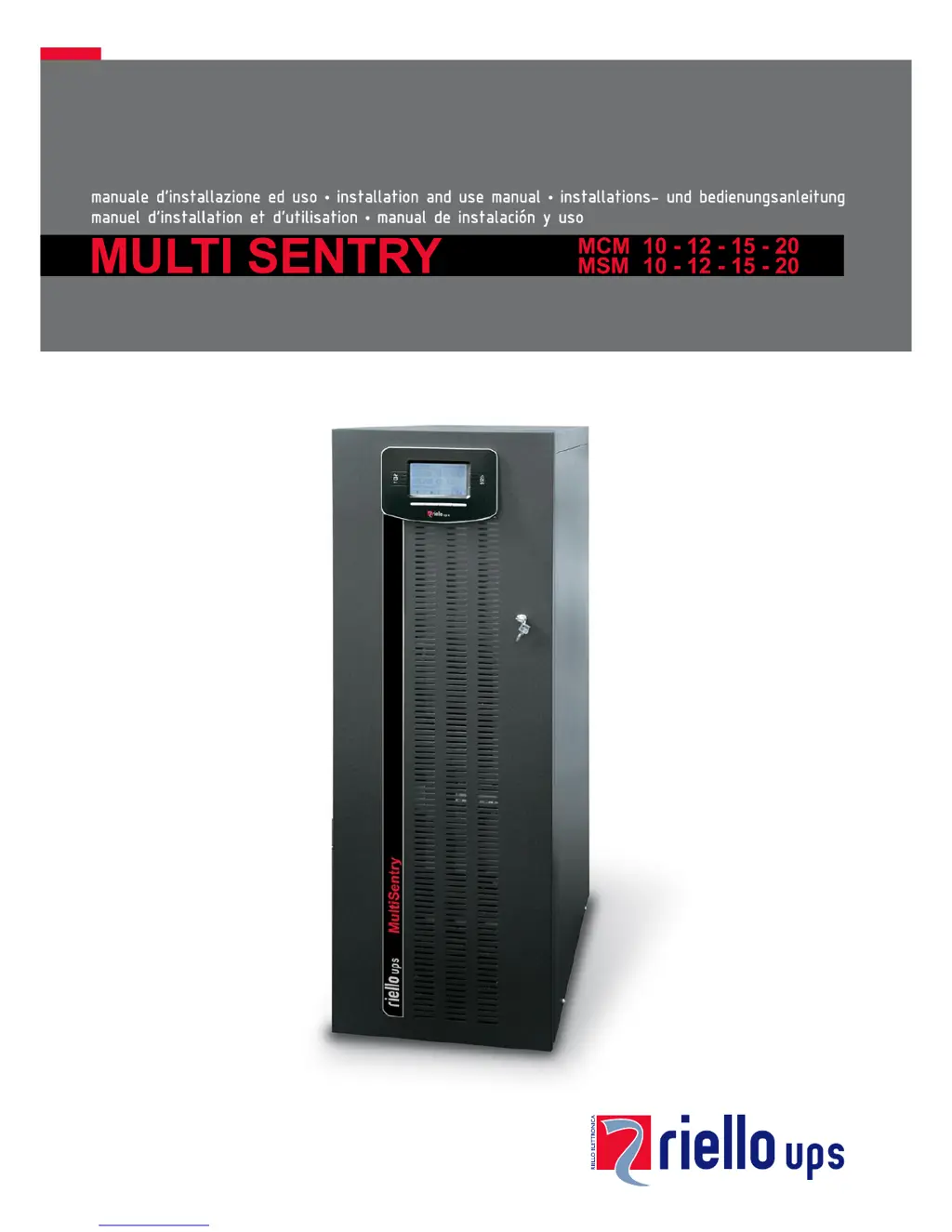
Riello MCM 10 - User Manual

Riello MCM 10
59 pages
Print Icon
To Next Page IconTo Next Page
Loading...

Table of Contents

Questions and Answers

  • J
    Jonathan ConnerSep 9, 2025
    What does C01 mean on the display of my Riello UPS?
    • A
      aaronrobinsonSep 9, 2025
      If the Riello UPS display shows the code C01, it means that the jumper is missing from the R.E.P.O. connector (J13) or is not inserted correctly. Mount the jumper or check that it is inserted correctly.
  • N
    nwatkinsSep 7, 2025
    What does C05 mean on my Riello UPS display?
    • S
      Sarah PattersonSep 8, 2025
      If the Riello UPS display shows the code C05, it may be due to the SWMB maintenance bypass switch being closed. Open the SWMB switch located behind the door. Another cause could be the jumper missing from the terminals for the remote maintenance bypass (J10). In this case, insert the jumper.
  • H
    hhillAug 22, 2025
    What to do if my Riello MCM 10 UPS display shows A22, F23, or L23 indicating a high load?
    • B
      Brian GardnerAug 22, 2025
      To resolve this, reduce the load connected to the Riello UPS until it is within the 100% threshold, or the specified load threshold if code A22 is displayed.
  • A
    andrew14Sep 5, 2025
    What should I do if my Riello UPS displays F09 or F10?
    • M
      Mrs. Julia GrahamSep 5, 2025
      If the Riello UPS display shows one or more of the following codes: F09, F10, it may indicate a malfunction at the UPS input stage. Activate the maintenance bypass (SWMB), switch the UPS off and then on again, and exclude the maintenance bypass. If the problem persists, contact the nearest service centre. It is also possible that phase 1 has a much lower voltage than the other two phases. Open the SWIN, start up the UPS using the batteries, wait until the sequence ends, and then close SWIN.
  • S
    Stacey WilsonSep 4, 2025
    Why won't my Riello UPS start up and shows A30, A32, A33, or A34?
    • S
      Stanley WallaceSep 4, 2025
      If the Riello UPS display shows one or more of the following codes: A30, A32, A33, A34 and the UPS does not start up, the environmental temperature may be below 0°C. Heat the environment and wait until the temperature of the heat sink rises above 0°C before switching on the UPS. Alternatively, there could be a malfunction of the temperature sensor on the heat sink. In that case, activate the maintenance bypass (SWMB), switch the UPS off and then on again, and exclude the maintenance bypass. If the problem persists, call the nearest service centre.
  • V
    vshermanSep 3, 2025
    What to do if my Riello MCM 10 displays F37 or L37?
    • E
      Emily BriggsSep 3, 2025
      If the Riello UPS display shows one or more of the following codes: F37, L37, it could be due to ambient temperature exceeding 40°C, heat sources near the UPS, obstructed ventilation slits, or a fault in the temperature probe or battery charger cooling system. Eliminate the cause of the overtemperature. Open the battery fuse holder isolators (SWBATT) and wait for the battery charger heat sink to cool down. Close the battery fuse holders. If the problem recurs, contact your local service centre. Never open the SWBATT fuse holders during battery operation.
  • M
    Michael PriceSep 1, 2025
    What does it mean when my Riello MCM 10 displays F11, F14, F17, L06, L07, L08, L09, L14, L17, or L20?
    • A
      Anna RobbinsSep 1, 2025
      If the Riello UPS display shows one or more of the following codes: F11, F14, F17, L06, L07, L08, L09, L14, L17, L20, this could be due to faulty loads. Disconnect the load. Insert the maintenance bypass (SWMB), switch the UPS off and then on again. Exclude the maintenance bypass. If the problem still persists, call the nearest service centre. Another cause may be a malfunction at the UPS input or output stage. Activate the maintenance bypass (SWMB), switch the UPS off and then on again and exclude the maintenance bypass. If the problem persists, call the nearest service centre.
  • M
    Michelle StricklandAug 31, 2025
    Why is my Riello MCM 10 displaying F34, F35, F36, L34, L35, or L36?
    • C
      Charles StewartAug 31, 2025
      If the Riello UPS display shows one or more of the following codes: F34, F35, F36, L34, L35, L36, it may be due to ambient temperature exceeding 40°C, heat sources near the UPS, or obstructed ventilation slits. Activate the maintenance bypass (SWMB) without powering off the UPS to cool the heat sink more quickly. Eliminate the cause of the overtemperature and wait for the heat sink to cool down. Then, exclude the maintenance bypass. The issue may also be due to a fault in the temperature probe or UPS cooling system. Insert the maintenance bypass (SWMB) without turning off the UPS to allow the fans to cool the heat sink, then turn the UPS off and on again. Exclude the maintenance bypass. If the problem persists, contact your local service centre.
  • C
    Cheryl CarterAug 30, 2025
    What should I do if my Riello UPS displays F03, F04, F05, A08, A09, or A10?
    • H
      Heather RamirezAug 30, 2025
      If the Riello UPS display shows one or more of the following codes: F03, F04, F05, A08, A09, A10, check the connections to the terminals. Also, verify that the short circuit bar is present for input single-phase connection, following the instructions in the paragraph on single-phase connections. If the internal protection fuses on the phases or the input relay have blown, contact the nearest service centre.
  • A
    Amanda FoxAug 28, 2025
    What to do if my Riello UPS has no power to the load?
    • M
      mariopooleAug 28, 2025
      If no power reaches the load connected to the Riello UPS, verify the connection to the output terminals. Also, check if the SWOUT switch located behind the door is open and close it. Ensure that the UPS is not in standby mode by running the start-up sequence. Check if 'Stand-by OFF' mode has been selected. This mode is used to power the loads only during blackouts. If none of these solutions work and there is a malfunction of the UPS and automatic bypass out of use, insert the maintenance bypass (SWMB) and contact the nearest service centre.

Summary

OVERVIEW AND PRODUCT VERSIONS

MULTI SENTRY SERIES

Introduces the Multi Sentry UPS range and its advanced features for maximum performance.

VIEW OF THE MCM CONNECTIONS

VIEW OF THE MSM CONNECTIONS

INSTALLATION GUIDE

PREPARING FOR INSTALLATION

Covers preliminary information, environmental requirements, and UPS specifications for installation.

INTERNAL BATTERIES SAFETY

BATTERY HANDLING AND SAFETY PRECAUTIONS

Provides crucial safety precautions and guidelines for handling internal UPS batteries.

UNIT UNPACKING AND REMOVAL

MSM VERSION UNPACKING

INSTALLATION COMPLETION

INSTALLING THE UPS AND BATTERY BOX

Covers unit placement, securing, and considerations for installation environment.

ELECTRICAL CONNECTIONS

WIRING DIAGRAMS FOR ELECTRICAL SYSTEM

Presents various wiring diagrams for connecting the UPS to different electrical system configurations.

INTERNAL PROTECTIVE DEVICES

EXTERNAL PROTECTIVE DEVICES

CONNECTING THE REMOTE MAINTENANCE BYPASS

CONNECTING THE BATTERY BOX TO THE UPS

BATTERY BOX CONNECTION PROCEDURE

Step-by-step guide for connecting the battery box to the UPS, including power-off procedures.

USING THE UPS

UNIT DESCRIPTION AND FUNCTION

Explains the purpose of a UPS and the function of its main components like PFC converter and inverter.

PRELIMINARY OPERATIONS FOR USE

CONNECTION AND ISOLATOR CHECKS

Outlines essential checks of connections, isolators, and battery fuse holders before power-on.

POWERING ON FOR THE FIRST TIME

INITIAL POWER-ON SEQUENCE

Details the steps for powering on the UPS for the first time and checking its status.

UPS POWER-UP AND SHUTDOWN PROCEDURES

POWERING ON FROM MAINS AND BATTERY

Provides instructions for powering on the UPS from mains or using the cold start function.

POWERING OFF THE UPS

Explains the correct procedure for shutting down the UPS and its components.

DISPLAY MENUS NAVIGATION

OPERATING MODES AND MAINTENANCE BYPASS

MAINTENANCE BYPASS (SWMB) PROCEDURE

Details the process for performing maintenance without interrupting power supply to the load.

UPS CONFIGURATION AND LOAD REDUCTION

CONFIGURING UPS PARAMETERS

Lists user-configurable parameters via the control panel, including language, voltage, and modes.

UPS SOFTWARE MANAGEMENT

TROUBLESHOOTING GUIDE

COMMON UPS PROBLEMS AND SOLUTIONS

Provides solutions for frequent UPS operational issues like connection errors or no power.

STATUS AND ALARM CODES

UPS STATUS CODES

Lists and explains various UPS status codes indicating operational states.

ANOMALY AND FAULT CODE DESCRIPTIONS

UPS ANOMALY CODES

Details anomaly codes indicating minor problems affecting UPS performance or functions.

FAULT CODE DESCRIPTIONS

UPS FAULT CODES

Details fault codes indicating critical problems that may halt UPS operation.

LOCK CODE DESCRIPTIONS

UPS LOCK CODES

Explains lock codes indicating UPS breakdowns or part failures, often preceded by alarms.

TECHNICAL DATA

INPUT SPECIFICATIONS

Presents technical data for UPS input voltage, frequency tolerance, and power factor.

OUTPUT SPECIFICATIONS

Details technical data for UPS output voltage, power factor, and dynamic stability.

Riello MCM 10 Specifications

General IconGeneral
Rated Power (VA)10000 VA
Rated Power (W)9000 W
Frequency50/60 Hz
Communication InterfaceRS232, USB, SNMP
Input Voltage220/230/240 V
Output Voltage220/230/240 V
TopologyOnline Double Conversion
Battery TypeLead-acid
Operating Temperature0°C to 40°C

Related product manuals