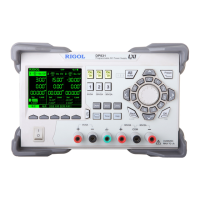
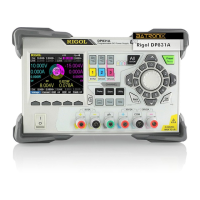
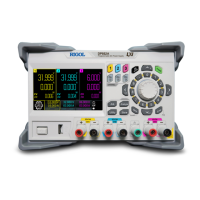
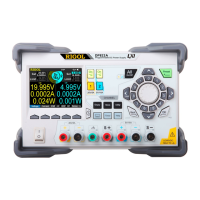
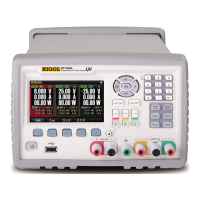
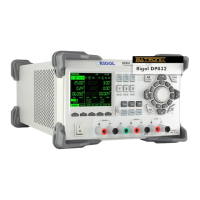
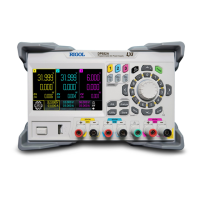
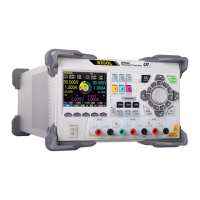
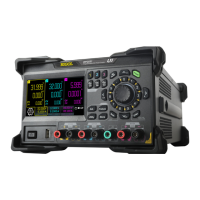
The RIGOL DP700 Series Programmable Linear DC Power Supply is a versatile instrument designed for various applications requiring precise and stable DC power. This calibration guide specifically covers the DP700 series, including models like the DP711 (30 V/5 A) and DP712 (50 V/3 A), both featuring a single channel.
Function Description:
The DP700 series functions as a programmable linear DC power supply, offering accurate control over output voltage and current. Its primary purpose is to provide a stable and adjustable DC power source for testing, development, and other applications where precise power delivery is critical. The instrument supports calibration of several key parameters to ensure its accuracy and reliability over time. These calibration items include:
- V DAC (Voltage Digital-to-Analog Converter): Calibrates the accuracy of the output voltage, ensuring that the voltage set by the user is precisely delivered by the power supply.
- I DAC (Current Digital-to-Analog Converter): Calibrates the accuracy of the output current, ensuring the power supply delivers the specified current accurately.
- V ADC (Voltage Analog-to-Digital Converter): Calibrates the accuracy of the readback voltage, ensuring that the voltage measured and displayed by the instrument is correct.
- I ADC (Current Analog-to-Digital Converter): Calibrates the accuracy of the readback current, ensuring the current measured and displayed by the instrument is accurate.
- OVP (Overvoltage Protection): Calibrates the accuracy of the overvoltage protection setting value, which is crucial for safeguarding connected devices from excessive voltage.
Important Technical Specifications:
While specific detailed technical specifications are not fully enumerated in the provided text, the document highlights key operational parameters and calibration requirements:
- Models: DP711 (30 V/5 A) and DP712 (50 V/3 A).
- Number of Channels: Both models feature 1 channel.
- Calibration Interval: The recommended calibration interval is one year to maintain performance specifications. More frequent calibration may be required for applications demanding higher accuracy.
- Warm-up Time: A minimum warm-up time of 30 minutes is required before calibration to ensure stable operation and accurate results.
- Environmental Conditions for Calibration:
- Ambient Temperature: Ideally 23°C ± 1°C, with a permissible range of 18°C to 28°C.
- Ambient Relative Humidity: Less than 80%.
- Recommended Calibration Devices: A digital multimeter, such as the RIGOL DM3068 (6½ digits), is recommended for measuring voltage and current during calibration. Test probes are also required to connect the power supply to the multimeter.
Usage Features:
The DP700 series is designed for user-friendly operation, with clear instructions provided for calibration procedures.
- Front Panel Interface: The instrument features a front panel with function keys and a knob for navigation and parameter input. Key names are bolded and enclosed in text boxes (e.g., On/Off) for easy identification in the manual.
- System Utility Interface: Users can access the system utility functions, including the "TestCal" tab, by pressing the System key.
- Calibration Page: A dedicated calibration page allows users to select specific calibration items (V DAC, I DAC, V ADC, I ADC, OVP) and calibration points.
- Password Protection: Manual calibration requires a password (default: 123456) to prevent unauthorized or accidental changes. The password can be modified by the user.
- Parameter Input: Measurement values from external devices (e.g., digital multimeter) are entered using the numeric keypad or the knob.
- Calibration Order: Strict adherence to the specified calibration order for each item is crucial for guaranteeing accurate results.
- Output Control: The channel output can be turned on or off using the On/Off key on the front panel.
- Help Information: The instrument interface provides help information to guide users through parameter setting methods.
Maintenance Features:
The calibration guide emphasizes the importance of regular calibration as a key maintenance activity to ensure the instrument's long-term accuracy and performance.
- Regular Calibration: Performing calibration at the recommended one-year interval, or more frequently if higher accuracy is needed, is essential.
- Calibration Safety: The password protection mechanism is a safety feature to prevent unintended calibration, which could compromise the instrument's accuracy.
- Calibration Data Saving: After completing calibration for an item or multiple items, users must explicitly save the calibration data to the instrument's non-volatile memory. The instrument prompts the user to save data upon exiting the calibration page if changes have been made.
- Restart Requirement: The instrument must be restarted after completing calibration to ensure the new calibration factors are fully applied.
- Professional Service: RIGOL does not recommend users perform manual calibration themselves. Instead, users are advised to contact RIGOL customer service or local distributors for calibration services, especially if issues arise or if the calibration process is complex. This suggests that while the guide provides instructions, professional expertise is preferred for optimal results.
- Precautions: Specific precautions, such as ensuring no load is connected during calibration (except for OVP), maintaining stable environmental conditions, and using short test probe cables, are highlighted to ensure the integrity of the calibration process.
- Non-Volatile Memory: Calibration factors are stored in non-volatile memory, meaning they are retained even after power-off or remote interface reset.

 Need help?
 General

 To Next Page