MerCruiser / Mercury Racing PCM-09
Page 50
Connecting to PCM-09 Systems (continued)
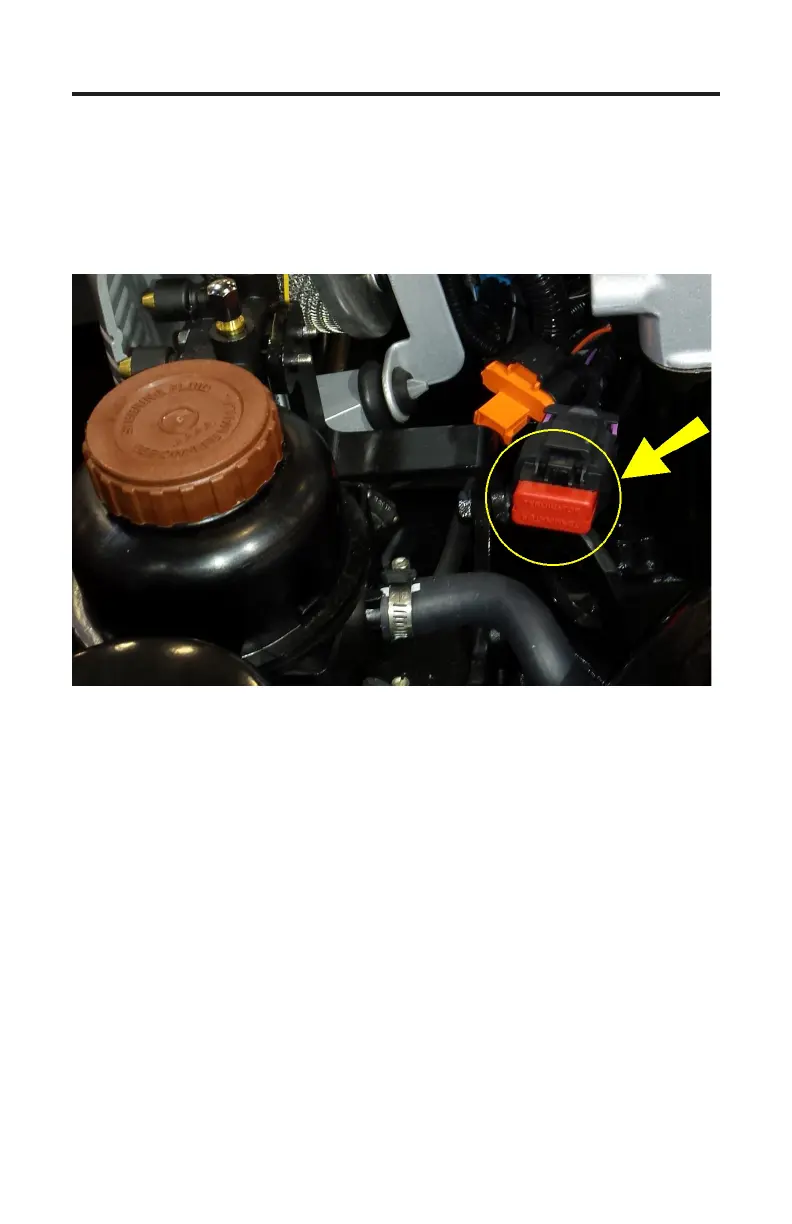
Some applications have a free hanging 10-pin CAN connector located on the
engine’s electrical harness as shown in Figure 25. To connect to this type of
CAN port remove the CAN connector’s protective cap (or terminator) and
attach the scan tool.
Figure 25 Free hanging 10-pin CAN port
3) Once the tool is connected, turn the ignition switch ON and start the engine
if necessary.
4) Aer the scan tool displays its initial opening messages use the ▲ and ▼
keys to highlight the “Sterndrives / Inboards” option from the main menu,
then press the YES key to select it.
Engine / ECM Detection
Aer selecting the “Sterndrives / Inboards” system type the scan tool will rst
determine if more than one engine is available for diagnosis. Multi-engine
vessels oen have their engines inter-connected via the vessel’s CAN bus and can
therefore be diagnosed from a single CAN port. For all available engines to be
detected by the TechMate Pro scan tool they must have their ignition switches
turned ON or be running.


 To Next Page