Home
ring
Security Camera
Floodlight Cam
Page 29 (Configuring Features)
ring Floodlight Cam - Configuring Features; Motion Alerts and Sensitivity
40 pages
Manual
Save Page as PDF
To Next Page
To Next Page
To Previous Page
To Previous Page
Loading...
Manu
all
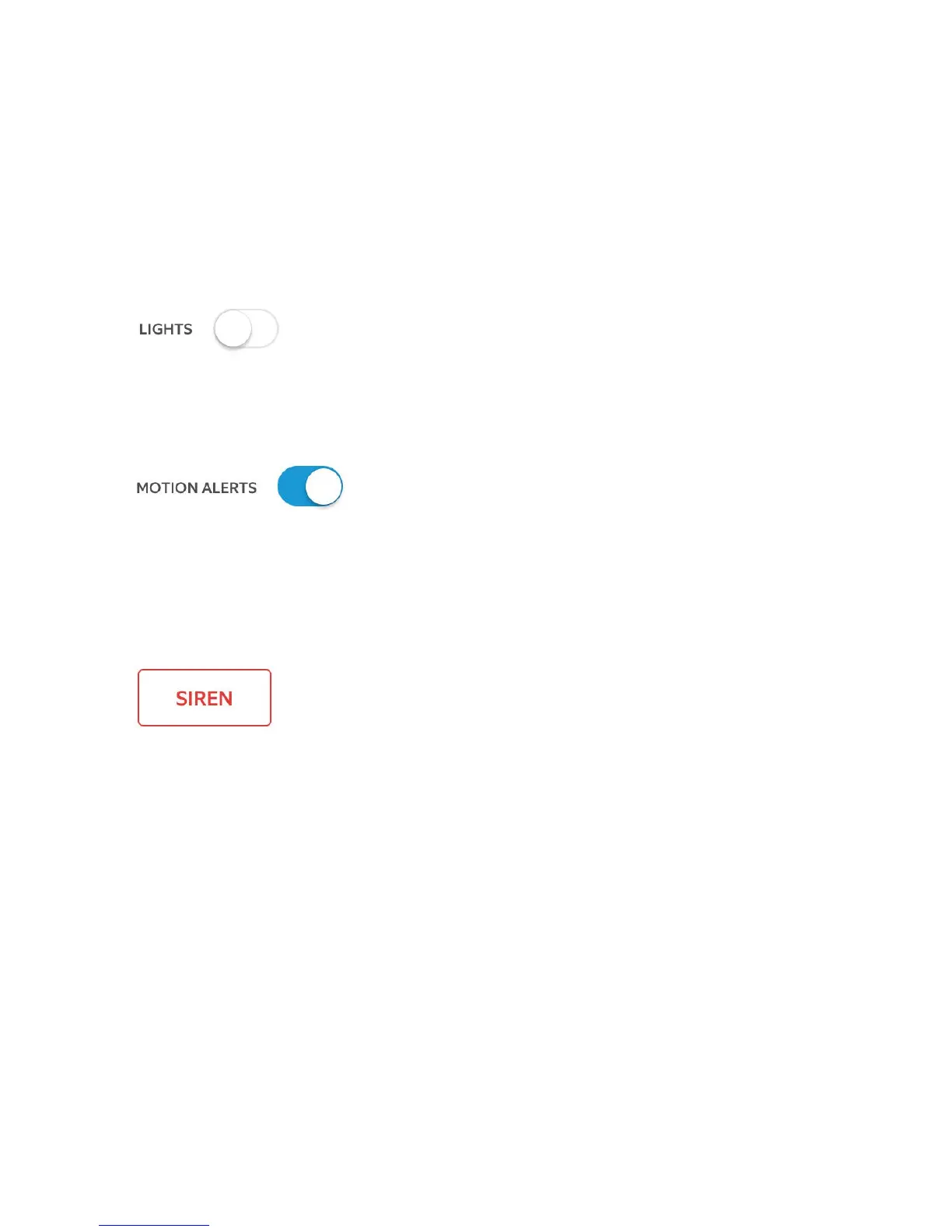
y control the lights.
T
oggle notifications for activ
ity in
an
y of
the camer
a’
s motion z
ones.
T
rigger the 110 decibel sir
en
. It
is lou
d and w
ill be hear
d b
y your
neighbors. U
se it with car
e.
29
28
30
Table of Contents
Main Page
Box Contents
4
Before You Begin
4
How It All Fits Together
6
How Installation Height Affects Motion Detection
8
Shut Power off at the Fusebox
10
Prep Your Floodlight Cam for Installation
12
Remove Your Existing Floodlight
14
Install the Mounting Bracket
16
Hang Floodlight Cam
18
Connect the Earth Wire
20
Connect the Power Wires
22
Snap the Wire Connector into Place
23
Place Floodlight Cam on the Bracket
24
Restore Power
26
Perform the In-App Setup
27
After Setup, Select Your Floodlight Cam in the Ring App
28
Select Live View to Open a Live Video Stream
30
During Live Video, You Can Access These Features
31
Select Motion Settings
32
Select Light Settings
36
Troubleshooting Tips
38
Other manuals for ring Floodlight Cam
Installing And Setting Up
26 pages
Related product manuals
ring Indoor Cam
9 pages
ring Stick Up Cam
26 pages
ring Spotlight Cam
52 pages
ring Stick Up Cam Pro
19 pages
ring Outdoor Cam Plus
11 pages
ring Stick Up Cam Wired
16 pages
ring Indoor Cam 2nd gen
7 pages
ring Stick Up Cam Elite
9 pages
ring Spotlight Cam Wired
25 pages
ring Stick Up Cam Battery
7 pages
ring Spotlight Cam Battery
19 pages
ring Floodlight Cam Wired Pro
23 pages






 To Next Page