ARBOTOM
®
- Manual 12
Installation of the ARBOTOM
®
-Software
The ARBOTOM software can be easily installed on your PC:
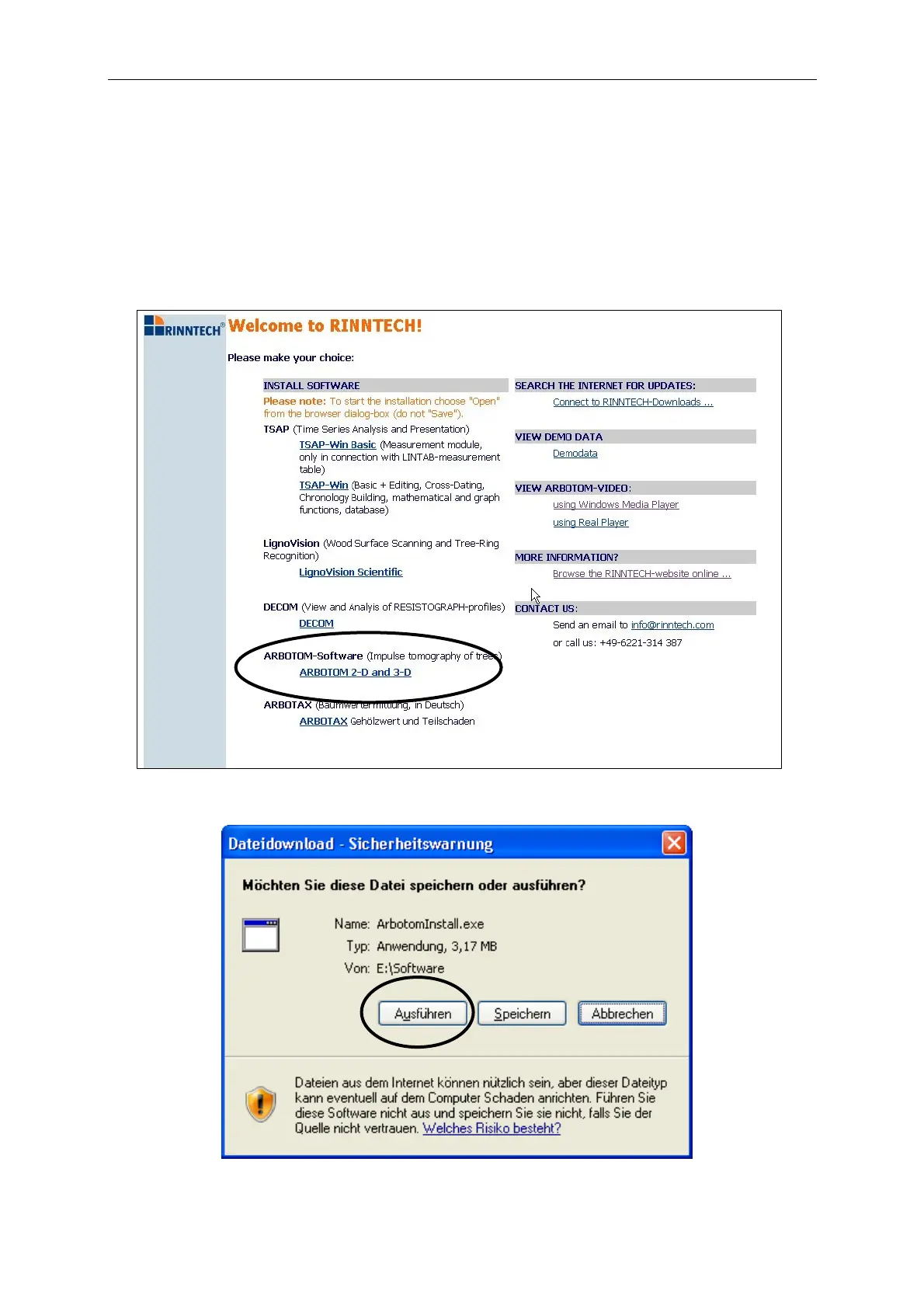
1. Insert the RINNTECH Software CD into the CD-ROM drive.
2. After a while the CD starts automatically. Choose your language. Please note that
opening the installation file is possible by using the Windows
®
Internet Explorer only.
3. Select ARBOTOM 2-D and 3-D from the software list
4. Open the installation file. (Note: Do not save it)


 To Next Page