ARBOTOM
®
- Manual 24
Option: Wireless connection (Bluetooth)
In case your notebook is equipped with Bluetooth, ARBOTOM
®
can transfer
measurement date wireless to your notebook computer. The radius of operation is
approx. 10 meters.
To use the Bluetooth connection, it is necessary to configure and activate Bluetooth at
your PC. Since these steps are different from one Bluetooth supplier to the other, we
just can give some general hints here. Please refer the manual of your notebook or
Bluetooth system respectively.
Configuration of Bluetooth: ARBOTOM
®
must be detected and installed by Bluetooth.
1. Switch on the ARBOTOM
®
Battery Pack and the Bluetooth at your notebook.
Some notebooks come with a built in Bluetooth switch and control diode. An
active Bluetooth should be indicated in the Windows task bar.
2. Open the Bluetooth environment on your notebook and let the system search for
available Bluetooth devices.
3. When ARBOTOM is detected, click on the ARBOTOM
®
icon with the right mouse
button and pair the devices. The ID for connecting is 0000 (4 x zero).
Finally the correct COM-port must be set in the ARBOTOM
®
Options. Check the
Windows Device Manager to find out which COM-port is used by Bluetooth.
During the startup of the ARBOTOM software, the Bluetooth connection will be
established automatically. In case the connection is lost, it can easily be re-
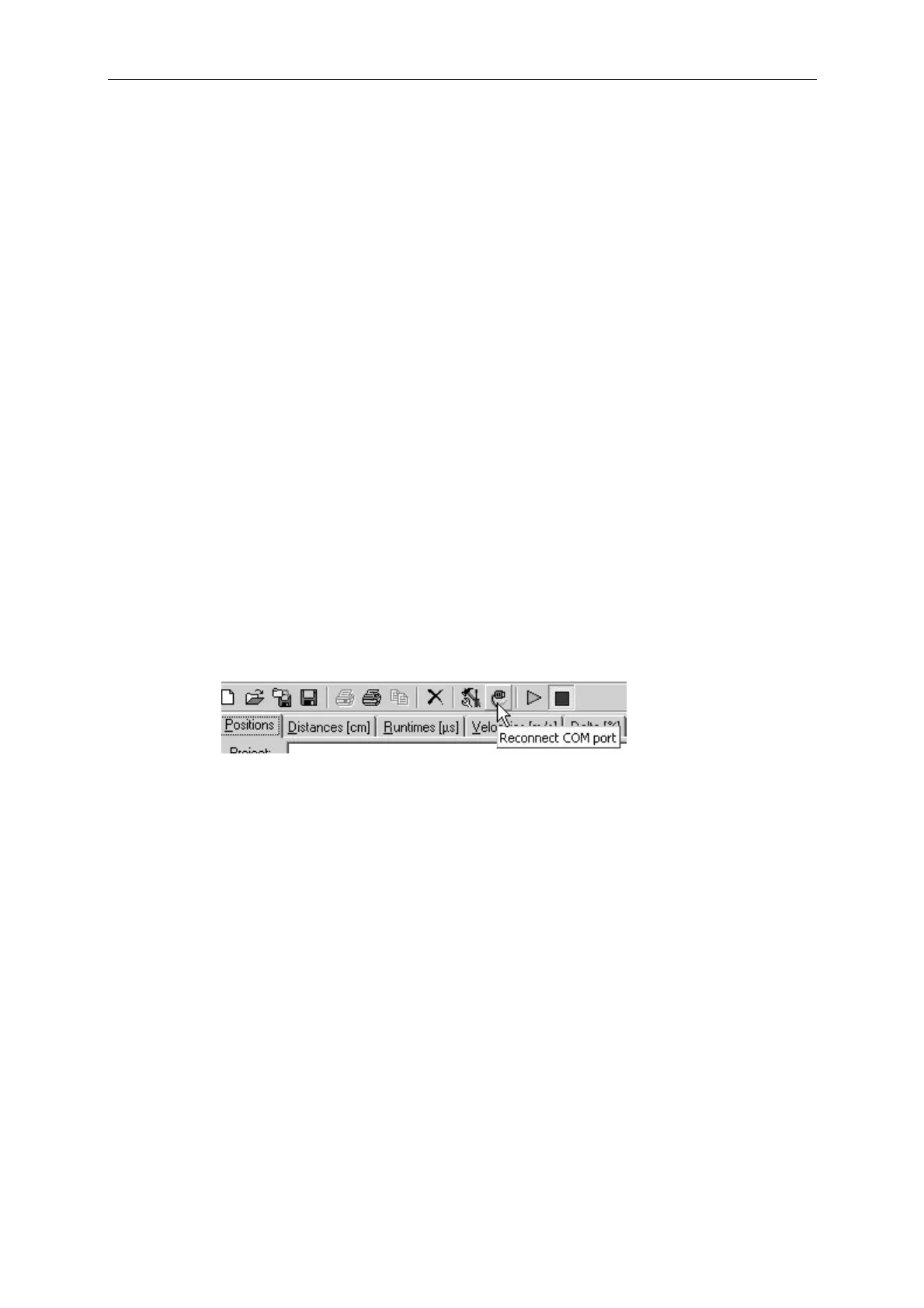
established by clicking on the button “Reconnect COM-port”. Alternatively Bluetooth
can be manually reconnected using the Bluetooth Environment.


 To Next Page