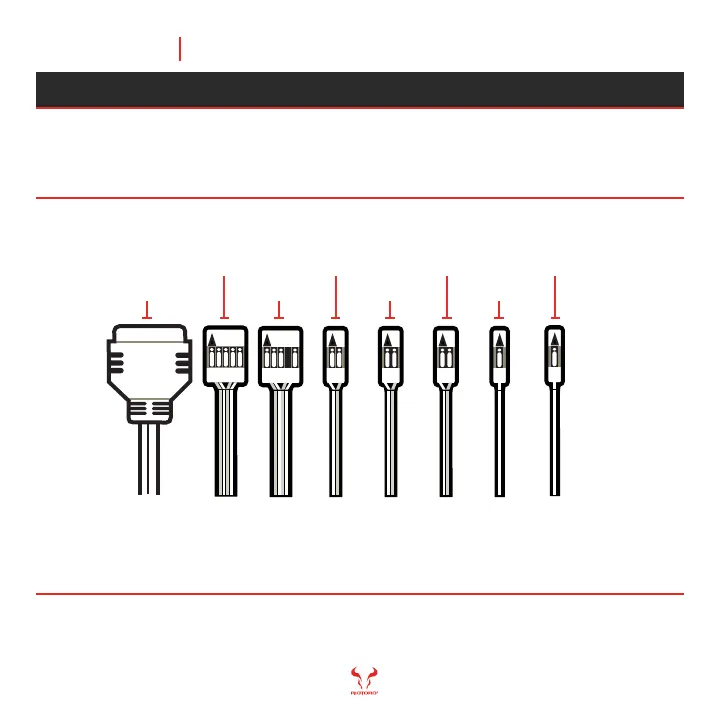
USB 3.0
USB 2.0
HD AUDIO
POWER SW
RESET SW
HDD LED
POWER LED +
POWER LED -
Tips: - LED leads are marked positive (+) or negative (–) and must be connected to the corresponding
pins on the motherboard. The orientation of the RESET SW and POWER SW connectors does not matter
- Use your motherboard manual to correctly identify the front I/O connectors.
Morpheus’ front panel switches, LEDs, and USB ports have wire leads that
need to be attached to header pins the motherboard. Use your motherboard
manual to locate the proper header pins and attach the right connectors.
Connect the Front Panel Switches and LEDs
Chapter 5 47
READY, SETUP, GOMORPHEUS



 To Next Page