6
Off (ST): Standard sound
SW3
Not Used.
SW4
(Default: EOL)
Defines the TAMPER output operation (Wall and cover tampering)
On (NOR): The TAMPER relay output contact opens upon tamper activation.
Off (2K2) : EOL configuration:- On Board 2.2 KΩ EOL resistor connected in
series with the Tamper Relay Contact. The TAMPER relay contact opens on
tamper activation.
NOTE:
An externally connected 2.2 KΩ resistor is not required for EOL configuration.
SW5
(Default: Voltage
Free)
Option to connect TAMPER FEED terminal to COM (0V).
On (TMF): Connects the TAMPER FEED terminal to COM (0V).
Off (NOR): Voltage Free Tamper Contacts.
BUS Mode
DIP1 Description
SW: 1-3
(A1,A2,A3)
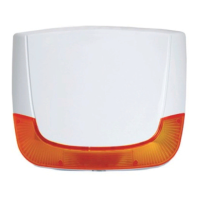
Used to set a unique BUS ID number for the sounder when connected in a BUS
mode configuration. Set the ID in the same manner as with all ProSYS
accessories.
Terminal Block Wiring
Stand-Alone Mode
The following explains the various wiring and connection procedures that must be performed when wiring the
sounder:
Left Terminal Description
PS +
PS-
Use these terminals to connect an alternative power supply 13.8VDC 1.6A to the
sounder.
NOTES:
The maximum current that the sounder can draw from these terminals is 1.6A
compared to 200 mA from the AUX RED and COM BLK terminals.
When a power supply connected to these terminals, there is no need to connect a
power supply to the AUX RED and COM BLK terminals.
TAMPER RTN /
FEED
Tamper outputs for (Wall and cover tampering). The connection of these terminals
depends on the setting of the TAMPER DIP switches (DIP2 SW4 and SW5):
(DIP2 SW5 ON): Connect the TAMPER FEED to COM (0V). RTN wired as single wire
feed to Control Equipment Tamper Input.
No EOL Mode (DIP2 SW4 ON): Connect the RTN and the FEED to a zone input or to
the bell tamper input on the Control Equipment.
EOL Mode (DIP2 SW4 OFF):: Connect the RTN and the FEED to a zone input EOL.
(An internal 2.2 KΩ EOL resistor is connected in series with the output)
PROX
(Anti-Approach
Output)
Connect these terminals to a zone input for the indication of Anti approach alarm.
(Stand Alone mode only)
NOTE:
You can connect the PROX terminals in series with the TAMPER terminals in order to
have a single tamper indication from the sounder.
TRBL output The trouble output is activated (switch to COM - 0V) as defined by the setting of the
trouble DIP-switch (DIP2 SW1).
C+/- Used to trigger the sounder. The terminal behaves according to DIP1 SW3 selection.
STB (Strobe
Input )
Terminal to negative, strobe is activated.
Terminal open, strobe is deactivated.


 To Next Page