RPR-4000
Operations manual
REV 8-21 34
To load previously saved settings
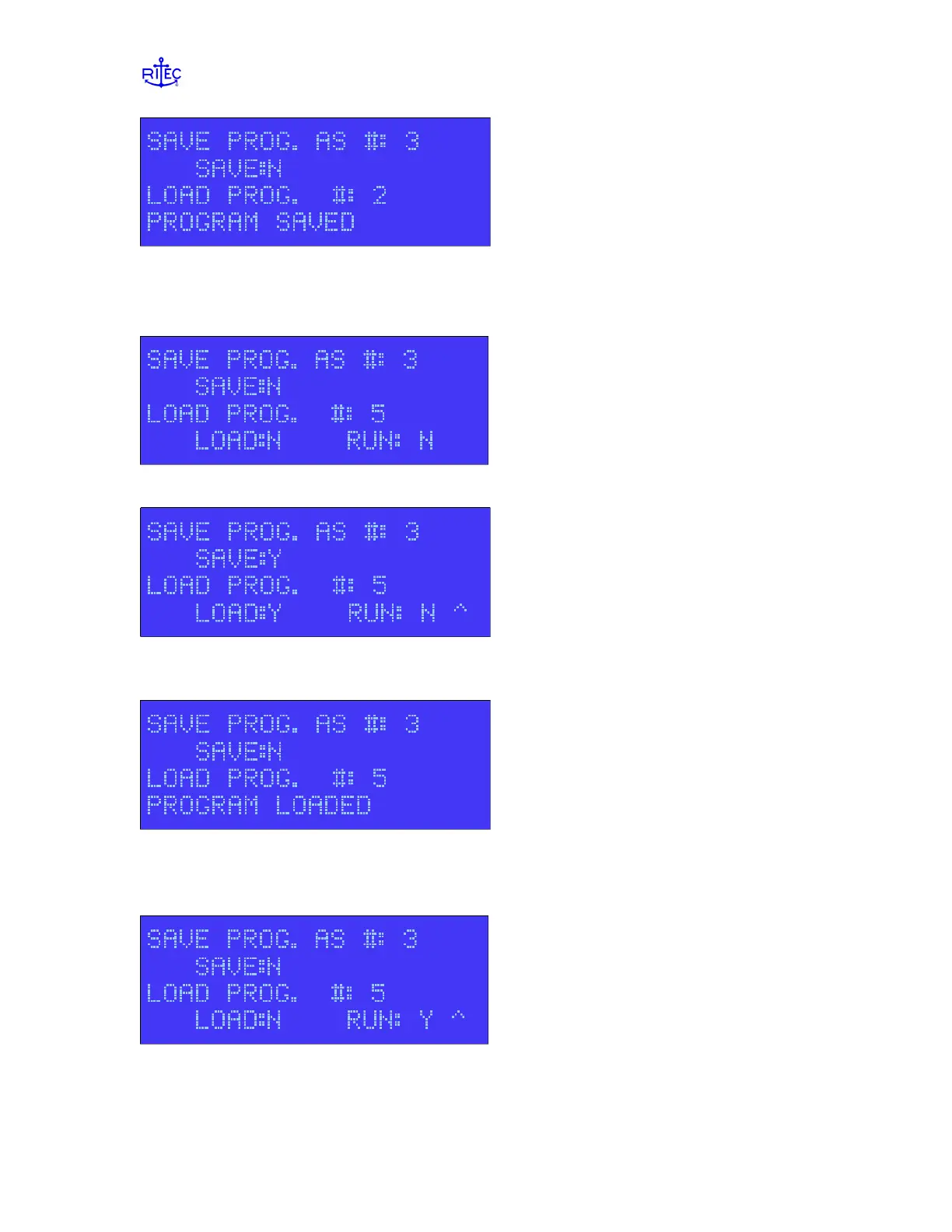
Enter the desired program number in the field “LOAD PROG. #:’ and press enter.
Set the ‘LOAD’ setting to Y and press ENTER
The bottom line of the display should flash ‘PROGRAM LOADED’. After this, the
LOAD field will change itself back to N.
At this point, all of the settings have been loaded and will be displayed on the menus.
However, the settings will not take affect until the program is RUN. To Run the program
and make the settings take affect, select change RUN to Y and press enter.


 To Next Page