RPR-4000
Operations manual
REV 8-21 40
Control Modes
The RPR-4000 can be operated in two control modes, pass-through mode and update mode.
More information on these operating modes is presented below.
Update Mode
This is the default mode of operation for the RPR-4000 system. The main control module
accepts commands from either the local keypad or the remote RS-232 interface. The main
control module interprets the commands, updates the local display, and then sends the
appropriate commands to either the pulser or receiver module.
NOTE The maximum number of commands per second in Update Mode is 20.
Passthrough Mode
Operating in the “Passthrough Mode” enables the RPR-4000 to receive commands at a rate
of 50 commands per second vs. 20 commands per second in the “Update Mode”. This is due
to the fact that the operator’s console is not updated in the Passthrough Mode. Updating the
operator’s console involves the verification, calculation and passing of commands as well as
updating the display. By eliminating these steps, the command response rate can be
increased.
NOTE When changing from Passthrough back to Update, all commands issued
during Passthrough Mode will be lost. As soon as the UPDATE command is
issued the current console settings will be reloaded and sent to the pulser and
receiver and take immediate effect.
When operating in the PASSTHROUGH MODE there will be no echo of settings to the
remote console. In this mode the pulse width will not be recalculated with a change in
frequency or cycle settings. It will remain at the setting entered: P.W. WIDTH.
In PASSTHROUGH MODE, only the CO command is available for controlling the amplifier
output level. Do not send RF or BI commands.
A typical use of the PASSTHROUGH MODE would be frequency sweeping when trying to
detect resonance. A text file containing a series of frequency settings or data field settings
can be downloaded to the RPR-4000 and sequentially executed. For more information, see
the next heading “Sending multiple commands”.
To activate PASSTHROUGH MODE, send the command “PS:<CR>” via the RS-232
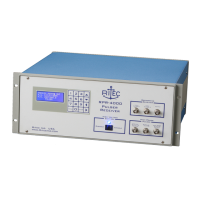
communication link. You should see the following message on the local LCD display:


 To Next Page