RPR-4000
Operations manual
REV 8-21 33
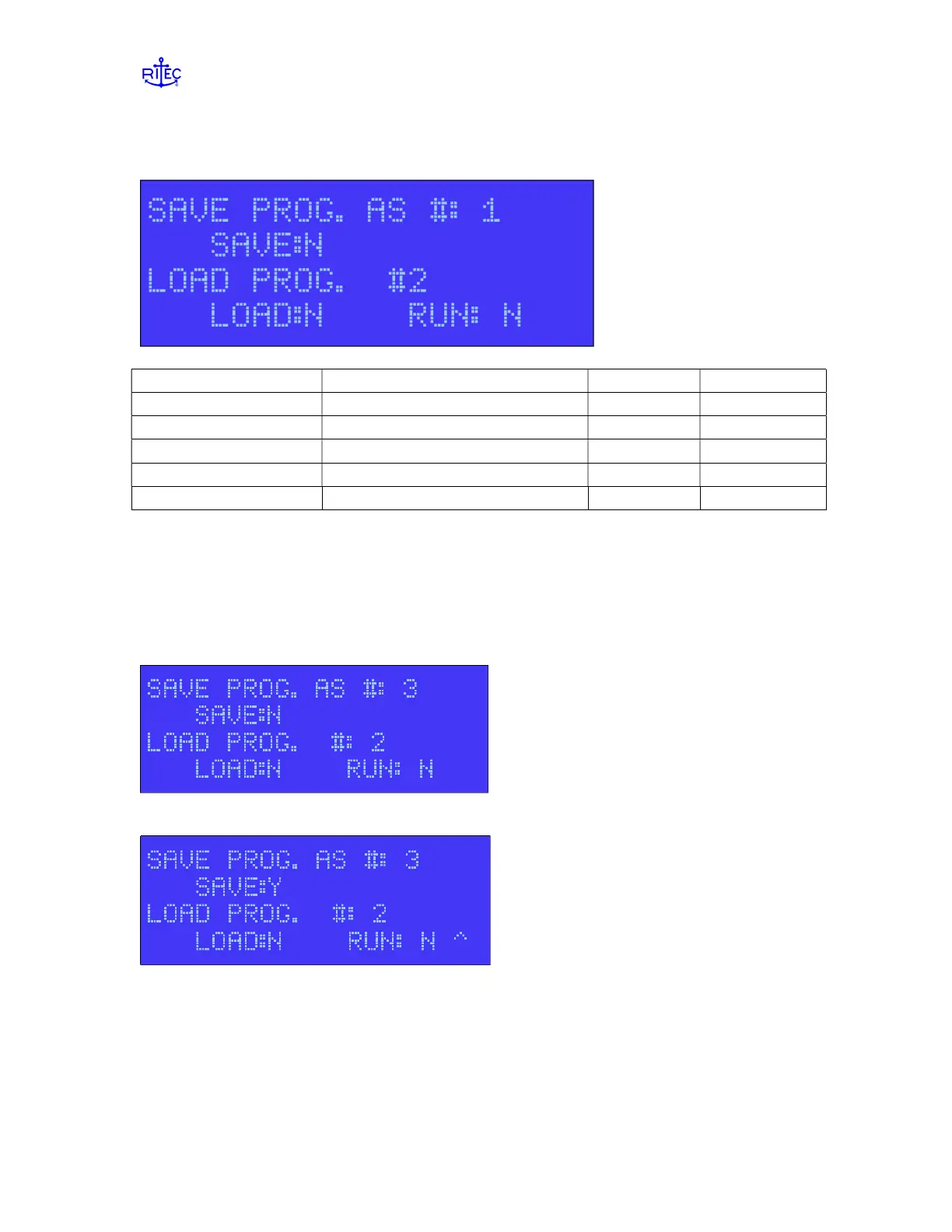
Page 5 – Program settings
Label Parameter Data range Data type
SAVE PROG. AS # Slot to save settings in 0 to 9 numeric
SAVE Save command Y, N alpha
LOAD PROG. AS # Slot to load settings from 0 to 9 numeric
LOAD Load command Y, N alpha
RUN Run command Y, N alpha
Once you have entered in the various settings for the pulser and the receiver, you can
save these settings to internal, non-volatile memory.
To save your settings
Enter the desired program number in the field “SAVE PROG. AS #:’ and press the enter
key
Set Save to Y and press ENTER.
The message ‘PROGRAM SAVED’ will flash on the bottom line of the display, and the
SAVE setting will change back to ‘N’.


 To Next Page