9
4.6 Changing the front and zoom lenses
The ColorWash 575 AT is supplied with one type of the front lense(Fresnel lens) and one type of the zoom
lens(standard zoom lens). If you wish to extend the zoom range,you may need optional Fresnel zoom lens or
front wide-angle lens:
Front lens Zoom lens Beam angle
Standard Fresnel lens Without zoom lens 8°
Standard Fresnel lens Standard zoom lens 12°-34°
Standard Fresnel lens wide-angle lens D114 24°-60°
Front wide-angle lens Without zoom lens 87°
Switch the device off before changing the lens.Be careful.Front lens is heavy!
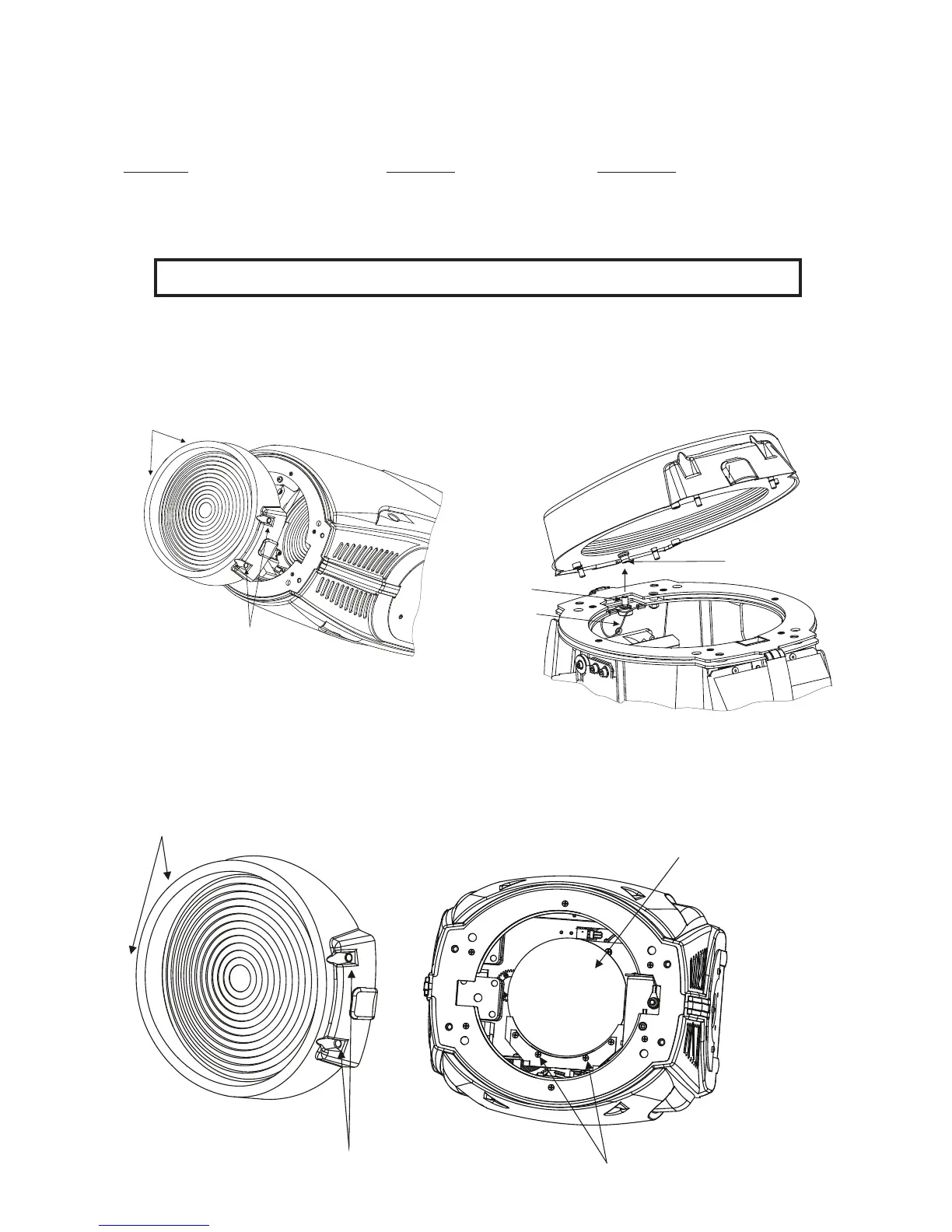
Changing the font Fresnel lens:
1.Remove the front lens using a athead screwdriver to unlock the four quarter-turn screws.
2.Unscrew the safety cabel from the lens
3.Screw up the safety cable to the wide-angle lens.
4.Place this lens and x it by locking the four quarter-turn screws.
Quarter-turn screws
Quarter-turn
screws
Nut
Bolt
Safety cable
Changing/removing the standard zoom lens:
1.Remove the front lens using a athead screwdriver to unlock the four quarter-turn screws.
2.Unscrew the 2 lens xing screws and push out the lens up from the lens holder.
3.If you want to install the wide-angle lens D114,put it in to the lens holder and tighten the 2 lens xating scre-
ws.
4.Place the front lens and x it by locking the four quarter-turn screws.
Quarter-turn screws
Quarter-turn screws
Standard zoom lens
Lens xation screws













 To Next Page