25
Fixture Temperatures - The menu is used to view temperatures of the xture´s inside.
Head Temperature - The menu shows temperatures in the xture head near the lamp.
Current - A current temperature of the xture head.
Maximum NonRes. - A maximum temperature of the xture head since the xture has
been fabricated.
Maximum Res. - A maximum temperature of the xture head since the counter
was last reset.
In order to reset this counter to 0, touch the text box next to the item "Maximum Res."
Note. If the head temperature exceeds 83°C for 1 minute, the lamp will be switched o.
Base Temperature - The menu shows temperature in the xture base (on the display PCB).
Current - A current temperature in the xture base.
Maximum NonRes. - A maximum temperature in the xture base since the xture has
been fabricated.
Maximum Res. - A maximum temperature in the xture base since the counter
was last reset.
In order to reset this counter to 0, touch the text box next to the item "Maximum Res."
Ambient Temperature - The menu shows temperature of the induced air on the fan in the xture base .
Current - A current temperature of the induced air in the xture base.
Maximum NonRes. - A maximum temperature of the induced air in the xture base since
the xture has been fabricated.
Maximum Res. - A maximum temperature of the induced air in the xture base since
since the counter was last reset.
In order to reset this counter to 0, touch the text box next to the item "Maximum Res."
DMX Values - The menu is used to read DMX values of each channel received by the xture.
Wireless State - The menu serves for reading of the wireless operation status (only for Wireless DMX version).
Software Version - Select this item to read the software version of the xture modules:
Display System - A display processor on the display board in the xture base
Module M - A pan/tilt processor
Module G - A static gobos/rot. gobos/eect wheel processor.
Module O - A focus/zoom processor
Module P1 - A light frost/prism wheel 1 processor
Module P2 - A medium frost/prism wheel 2 processor.
Module C1 - A cyan wheel/magenta wheel/strobe/hot-spot 1 processor.
Module C2 - A colour wheel/yellow wheel/CRI lter/frost lter/hot-spot 2 processor.
Product IDs - The menu is used to read the MAC Address ,RDM UID and RDM Label.
View Logs - Use this menu to read xture´s data which have been recorded during xture operation. This
colected data allows easier troubleshooting.
Fixture Errors - Use this menu to read xture errors which have occured during xture operation.
Fixture States - Recorded following actions: Fixture On, Fixture O, Lamp On, Lamp O.
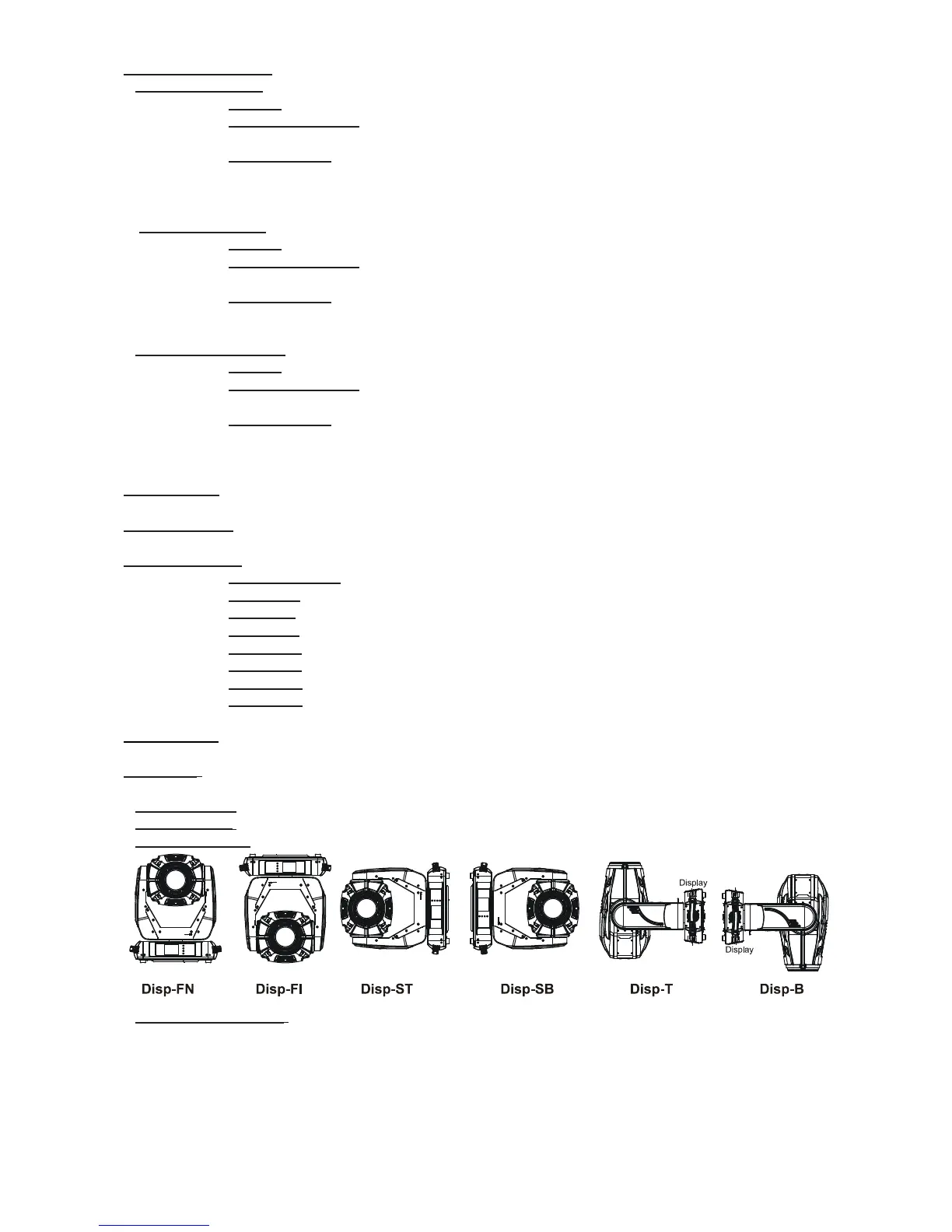
Fixture Position - Recorded installation positions of the xture:
Fixture Temperatures - Recorded temperatures which have exceeded dened levels.
Note: The log buer can contain 8000 records max. If the buer is full, old data will be overwritten.



 To Next Page