8
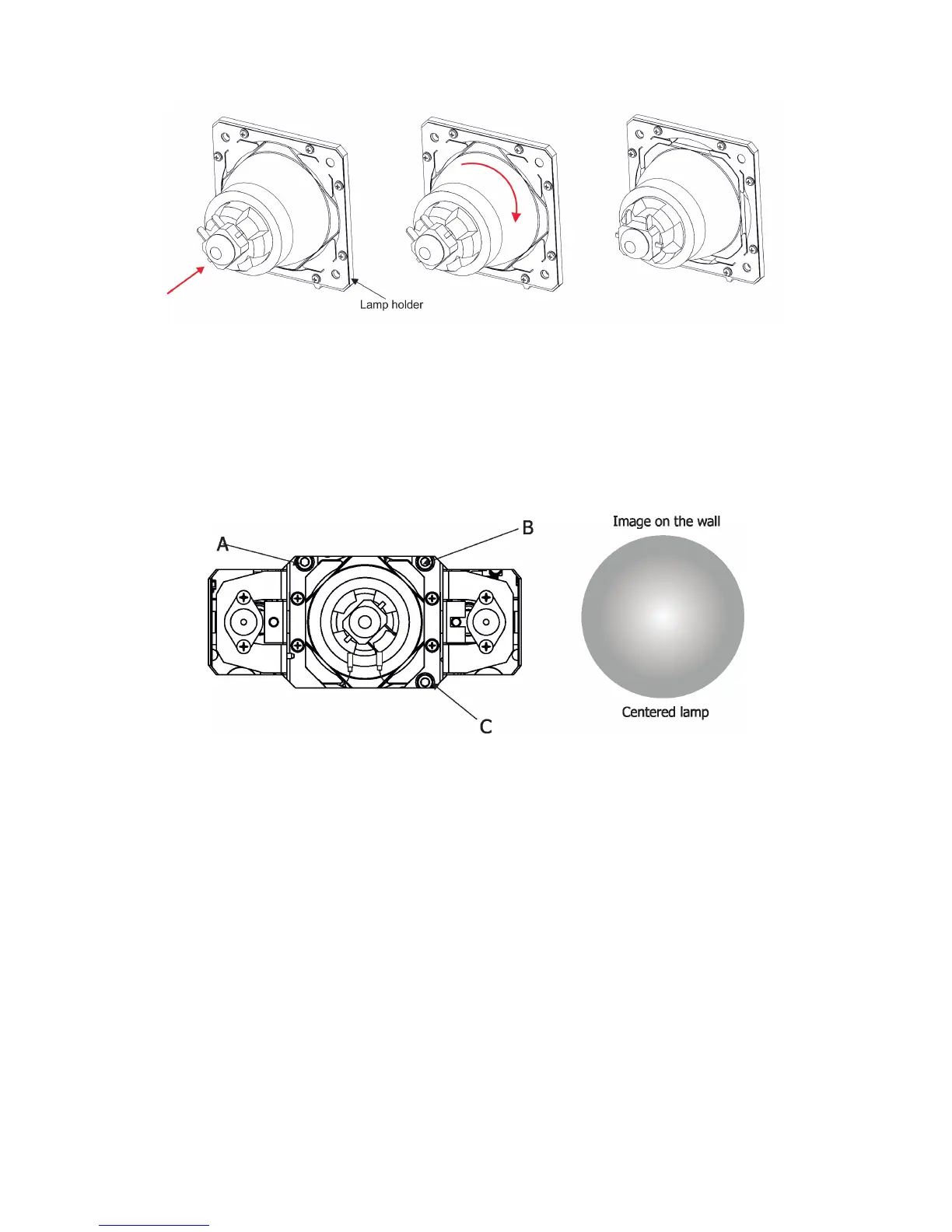
Insert and lock the lamp
Lamp in unlocked position Turn the lamp right Lamp in locked position
3.3 Aligning the lamp
The lamp holder is aligned at the factory. Due to dierences between lamps, a ne adjustment of the lamp
holder may improve light performance of the xture.
The three screws (A,B, C) serve for ne aligning of the lamp´s hot spot in a light image
To adjust the lamp in the xture.
1.
Connect the xture to mains, switch on the lamp, open shutter and dimmer, set zoom on suitable size
and focus the image on the wall (both static gobo wheel a rotating gobo wheel have to be set at 0 DMX).
2
.Loosen two quarter-turn fasteners (1) on a lamp cover and remove the lamp cover (2) to get into lamp
compartment.
3. Ajust the lamp holder into desired position by using the three screws A,B,C (by means of an Allen key 4).
4.
Re-insert the lamp cover (2) and tighten the two quarter-turn
fasteners (1) .



 To Next Page