7
6WHS3OXJLQ\RXUVSHDNHUDQGVZLWFKRQIRU¿UVWXVH
3ODFH\RXUVSHDNHURQDÀDWVXUIDFHDQGSOXJWKHFDEOHIURPWKHPDLQV
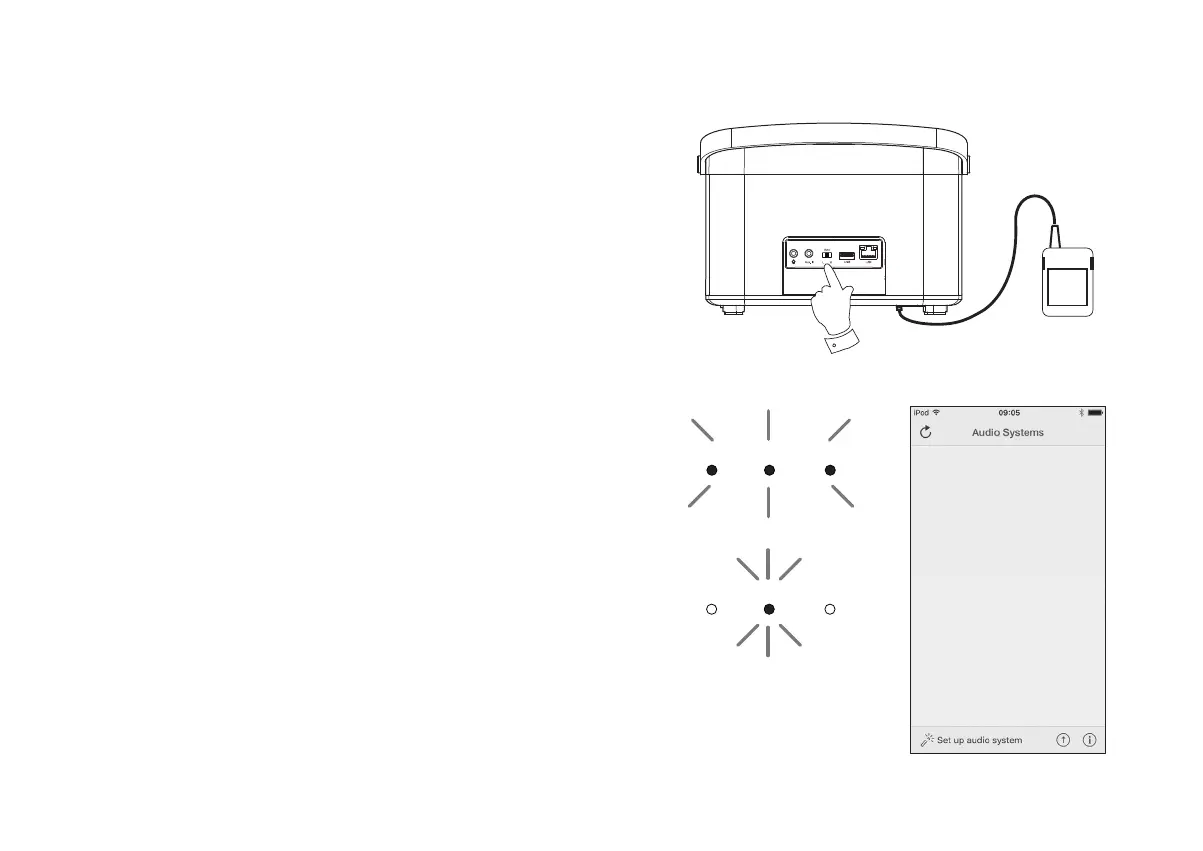
adaptor into the DC input socket located underneath the speaker (marked
'DC In') ensuring that the plug is pushed fully into the socket.
2. If you wish to use a wired network connection, plug the Ethernet cable into
the RJ-45 socket at the back of the speaker.
3. Ensure that the Stereo mode switch is in the centre 'Auto' position.
4. Plug the mains adaptor into a wall socket and switch on the socket.
IMPORTANT: The mains adaptor is used as the means of connecting the
speaker to the mains supply. The mains socket used for the speaker must
remain accessible during normal use. In order to disconnect the speaker
from the mains, the mains adaptor should be removed from the mains
socket outlet completely.
5. When you apply the power the Standby, Network Status and Mode
indicatorsZLOODOOOLJKWEULHÀ\
,IWKLVLVWKH¿UVWWLPHWKDW\RXXVH\RXUVSHDNHURUDIWHUDIDFWRU\UHVHWDIWHU
several seconds the Network Status indicatorZLOOÀDVKVORZO\LQGLFDWLQJ
that your speaker is now ready to connect to your home network.
• After each use the speaker will remember the mode used and then switch
on in that mode the next time it is used.
Note: If your speaker has not previously been connected to a network,
WKH1HWZRUN6WDWXVLQGLFDWRUZLOOÀDVKVORZO\,IWKLVLVQRWWKHFDVHSOHDVH
reset the speaker see page 37.
7. Use the UNDOK app to connect your speaker to your network. If adding
PRUHWKDQRQHSURGXFWWKLVPXVWEHGRQHIRUWKH¿UVWWLPHHDFKSURGXFWLV
used.
3
Standby Network Mode
Standby Network Mode
Speaker ready to connect



 To Next Page