27
Connecting and reconnecting a Bluetooth device
<RXFDQRQO\KDYHRQH%OXHWRRWKGHYLFHFRQQHFWHGWRWKHVSHDNHUDWDQ\RQHWLPH
although it may be paired with several devices.
Once you have a Bluetooth enabled device connected to your speaker it cannot be
interrupted by another Bluetooth device unless you choose to break the connection.
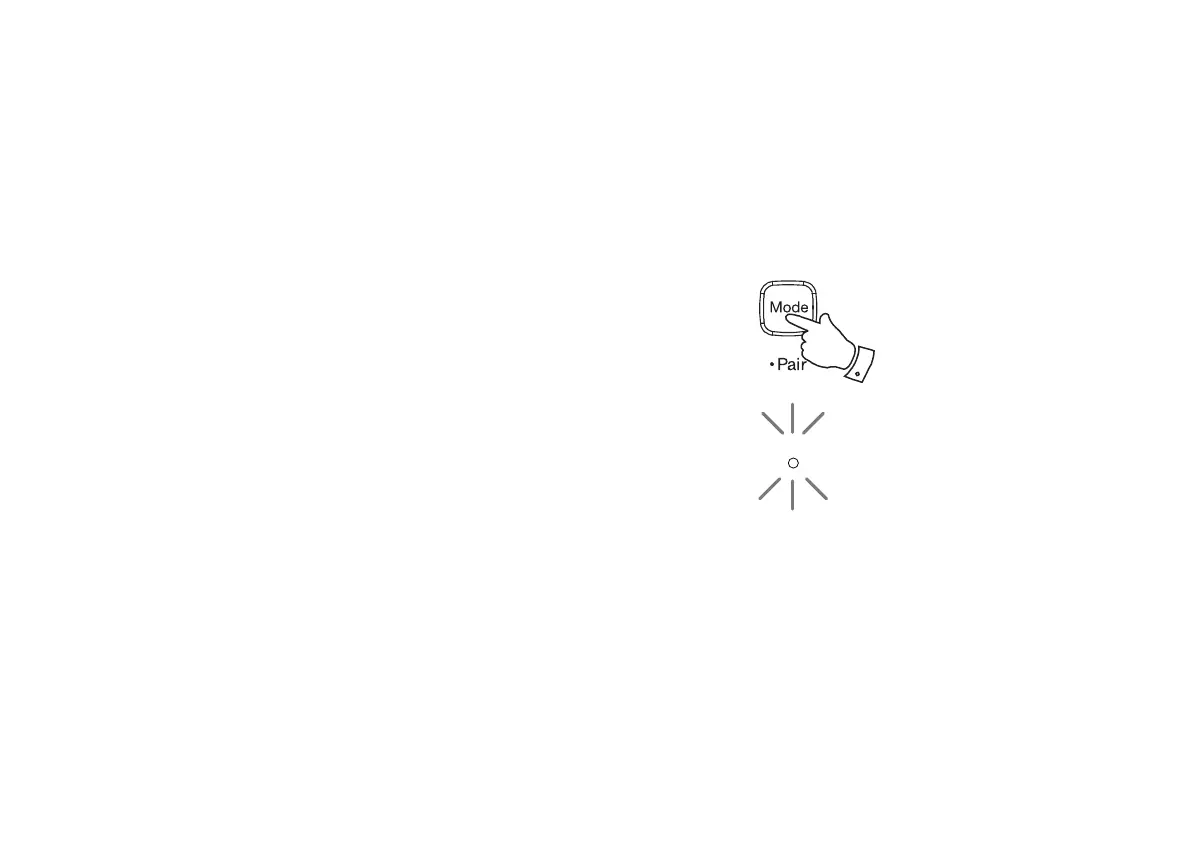
1. To connect to a different device, press and hold the Mode / Bluetooth Pair
button on the speaker until the Mode / Bluetooth indicatorÀDVKHVEOXH
<RXU5VSHDNHUZLOOEHFRPH'discoverable' by other devices.
<RXFDQQRZSDLUWKHVSHDNHUZLWKDQHZGHYLFHXVLQJLWV%OXHWRRWKVHWWLQJV
the speaker will be listed as 'R1'. When the new Bluetooth connection has been
established the Mode / Bluetooth indicatorZLOOUHPDLQOLW<RXPD\WKHQSOD\
music from the new device through the speaker.
4. If you no longer want your Bluetooth device to be paired with your speaker you
will need to delete the 'R1' pairing on the device. Please refer to the device's
Bluetooth documentation.
1
Mode



 To Next Page