26
3OD\LQJDXGLR¿OHVLQ%OXHWRRWKPRGH
When you have successfully connected your speaker with your chosen Bluetooth device you
can start to play your music using the controls on the device.
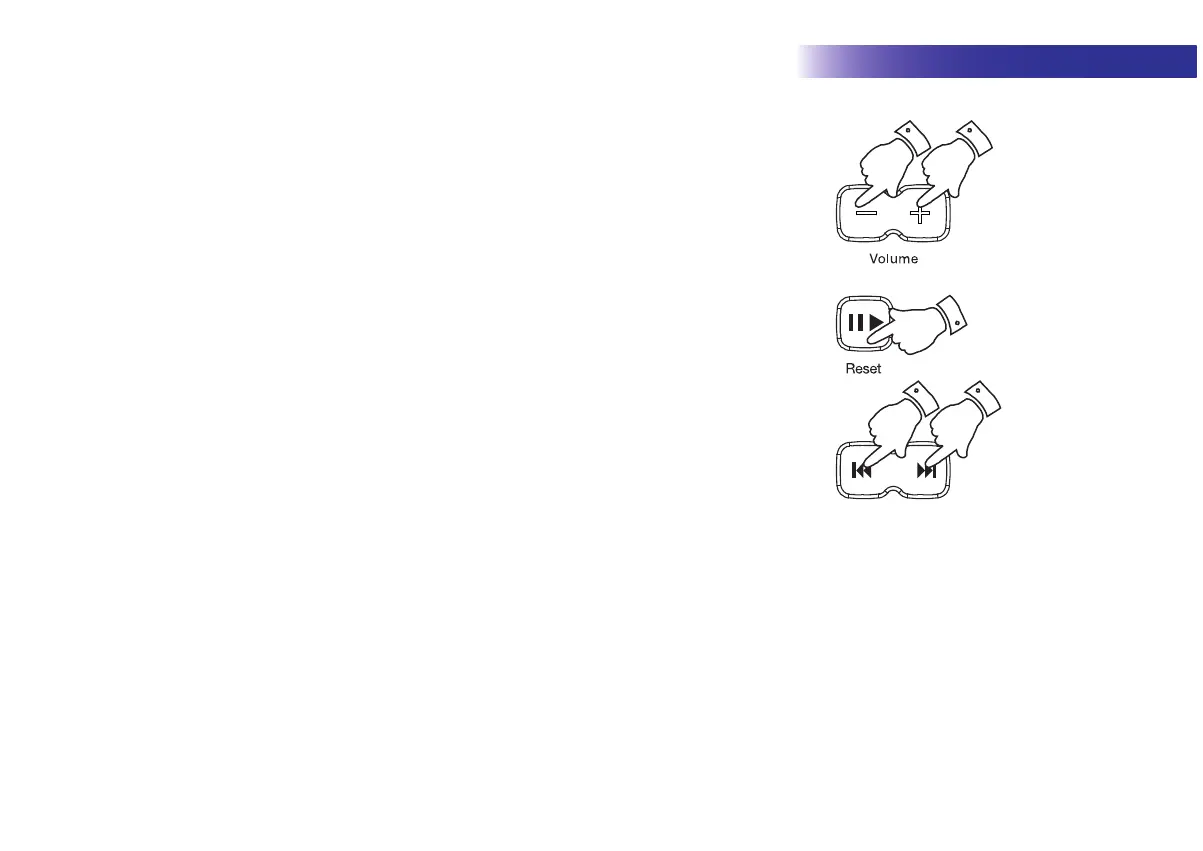
2QFH SOD\LQJ KDVVWDUWHGDGMXVWWKH YROXPH WRWKHUHTXLUHGVHWWLQJ XVLQJ WKH Volume
buttons on your speaker or the connected Bluetooth device.
2. The volume of your speaker in Bluetooth mode is affected by the volume settings on the
speaker and also on the connected Bluetooth device.
,I\RX DGMXVWWKHYROXPHFRQWURORQ WKHVSHDNHUEXW\RX¿QG WKDWWKHYROXPHIURPWKH
VSHDNHULVQRWVXI¿FLHQWLWPD\EHWKDWWKHYROXPHVHWWLQJRIWKHFRQQHFWHGGHYLFHQHHGV
to be increased.
3. The audio player in your phone, tablet or PC may be able to respond to the Play/Pause,
Next track and Previous track buttons on the speaker.
Note: Not all player applications or devices may respond to all of these buttons.
33
3
1
1
Bluetooth



 To Next Page