EasyManua.ls Logo

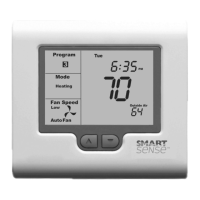
Robertshaw Smart Sense Series - User Manual

Robertshaw Smart Sense Series
62 pages
Print Icon
To Next Page IconTo Next Page
Loading...
www.robertshaw.com
©2015 Robertshaw
2/15 – 352-00193-001
SMART 2000
Digital Programmable Thermostat
Installation Manual

Questions and Answers

  • K
    Karen DukeAug 3, 2025
    Why does 'Locked' appear on my Robertshaw Smart Sense LCD, and the heating or cooling won't operate?
    • M
      Michael VincentAug 3, 2025
      The 'Locked' message on your Robertshaw Thermostat LCD indicates that the outside air temperature is either too high to require heating or too low to require cooling. The HO = XX and/or CO = XX values are inhibiting heating or cooling calls. Change these values in the Advanced Installer Menu.
  • N
    nancybrownAug 9, 2025
    How to fix Robertshaw Smart Sense when outside air temperature display is showing dashes?
    • E
      Eric FlemingAug 9, 2025
      If the outside air temperature display on your Robertshaw Thermostat is showing dashes, it indicates that the outside air temperature sensor has either failed or is not fitted. Check the wiring and the outside air sensor. Replace the outside air sensor if necessary. You can also change TT = AO to TT = RS in the Advanced Installer Menu.
  • R
    rhonda32Aug 15, 2025
    Why is my Robertshaw Smart Sense temperature display inaccurate?
    • K
      kennedychristyAug 15, 2025
      An inaccurate temperature display on your Robertshaw Thermostat could be due to several reasons. Air leaking from the wall cavity into the thermostat can affect the sensor; plug any holes in the wall with tape to prevent these leaks. The internal temperature sensor might be folded back inside the thermostat; carefully reposition the sensor so it's behind the sensor opening. External heat sources like lamps or drafts from open doors can also impact accuracy; move these sources away from the thermostat. Finally, the sensor calibration setting might be incorrect; adjust the C1 = XX value in Advanced Installer Mode to correct the perceived inaccuracy.
  • R
    rwolfeAug 21, 2025
    What to do if my Robertshaw Smart Sense Thermostat has no display?
    • A
      Alan MillerAug 21, 2025
      If your Robertshaw Thermostat has no display, it could indicate a power failure or a faulty thermostat. Check for 24V AC on the 24 and 24T terminals and verify the output from the transformer.
  • K
    Kevin RogersAug 27, 2025
    What to do if heating or cooling runs in deadband on Robertshaw Thermostat?
    • C
      Cynthia MillerAug 28, 2025
      If your Robertshaw Thermostat's heating or cooling runs in deadband, it might be incorrectly set to HP mode; set Sw2 to OFF and retest the heating and cooling operation. Alternatively, the minimum run period may not have expired yet; Sw7 sets the minimum run period to two or six minutes. Lastly, if in HP mode (Sw2 = ON), the compressor and reversing valve wiring might be crossed; check the W1 and Y1, Y2 connections for accuracy.

Summary

SMART 2000 Thermostat Installation Guide

Important Safety Information

Installation Steps Overview

Mounting the SMART 2000 Thermostat

Guidance on correctly mounting the thermostat to ensure accurate ambient room temperature readings and proper installation.

Planning Your Installation

Wiring Diagrams for System Configurations

Before Applying Power Checks

Thermostat Commissioning Process

Thermostat Control Logic Explained

Advanced Installer Settings Configuration

Entering the Advanced Installer Menu

Steps to access the Advanced Installer Menu, including required PIN entry and initial display.

Navigating the Advanced Installer Menu

Procedures for navigating and adjusting settings within the Advanced Installer Menu, and exiting the menu.

Using Remote Temperature Sensors

Outside Air Sensor Wiring

Instructions for connecting an outside air temperature sensor to the thermostat's TT terminals for accurate readings and advanced control functions.

Remote Room Temperature Sensor Wiring

Connecting a remote sensor to measure temperature away from the wall controller, disabling the internal sensor.

Averaging Temperature Sensors

Averaging temperatures from multiple sensors (internal and remote) for room temperature control.

Remote ON; OFF Functions

Occupancy Mode Operation

Supply Air Temperature Monitoring

Advanced Thermostat Functions

ModBus Communications Setup

Details on the thermostat's integrated ModBus capabilities for remote PC or DDC system control and monitoring.

Factory Test Mode

High and Low Balance Points Control

Low Balance Point Configuration

Setting a low outdoor temperature threshold to automatically engage emergency heat mode.

Heat and Cool OFF Functions Setup

Adaptive Recovery Feature

System Power Up Procedure

Technical Specifications

Troubleshooting Common Issues

One Year Limited Warranty

Robertshaw Smart Sense Series Specifications

General IconGeneral
Power SourceBattery, Hardwired
Programmability7-Day
FeaturesFilter Change Reminder
System SwitchingManual
CompatibilityHeat Pump Systems
Temperature Range40°F - 90°F
TypeProgrammable Thermostat

Related product manuals