– English
10 Silverline - PS 3200 V0713
3.1.1 setting sAw blAde
First a warning screen appears.
The fence will be moved away from the saw blade,
set the saw blade at 90° and at its maximum height.
Then the brake on the saw motor will be released.
You can pre-program 4 saw blades.
By selecting the eld you can select the saw blade.
By pushing the value eld under diameter, B or b
you can change the value.
The machine will take in account these stored values.
* * when, after sharpening the saw blade, these values have changed, you can adapt these
values. The machine will aslo correct the cuting depth.
* * The difference between the saw tooth (B) and the main saw blade body (b) is important for
compensating the parallel fence.
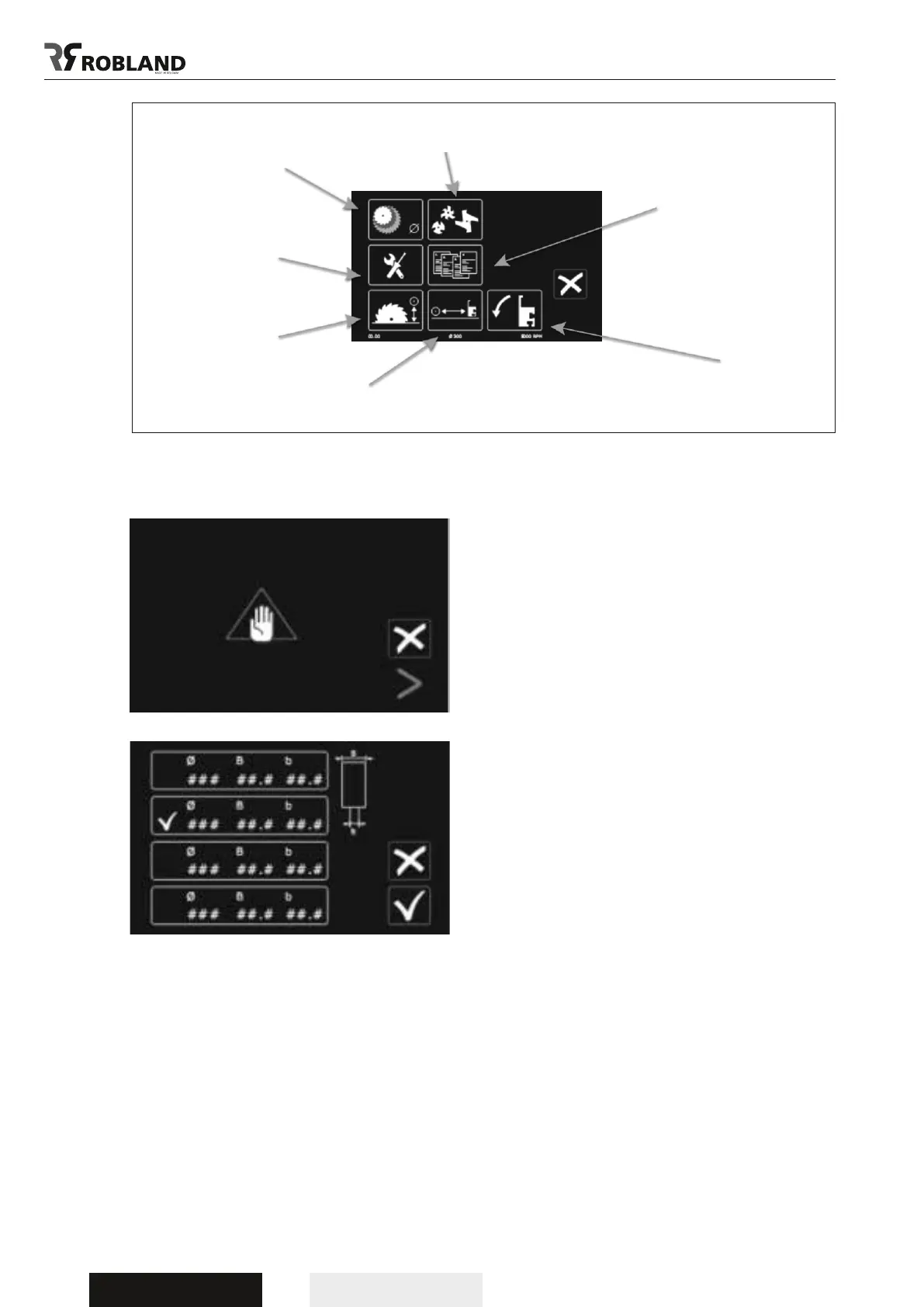
Setting groove cutter
Setting saw blade
Settings
Height calibration
Cutting lists
Tilting parallel fence
Calibration parallel fence
Menu screen
Saw blade menu screen



 To Next Page