– English
12 Silverline - PS 3200 V0713
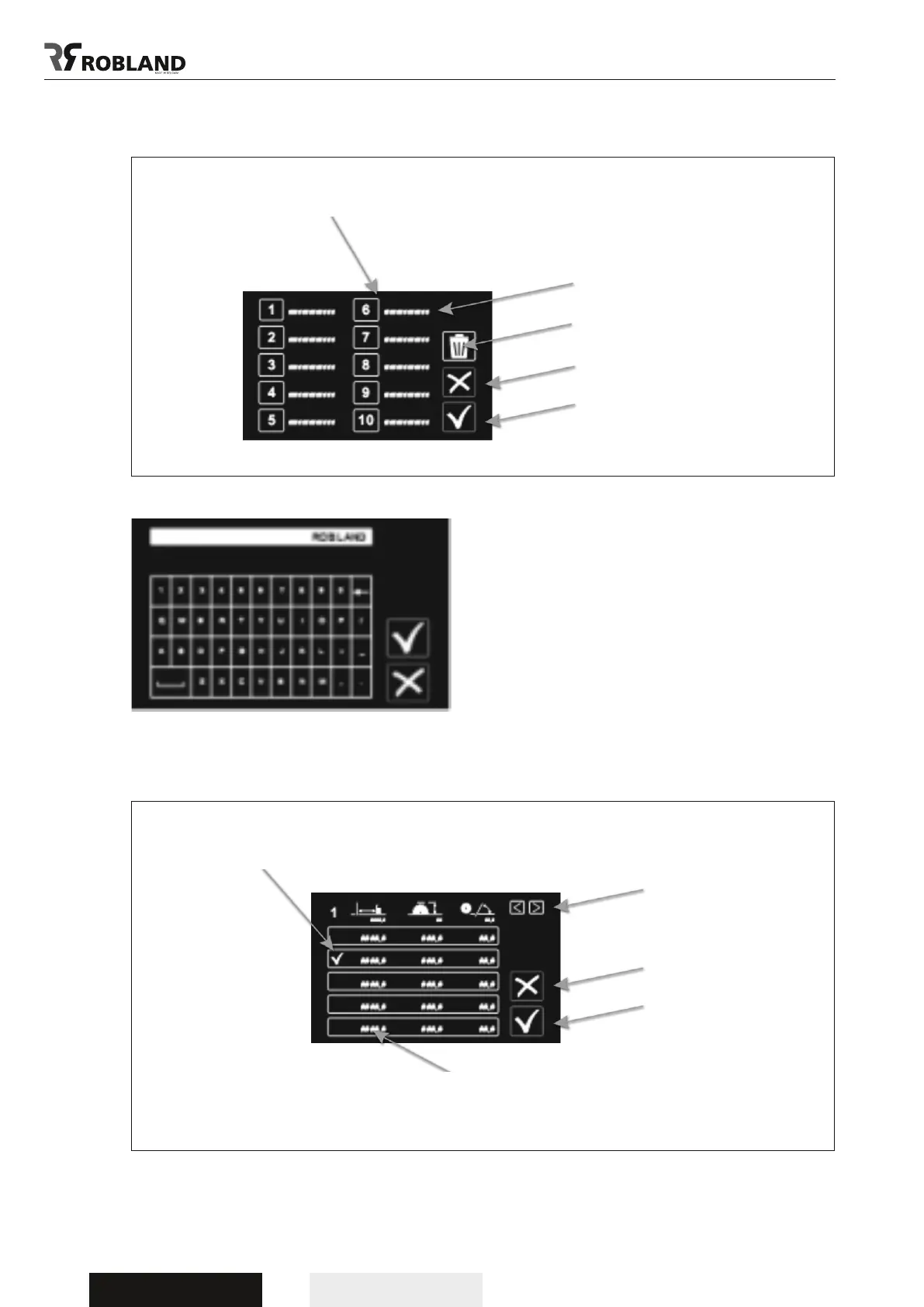
By pushing the eld after the number, each cutting
list can be given a name.
3.1.3 cutting lists
By selecting the number, you can enter the screen cutting list.
There are 100 x 5 cuting lists
Possiblity to name each cutting list
Remove
Return
Conrm
Menu screen cuting lists
Go to next or
previous cuting list
Return
Conrm
Selected cuting list
To change the value, push the value.
Changes are made in the setting a measurement screen (see 2.1)
Screen cutting list



 To Next Page