– English
8 Silverline - PS 3200 V0713
2.1 setting An Axis
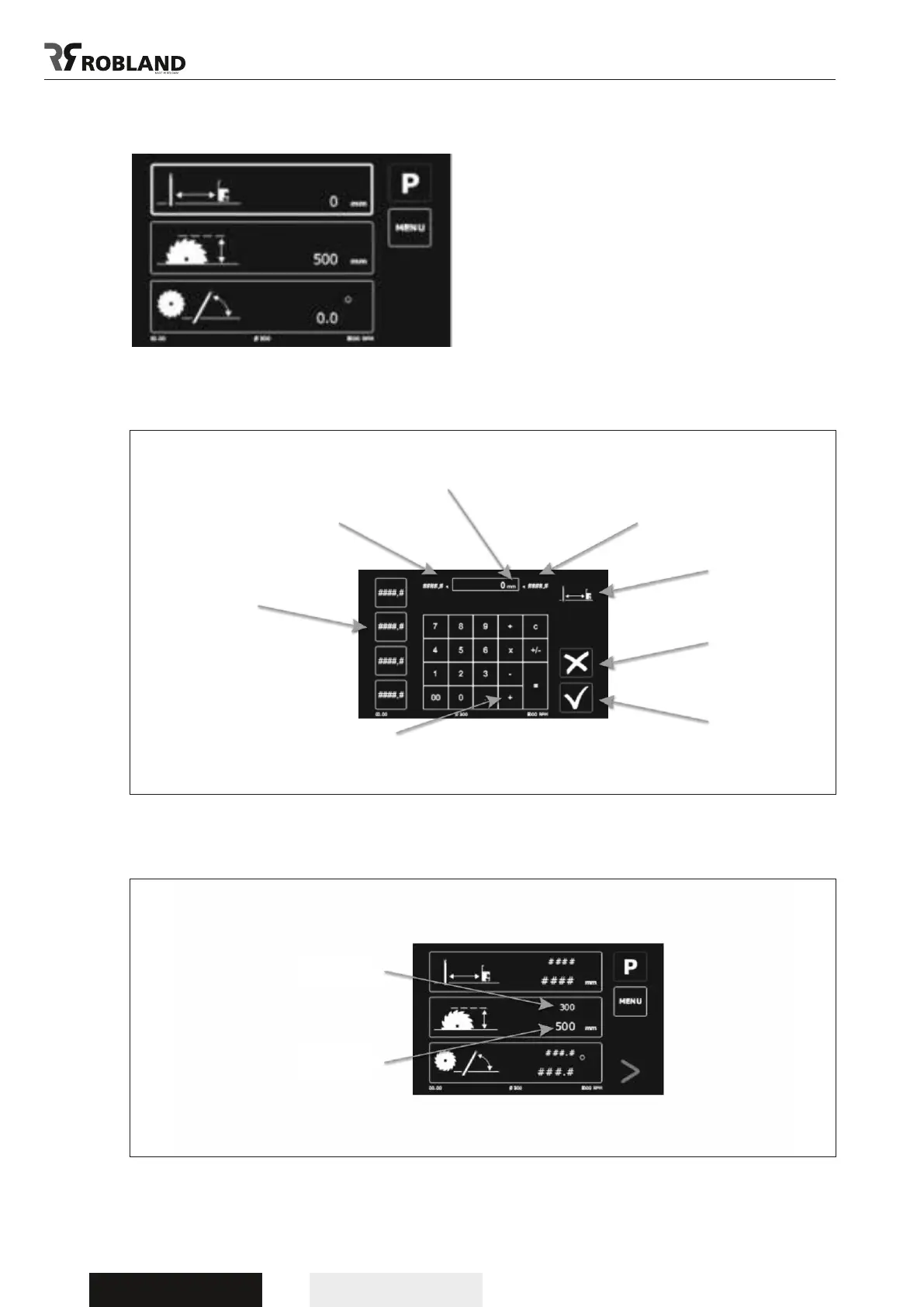
Select an axis by pushing a eld.
The frame of the buton lights up in fat as conrmation
this buton has been selected.
Each axis has a selection screen.
After conrming you get the main screen
Now you will see an arrow appear and the start buton starts ashing. The axis starts moving as soon as the
start button is pushed. The values of one or more axis can be adjusted at the same time.
Desired value
Current value
value
max. value
Selected axis
Return
Conrm
min. value
The selection screen has a calculator function
On the left side you
see the list of the 4
last used values
Selection screen



 To Next Page