– English
Silverline - PS 3200 V0713 7
Starting up the machine
1. stArting up the mAchine
Turn the mains on-off switch to “ON”
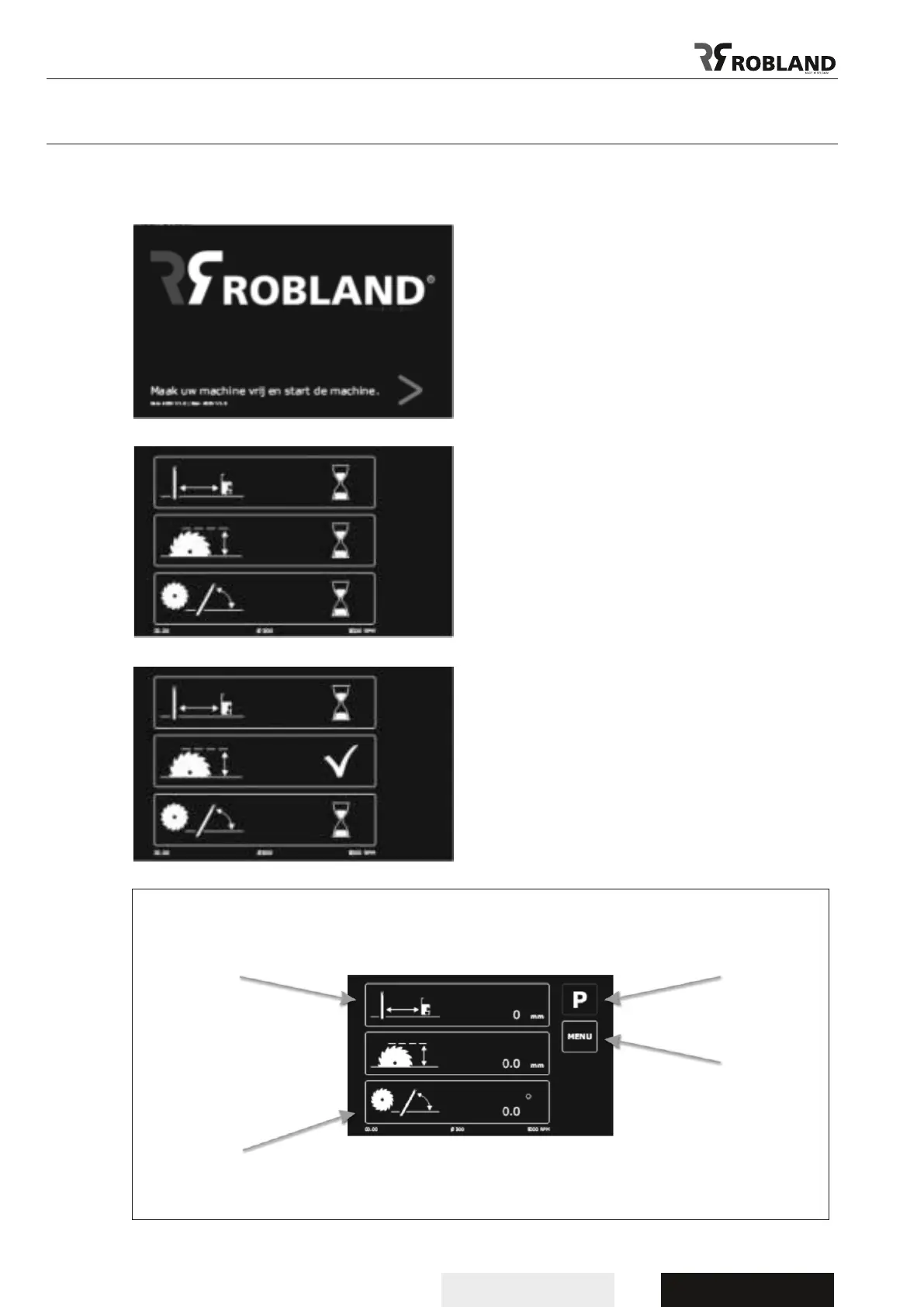
After the start procedure is completed this screen
will appear.
Now push the start button in order to start the
reference procedure.
All 3 axis will now start moving to their reference
points.
In order to speed-up this procedure, it is best to use
the “Park” function at the end of the working day.
(see 2.2)
During reference procedure you will see this screen.
As soon as one axis has reached the reference
point an “V” will occur.
As soon as all 3 axis have reached their reference
point, the main screen will appear.
Startscreen
Screen reference
Park function
Menu functions
Selection of the axis
Information about time, diameter of the saw blade in function on the machine and R.P.M of the saw blade.
Main screen



 To Next Page