EasyManua.ls Logo

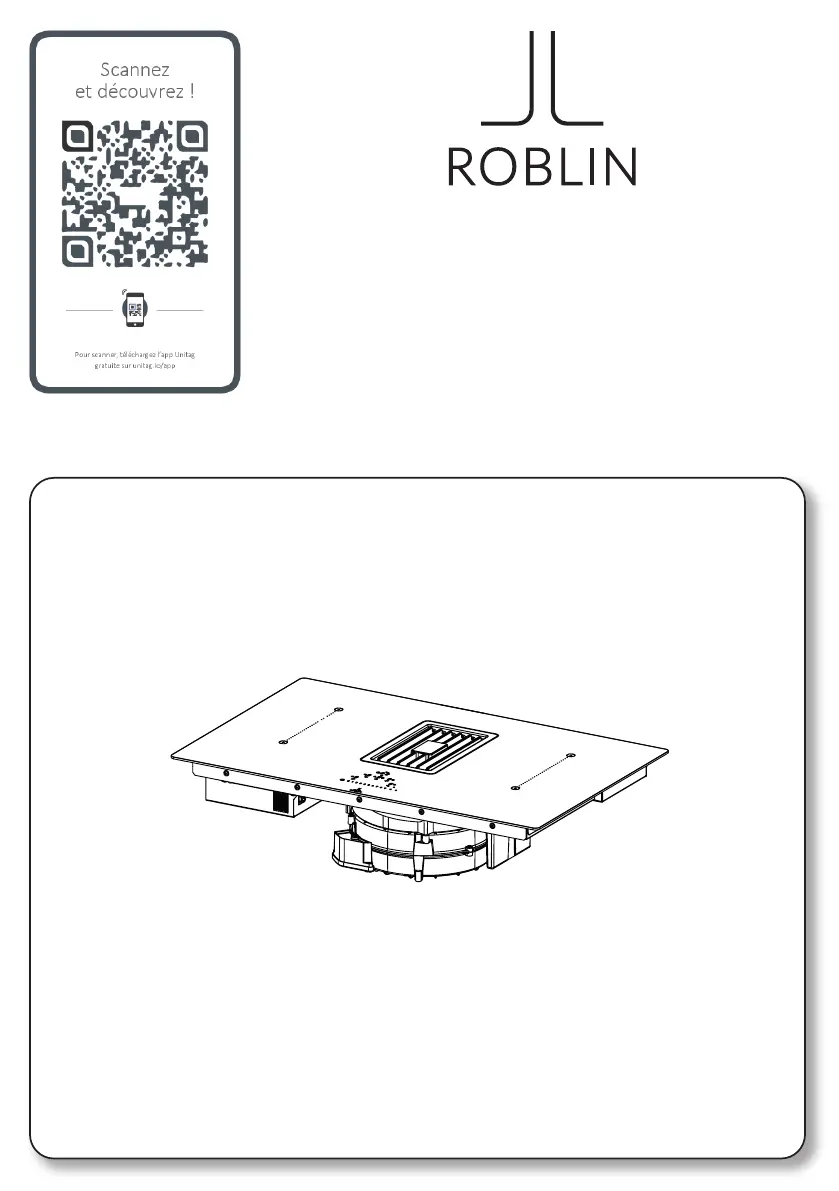
ROBLIN Virtuose - User Manual

ROBLIN Virtuose
160 pages
Go to English
Print Icon
To Next Page IconTo Next Page
Loading...
VIRTUOSE

Table of Contents

Questions and Answers

Summary

Information on the Manual

Safety Information

Requirements for Kitchen Units

Proper Use

Electrical Connection

Assembly View

Display Buttons and Elements

Visual guide to the product's interface elements and controls.

Controls

Selecting Cooking Area Controls

How to activate and manage individual cooking zones on the hob.

Selecting Suction Hood Controls

Steps to activate and operate the integrated extractor hood.

Selecting Power and Speed

Adjusting cooking power levels and fan speeds for optimal performance.

Selecting Timer Controls

Setting and managing timers for cooking areas or the hood.

Pause and Restart Function

Temporarily freezes hob settings for a short break without losing configuration.

Defrost Settings

Thaws food or gently melts butter, chocolate, or honey.

Functions

Keyboard Lock Functions

Features for locking settings for child safety or cleaning.

Timer Management

Managing timers for cooking areas and general countdowns.

Special Cooking Modes

Turbo, Quick Heating, and Food Warming functions for enhanced cooking.

Operational Safety Features

Pause/Restart, Recall, Bridge, Pan Detection, and Heat Indicator for safe operation.

Extractor Controls

Timer Symbol

Indicator for setting the hood's countdown timer.

Grease Filter Maintenance

Signal for cleaning the grease filter, typically every 2 months.

Charcoal Filter Maintenance

Indicates when the activated charcoal filter needs maintenance or replacement.

Intensive Speed 1

Sets the hood to intensive speed 1 for 10 minutes.

Intensive Speed 2

Sets the hood to intensive speed 2 for 5 minutes.

Delay Function

Sets a delayed shutdown for the suction hood after cooking.

User Menu (Customisations)

Button Volume Management

Customizing the volume of button press sounds.

Alarm Sound Volume

Adjusting the volume for audible alarms and alerts.

Display Lighting Level

Adjusting the brightness of the hob's display.

Countdown Animation

Customizing the animation shown during countdown timers.

Pan Recognition Always Active

Setting the pan recognition feature to be continuously active.

End of Countdown Buzzer

Customizing the buzzer sound at the end of a countdown.

Installer Menu (Hob Power Setting)

Setting Hob Power Levels

Configuring the maximum power output of the hob based on the power supply.

The Device

Power Management Function

System for optimizing power distribution and preventing overload.

How Induction Hobs Work

Explanation of the magnetic field principle behind induction cooking.

Pan Presence Detection

How the hob detects the presence and suitability of pans.

Suitable Pans for Induction

Criteria and types of pans suitable for induction hobs.

Normal Working Noises

Describes various noises produced during normal operation.

Fan Noises

Explains the function of the cooling fan and associated noises.

Turning the Hob On

Procedure to power on the hob using the On/Off button.

Selecting Cooking Area and Power

How to choose a cooking zone and set its power level.

Cleaning and Care

General Recommendations

Basic guidelines for cleaning the hob surface and components.

Cleaning the Device

Step-by-step instructions for cleaning daily dirt and tougher residues.

Trouble-Shooting

Error Codes

Lists common error codes, their descriptions, causes, and solutions.

Maintenance and Repair

Maintenance and Repair Guidelines

Recommendations for electrical component maintenance and cable replacement.

Disposal Information

Instructions on how to properly dispose of the appliance according to regulations.

Technical Data

Product Identification and Dimensions

Details on product type, model, dimensions, and manufacturer.

Electrical Specifications

Power supply voltage, frequency, and cooking area data.

Device Weight and Heat Source

Information on the appliance's weight and induction heat source.

Commercial Guarantee and Guarantee for After Sales Service

Commercial Guarantee

Terms and conditions of the manufacturer's commercial warranty.

Availability of Spare Parts

Information on the guaranteed availability period for spare parts.

Summary

Information on the Manual

Safety Information

Requirements for Kitchen Units

Proper Use

Electrical Connection

Assembly View

Display Buttons and Elements

Visual guide to the product's interface elements and controls.

Controls

Selecting Cooking Area Controls

How to activate and manage individual cooking zones on the hob.

Selecting Suction Hood Controls

Steps to activate and operate the integrated extractor hood.

Selecting Power and Speed

Adjusting cooking power levels and fan speeds for optimal performance.

Selecting Timer Controls

Setting and managing timers for cooking areas or the hood.

Pause and Restart Function

Temporarily freezes hob settings for a short break without losing configuration.

Defrost Settings

Thaws food or gently melts butter, chocolate, or honey.

Functions

Keyboard Lock Functions

Features for locking settings for child safety or cleaning.

Timer Management

Managing timers for cooking areas and general countdowns.

Special Cooking Modes

Turbo, Quick Heating, and Food Warming functions for enhanced cooking.

Operational Safety Features

Pause/Restart, Recall, Bridge, Pan Detection, and Heat Indicator for safe operation.

Extractor Controls

Timer Symbol

Indicator for setting the hood's countdown timer.

Grease Filter Maintenance

Signal for cleaning the grease filter, typically every 2 months.

Charcoal Filter Maintenance

Indicates when the activated charcoal filter needs maintenance or replacement.

Intensive Speed 1

Sets the hood to intensive speed 1 for 10 minutes.

Intensive Speed 2

Sets the hood to intensive speed 2 for 5 minutes.

Delay Function

Sets a delayed shutdown for the suction hood after cooking.

User Menu (Customisations)

Button Volume Management

Customizing the volume of button press sounds.

Alarm Sound Volume

Adjusting the volume for audible alarms and alerts.

Display Lighting Level

Adjusting the brightness of the hob's display.

Countdown Animation

Customizing the animation shown during countdown timers.

Pan Recognition Always Active

Setting the pan recognition feature to be continuously active.

End of Countdown Buzzer

Customizing the buzzer sound at the end of a countdown.

Installer Menu (Hob Power Setting)

Setting Hob Power Levels

Configuring the maximum power output of the hob based on the power supply.

The Device

Power Management Function

System for optimizing power distribution and preventing overload.

How Induction Hobs Work

Explanation of the magnetic field principle behind induction cooking.

Pan Presence Detection

How the hob detects the presence and suitability of pans.

Suitable Pans for Induction

Criteria and types of pans suitable for induction hobs.

Normal Working Noises

Describes various noises produced during normal operation.

Fan Noises

Explains the function of the cooling fan and associated noises.

Turning the Hob On

Procedure to power on the hob using the On/Off button.

Selecting Cooking Area and Power

How to choose a cooking zone and set its power level.

Cleaning and Care

General Recommendations

Basic guidelines for cleaning the hob surface and components.

Cleaning the Device

Step-by-step instructions for cleaning daily dirt and tougher residues.

Trouble-Shooting

Error Codes

Lists common error codes, their descriptions, causes, and solutions.

Maintenance and Repair

Maintenance and Repair Guidelines

Recommendations for electrical component maintenance and cable replacement.

Disposal Information

Instructions on how to properly dispose of the appliance according to regulations.

Technical Data

Product Identification and Dimensions

Details on product type, model, dimensions, and manufacturer.

Electrical Specifications

Power supply voltage, frequency, and cooking area data.

Device Weight and Heat Source

Information on the appliance's weight and induction heat source.

Commercial Guarantee and Guarantee for After Sales Service

Commercial Guarantee

Terms and conditions of the manufacturer's commercial warranty.

Availability of Spare Parts

Information on the guaranteed availability period for spare parts.

ROBLIN Virtuose Specifications

General IconGeneral
BrandROBLIN
ModelVirtuose
CategoryVentilation Hood
LanguageEnglish

Related product manuals