Day&Night IP Camera
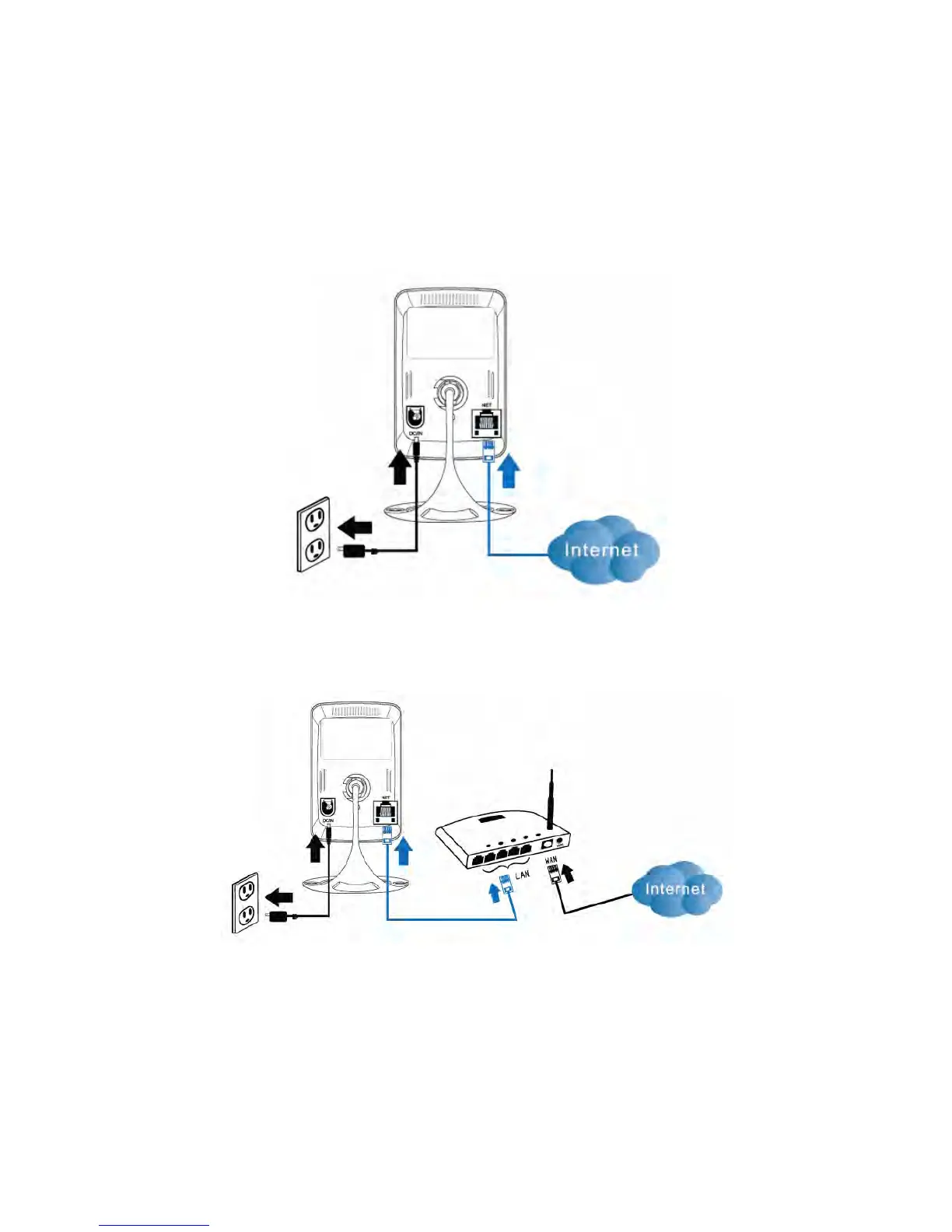
cable is plugged into a home NAT/router device or an Ethernet switch if in the office,
as shown in Figure 2-4. Since the default settings of the IP CAM use DHCP function
and very often there is a DHCP server on most of the Home/office network, the IP
CAM should be connected to the Internet immediately. The Internet status LED is
constant red light to indicate this good connection status. If the LED is blinking, please
refer to section 3.3~3.5 to try other network settings.
Figure 2-3: IP CAM connection diagram.
Figure 2-4: Connect Ethernet cable to a switch/router.
Second, Install the PC software on the notebook/PC
Please insert the installation CD into the CD-ROM drive in your notebook or
personal computer (must be running Microsoft Windows OS). Execute the program
10


 To Next Page