Day&Night IP Camera
2. You can also add the IP CAM into the CameraList in the PC software to
have more convenient video display, please refer to the user manual of the PC
sof tware for more functions.
Notice 2:
1. For the iPhone usage, please download the recommended app from App Store
2. For the iPad usage, please downl oad the recommended app from App Store
3. For the Android mobile phone/pad usage, please download the recommended app from
Android Market.
Seeing the video in a remote location
After the IP CAM is installed and you can see the video from the PC/Phone
software in the local network , it’s very easy to see the video in a
remote location. All you need to do is add a camera item in the “CameraList” folder of
the PC/Phone software, key in the IP CAM I D and Password(from the
ID/Password card). And then double click this ca mera item. You will then see the
Camera video immediately. No further NAT/router setting modications are needed.
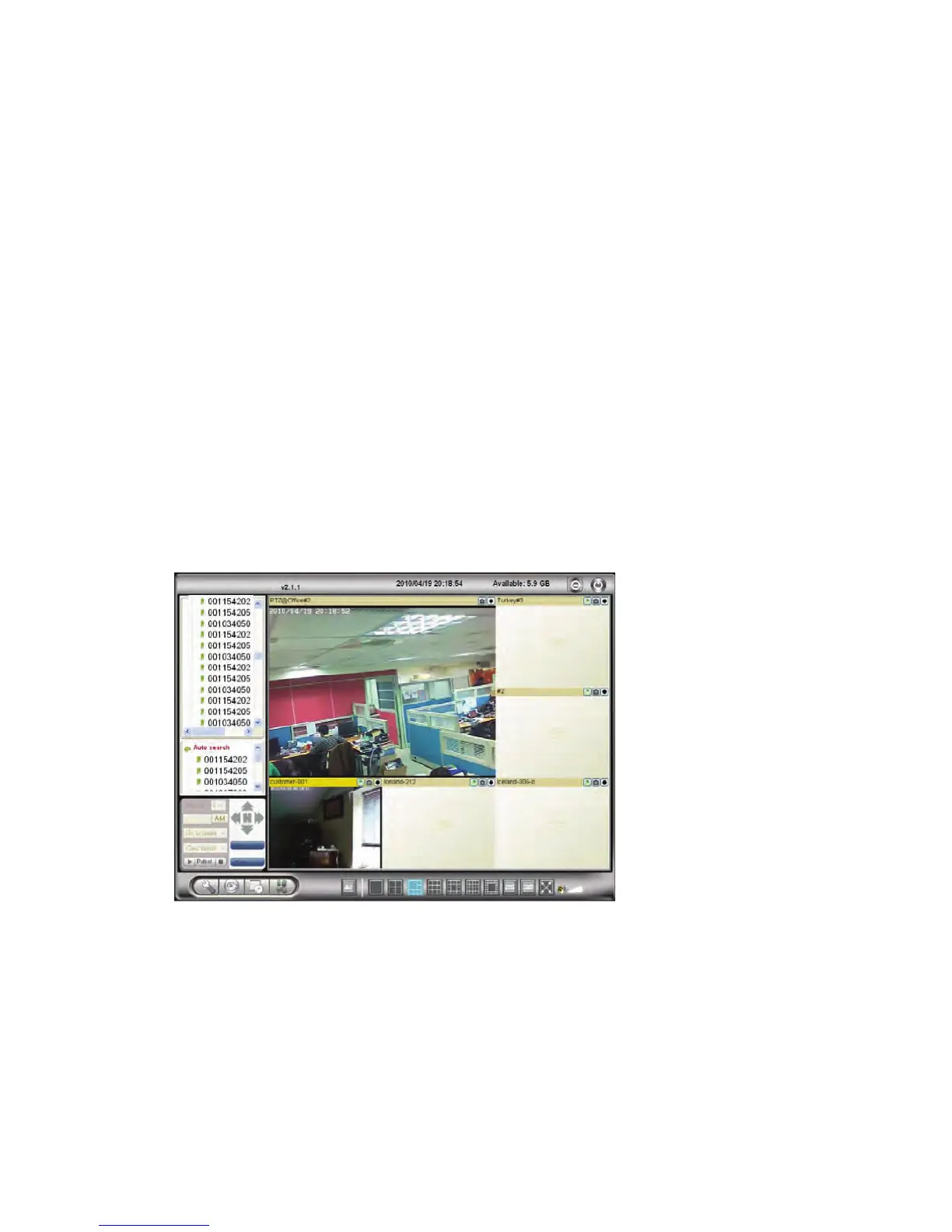
Figure 2-7: Running window of PC program
12


 To Next Page