07
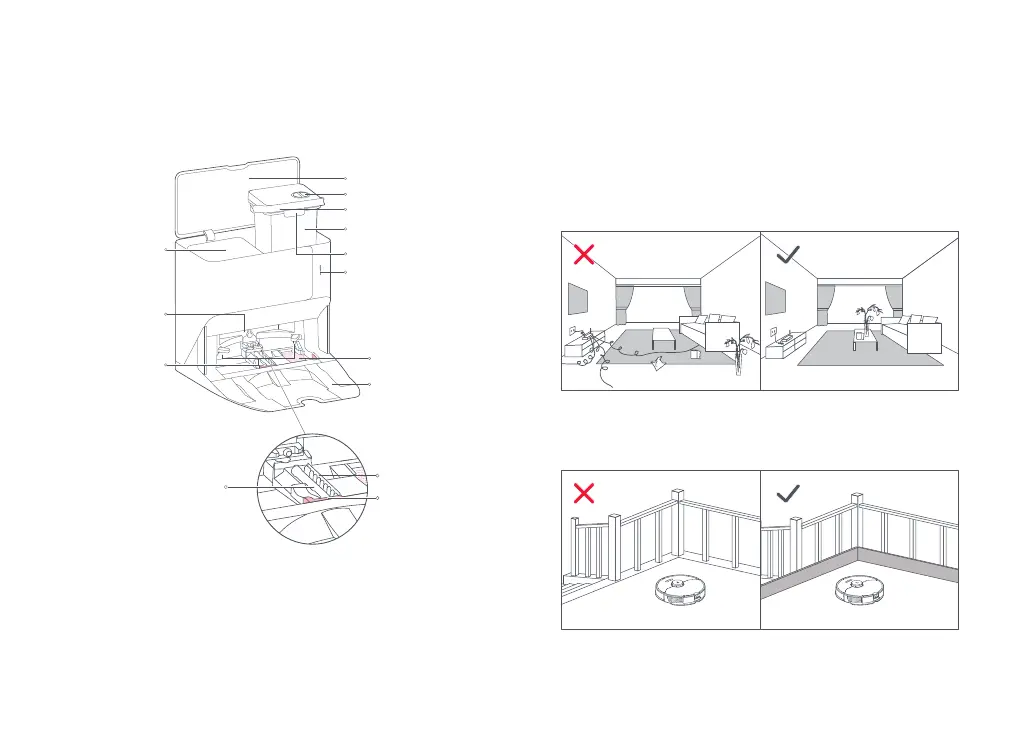
Water Tank Latch
Top Cover
Dock
Water Filling Port
Clean Water Tank
Water Tank Handle
Dock Base
Dirty Water
Tank
• Pulsing: Mop washing
• Red: Dock error
• Light off: Charging/
Powered Off
Status Indicator Light
Dock Location
Beacon
Charging
Contacts
Water Filter
Product Overview
High-Speed
Maintenance Brush
Maintenance Brush
Components
Washing Strip
High-Speed
Maintenance
Brush Latch
Installation
Important Information
1. Tidy cables, hard or sharp objects (such as nails and glass), and
loose items from the ground and move any unstable, fragile,
precious, or dangerous items to prevent personal injury or
property damage due to items becoming tangled in, struck by,
or knocked over by the robot.
2. When using the robot in a raised area, always use a secure
physical barrier to prevent accidental falls that may result in
personal injury or property damage.
Note: When using the robot for the first time, follow it throughout its whole cleaning route
and watch for potential problems. The robot will be able to clean by itself in future uses.



 To Next Page