09
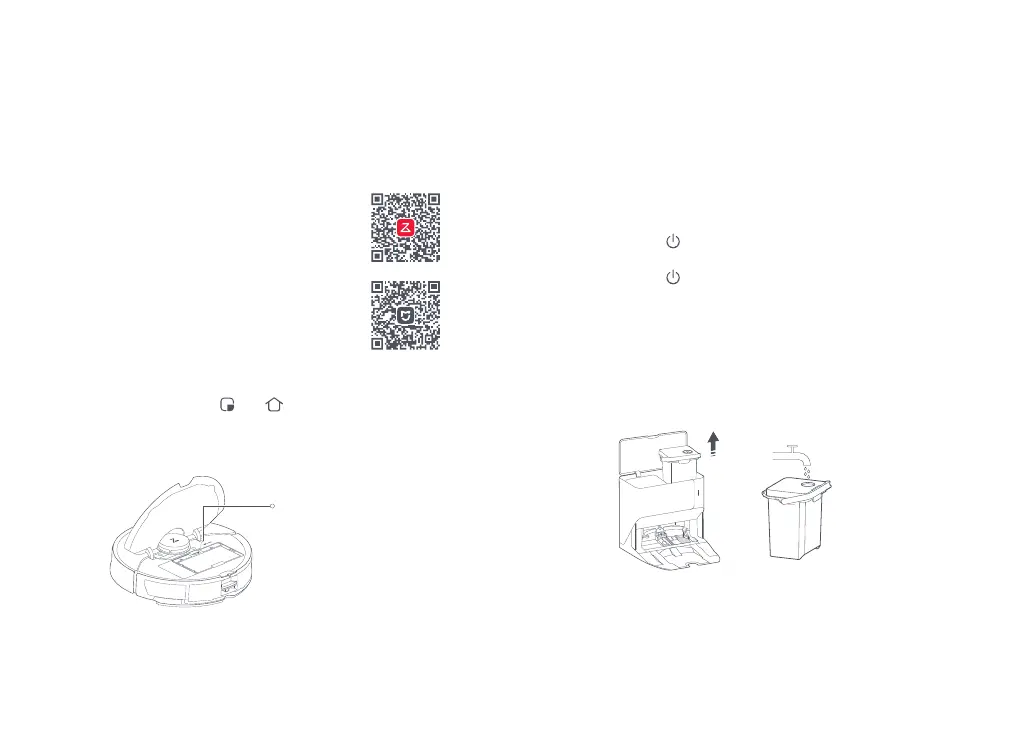
Option 2: Search for "Xiaomi Home" in the
App Store or Google Play or scan the QR
code to download and install the app.
Instructions for Use
The robot supports the Roborock or Xiaomi Home app. Choose
the one that best meets your needs.
Option 1: Search for "Roborock" in the
App Store or Google Play or scan the QR
code to download and install the app.
1. Download App
Connecting to the App
1. Open the top cover and find the WiFi indicator.
2. Press and hold the
and buttons until you hear the
"Resetting WiFi" voice alert. The reset is complete when the
WiFi indicator flashes slowly. The robot will then wait for a
connection.
2. Reset WiFi
• Off: WiFi disabled
• Flashing slowly: Waiting for
connection
• Flashing quickly: Connecting
• Steady: WiFi connected
WiFi Indicator
If the mobile phone fails to connect to the robot because your router configuration
changes or you forget your password or for any other reason, reset the WiFi and add the
robot again when it is waiting for a connection.
Note:
On the homepage of the app, tap "+" in the top right corner
and add the device according to the in-app guide.
Notes:
• The actual process may vary due to ongoing app updates. Follow the instructions provided
in the app.
• Only 2.4 GHz WiFi is supported.
• If the robot waits more than 1 hour for a connection, WiFi will be automatically disabled. If
you want to reconnect, reset the WiFi before proceeding.
3. Add Device
On/Off
Press and hold the button to turn on the robot. The power
indicator will turn on and the robot will enter standby mode.
Press and hold the
button to turn off the robot and complete
the cleaning cycle.
Note: The robot cannot be turned off when it is being charged.
Notes:
• To prevent corrosion or damage, only use Roborock branded floor cleaner in the water tank.
• To avoid deformation, only use cold water.
• If any water stains remain on the outside of the water tank, wipe them with a soft dry cloth
before reinstalling the tank.
Filling the Clean Water Tank
Take out the clean water tank and remove the water filling port
cover. Add water below the Max line. Tighten the port cover
and fit the water tank back in place.
MAX



 To Next Page