EasyManua.ls Logo

Roca MULTICLEAN A804006009 - User Manual

Roca MULTICLEAN A804006009
16 pages
Print Icon
To Next Page IconTo Next Page
Loading...
EN
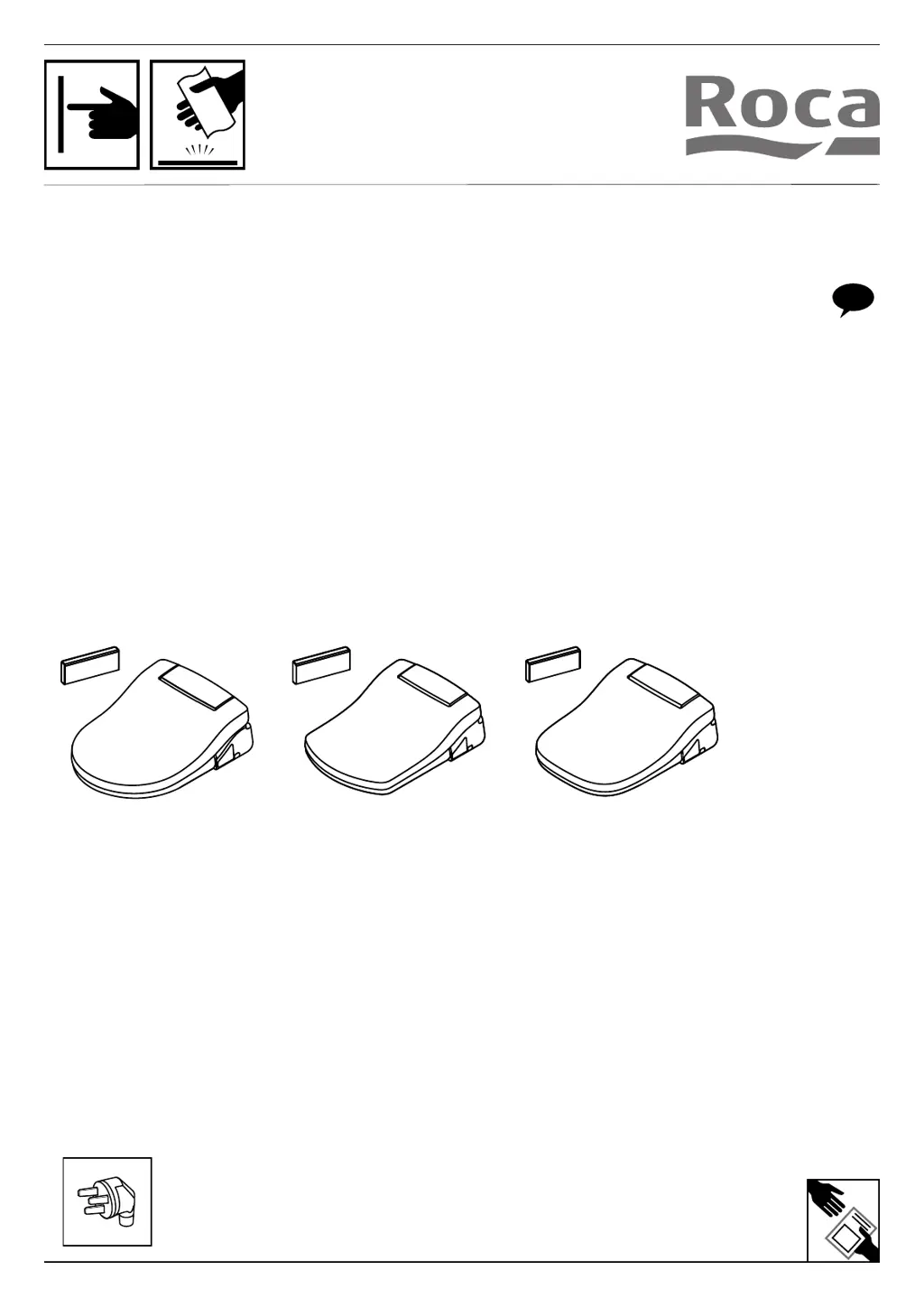
MULTICLEAN
A804006009
A804007009
A804008009

Questions and Answers

  • J
    Jessica BurnsAug 19, 2025
    Why Roca MULTICLEAN A804006009 Toilets product shuts off during use?
    • S
      Susan OnealAug 19, 2025
      Your Roca toilet might shut off during use if the washing time has exceeded 5 minutes; in this case, repeat the cleaning function. Alternatively, there may be a power failure. Check the power supply or unplug the cord to reset the unit.
  • H
    Heather LewisAug 21, 2025
    What to do if Roca Toilets washing feature does not work or fails to spray?
    • V
      vhillAug 21, 2025
      If the washing feature on your Roca toilet isn't working or fails to spray, make sure you are properly seated. Adjust your sitting position and try again.
  • M
    Michael MarshallAug 23, 2025
    How to fix Roca MULTICLEAN A804006009 Toilets that fails to operate?
    • T
      timothystarkAug 23, 2025
      If your Roca toilet fails to operate, first ensure it is properly connected to a power supply. Next, check that there’s a 220-240V~ signal using another product. Finally, make sure the product is switched on by pushing the power button located on the auxiliary control.
  • D
    Dr. Steven TaylorAug 26, 2025
    What causes low water flow or pressure in Roca MULTICLEAN A804006009?
    • M
      Melissa PerezAug 26, 2025
      Low water flow or pressure in your Roca toilet can be caused by a clogged filter. Also, check the hose to ensure it is not twisted, and inspect the nozzle cap to ensure it is not stuck.
  • D
    Deanna WongAug 27, 2025
    What to do if Roca Toilets nozzles do not function properly?
    • A
      audreysmithAug 28, 2025
      If the nozzles on your Roca toilet aren't functioning correctly, the nozzles may be dirty, the filter may be clogged, or the water pressure may be too low. To resolve this, clean the nozzles, clean the filters, and adjust the water pressure.
  • J
    Jason HurstAug 29, 2025
    Why power LED is blinking on Roca MULTICLEAN A804006009 auxiliary control panel?
    • D
      David AguirreAug 30, 2025
      The power LED blinking on your Roca toilet's auxiliary control panel indicates a lack of water in the tank. You can try cleaning the water filter, checking that the water inlet flow and pressure are sufficient, and unplugging the unit, waiting 20 seconds, and then reconnecting it to the power supply.
  • D
    David BartlettSep 1, 2025
    Why power saving LED is blinking on Roca Toilets auxiliary control panel?
    • J
      johnny17Sep 1, 2025
      If the power-saving LED is blinking on the auxiliary control panel of your Roca toilet, it indicates a clean water error signal. Try cleaning the water filter, ensure that the water inlet flow and pressure are adequate, or unplug the unit for 20 seconds before reconnecting it to the power supply.
  • S
    simmonscoreySep 3, 2025
    Why Roca MULTICLEAN A804006009 Toilets seat is not heated?
    • W
      William BanksSep 3, 2025
      The seat temperature on your Roca toilet may be set to off.
  • R
    Rachael PerrySep 5, 2025
    Why Roca Toilets water is not heated?
    • D
      dbrownSep 5, 2025
      The water temperature on your Roca toilet may be set to off.
  • T
    theresa72Sep 7, 2025
    Why Roca MULTICLEAN A804006009 Toilets dryer not working?
    • A
      austin33Sep 7, 2025
      The dryer on your Roca toilet only operates when the seat is activated. Make sure you are sitting on the product to operate the dryer.

Summary

Important Safeguards

General Safety Precautions

Essential safety instructions for product use, covering electrical hazards, fire, and personal injury.

Grounding Instructions

Proper Electrical Grounding

Guidelines for correctly plugging into an earthed outlet to prevent electric shock.

Usage Safety Instructions

Specific Safety Guidelines

Key precautions for safe operation, cleaning, and handling of the product.

Burn Hazard Warning

Cleaning Functions

Rear Cleaning Operation

Instructions for activating and stopping rear cleaning cycle.

Front Cleaning Operation

Instructions for activating and stopping front cleaning cycle.

Cleaning Adjustments

Nozzle Position Adjustment

Adjusting the stretching length of the nozzle for cleaning.

Water Temperature Adjustment

Adjusting the water temperature for cleaning functions.

Water Pressure Control

Cleaning Massage Modes

Dryer Function

Seat Heating Function

User Profile Settings

Auxiliary Panel Controls

Cleaning and Maintenance

Product Cleaning and Removal

Filter Cleaning Procedure

Troubleshooting Guide

Roca MULTICLEAN A804006009 Specifications

General IconGeneral
Product NameRoca MULTICLEAN A804006009
CategoryToilets
TypeSmart Toilet
Flushing SystemWashdown
Bowl ShapeElongated
MaterialVitreous China
ColorWhite
Water ConnectionBottom inlet
InstallationFloor mounted
FeaturesRemote Control
Flush VolumeDual Flush (3/4.5 liters)
Weight25 kg
CertificationCE

Related product manuals