7.
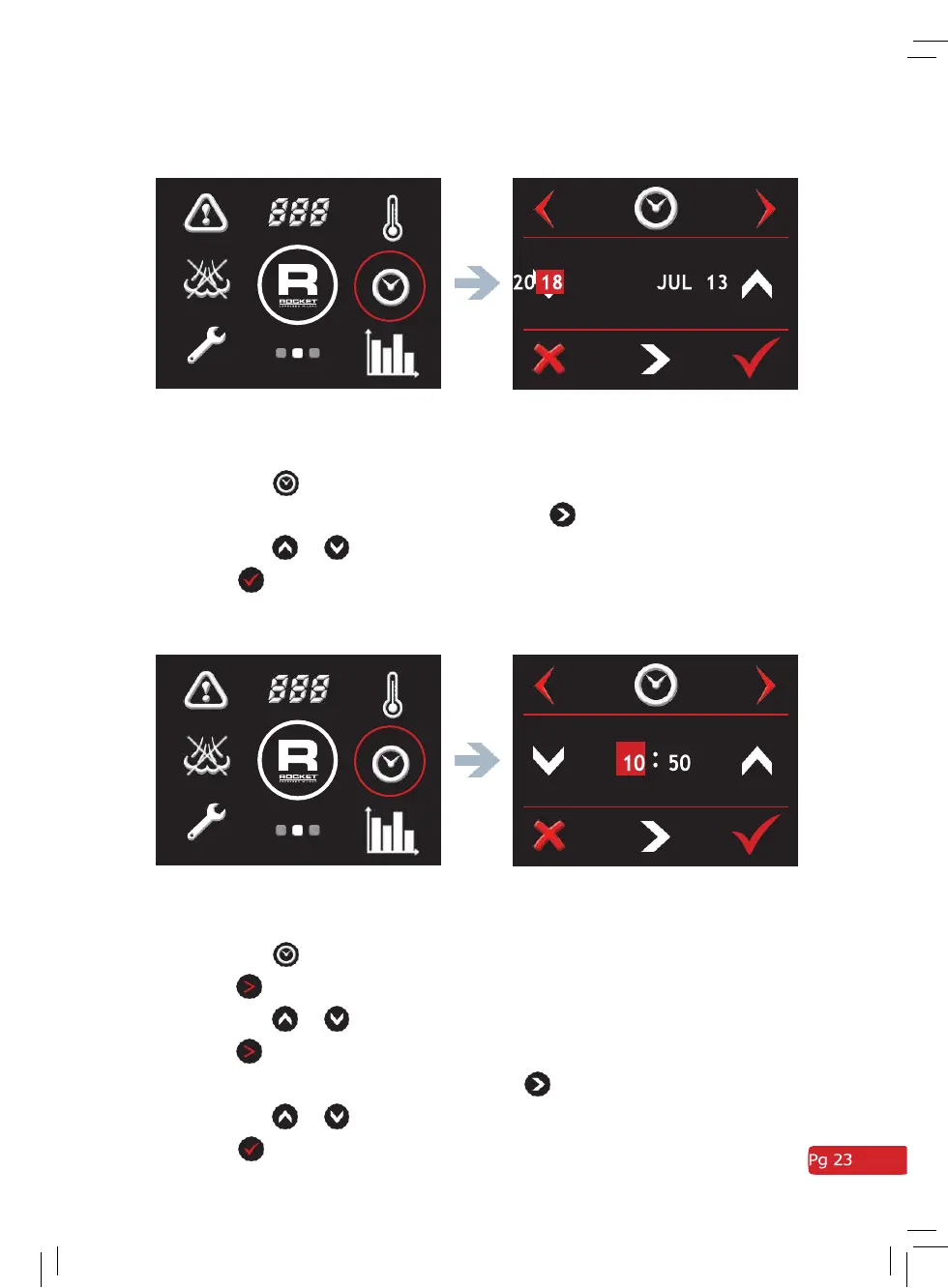
Setting the Date
Screen 2 - Clock Date adjust screen
•
Go to the second screen menu.
•
Press the symbol.
•
To scroll between year/month/date press
•
Press the
or
arrows to change year/month/date.
•
Press
to save.
8.
Setting the Day and Time
Screen 2 - Clock Time adjust screen
•
Go to the second screen menu.
•
Press the symbol.
•
Press
to select day.
•
Press the
or
arrows to change day if necessary.
•
Press
to select time adjustment screen.
•
To scroll between hours/minutes press
•
Press the
or
arrows to change hours/minutes.
•
Press
to save.



 To Next Page
 Loading...