23
Chapter 1. Preparations for playing
Chapter 1
■ Using the VALUE dial to
change patches
Here’s how you can change from one patch to the next one.
If the System parameter “DIAL” is set to “VALUE ONLY,”
[VALUE] cannot be used to select patches.
1. Make sure that you are in Play page.
If you are not in Play page, press [EXIT] several times.
2. Turn [VALUE] to change patches.
Turning [VALUE] toward the right will select the next-
numbered patch; turning it toward the left will select the
previous-numbered patch.
fig.1-22
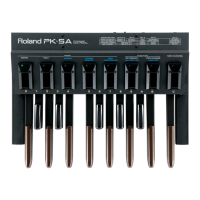
■ Using pedals to change
patches
This method is convenient during a live performance or in
the studio. You can press pedals to specify the bank and
number.
If you set the System parameter “BANK AREA,” patches will
change within the specified bank area.
1. Make sure that you are in Play page.
If you are not in Play page, press [EXIT] several times.
2. Select the patch bank.
Use [BANK ▼] [BANK ▲] to select the desired bank.
* If you do not need to leave the currently selected bank, this
step is not necessary. Proceed to Step 3.
fig.1-23
3. Select the patch number.
Use number pedals [1]–[4] to select the desired patch.
fig.1-24



 To Next Page
 Loading...