33
Chapter 4. Creating sounds — advanced section
Chapter 4
Combining the normal input and GK input to create a sound
The COSM GUITAR lets you create sounds by combining the GK pickup with the normal pickup.
■ Setting the balance between
the GK pickup and the normal
pickup
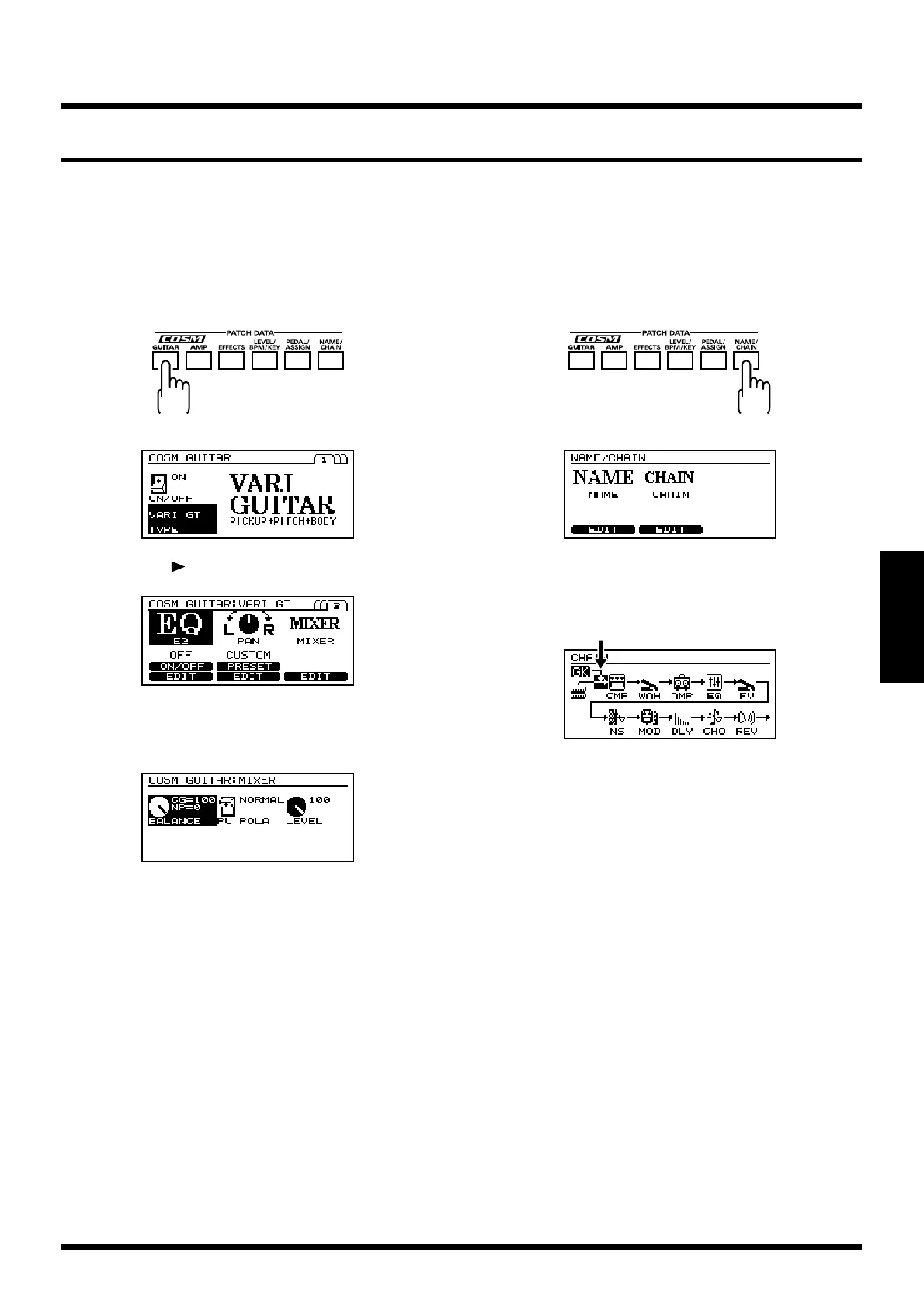
1. Press [COSM GUITAR].
fig.4-26
fig.4-27
2. Press [PAGE ] twice to move to Page 3.
fig.4-28
3. Press [F6] (MIXER).
4. Press [F1] (BALANCE).
fig.4-28a
5. Turn [VALUE] to set the balance between the sounds of
the normal pickup and the cosm guitar.
CG: Cosm guitar
NP: Normal pickup
6. When you are finished making settings, perform the
Write operation (p. 25) if you wish to save them.
* If you do not wish to save the settings, press [EXIT] to return
to Play page.
■ Connecting the sound of the
GK pickup at the desired
location in the effects
1. Press [NAME/CHAIN].
fig.4-29
fig.4-30
2. Press [F5] (CHAIN).
3. Use [CURSOR] to move to the mixer point.
fig.4-30a
4. Turn [VALUE] to move the mixer point.
5. When you are finished making settings, perform the
Write operation (p. 25) if you wish to save them.
* If you do not wish to save the settings, press [EXIT] to return
to Play page.
Mixer point



 To Next Page
 Loading...