© 2017 Ropam Elektronik
Add / Remove: function add, object recall (RopamDroid PRO version only).
Object name: User's own name eg House.
Module Type: Select the appropriate device type.
Phone number of the facility: Enter the number of the SIM card installed in the system (International
(recommended) or abbreviated).
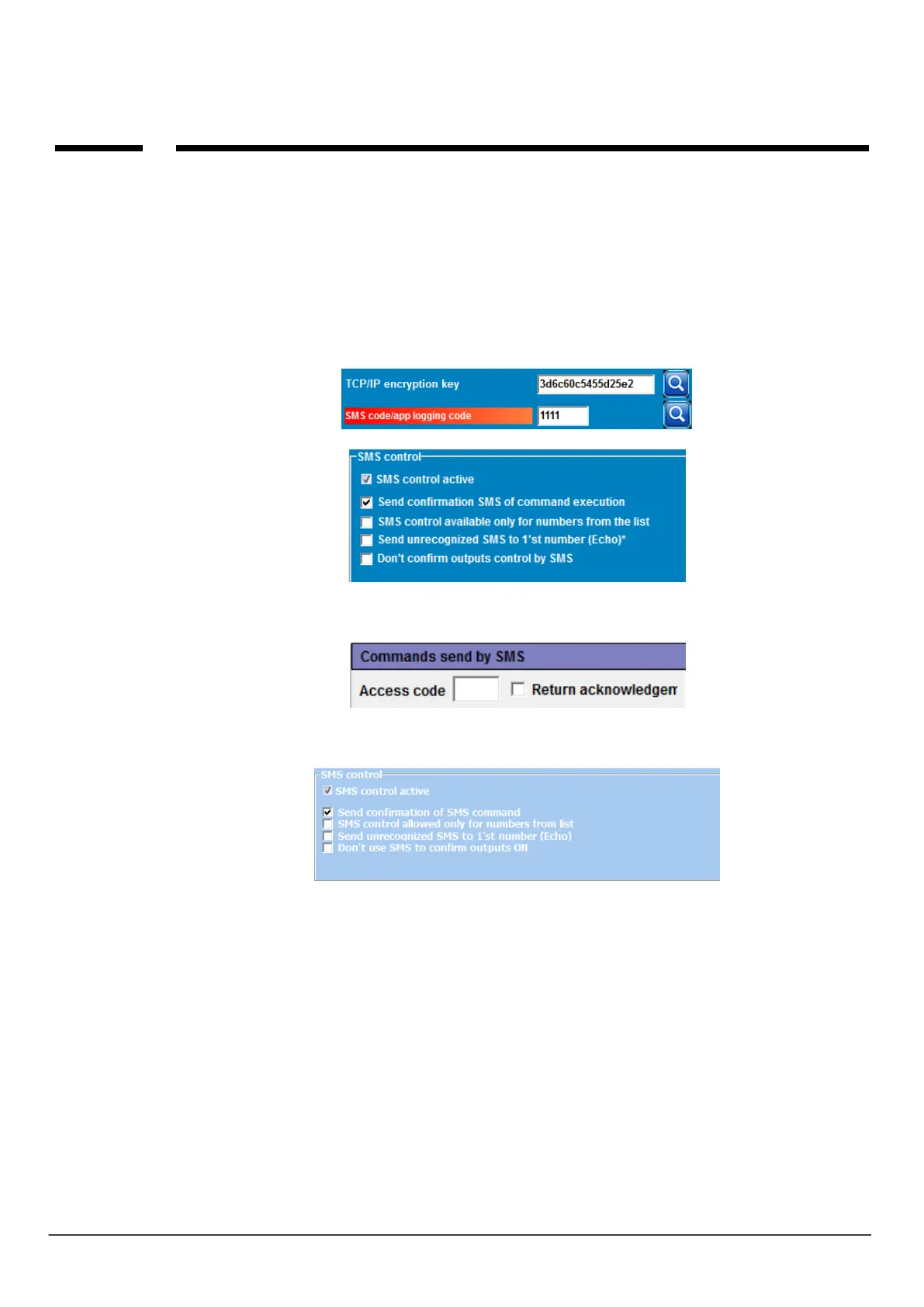
SMS password: enter the user code of the system (same as BasicGSM Manager - SMS code /
application login)
BasicGSM Manager / Communication, tests, counters:
PartnerGSM / Options:
OptimaGSM Manager / System Options:
Notes: In the central OptimaGSM SMS password is the same as user code set in the touch
panel working in the system for a user or set SMS command.
Input names: input names in the system,
Output names: outputs names in the system,
Temperature sensor names: Temperature sensor name T1, for example, Temp CO, Temp. outside,
Temp. ground floor., Temp. DHW.
Zone names: zone names in the system, may be the same as in TPR-xx panels eg Ground floor,
Garage.
Require the password for the program: the option enables access to the application after
authorization (recommended).



 To Next Page