2–2 XPression Connect User Guide (10.5)
The XPression Connect User Interface
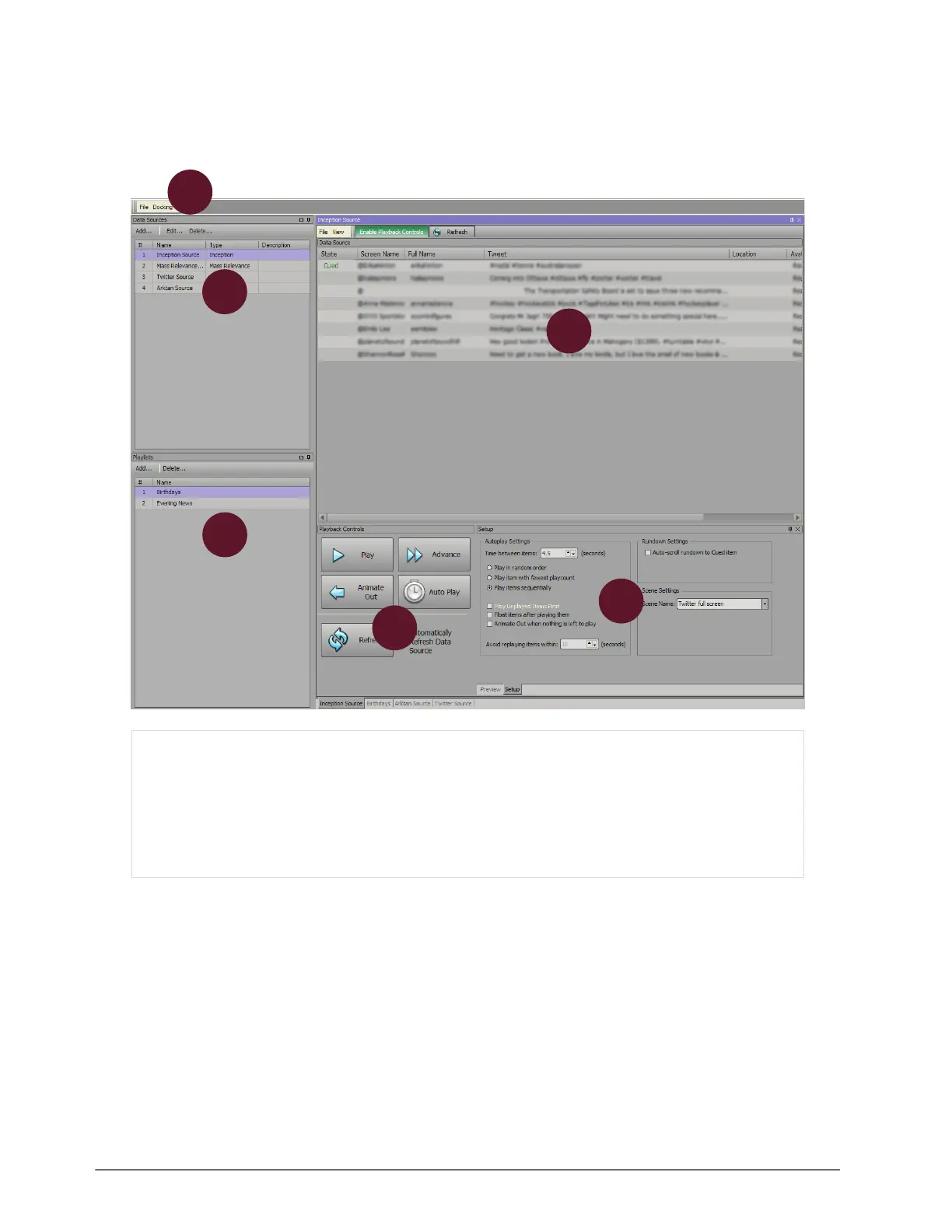
The following screen capture displays the main elements of the XPression Connect user interface. Descriptions of
individual elements are contained in the legend below the diagram.
1) Menu Bar — use this menu bar to access the File and
Docking menus.
2) Data Sources — add or edit the data sources providing
feeds for the rundown.
3) Rundown Area — use this area to select and cue items
from a data source rundown or playlist rundown.
4) Playlists — use this area to create, edit, and select
custom playlists made of items selected from feeds.
5) Playback Controls — use this area to control the
playback of the rundown.
6) Preview/Setup Area — select the Preview tab to
display a preview of an item or select the Setup tab and
use the Setup options to configure XPression Connect
settings.
3
2
1
4
5
6



 To Next Page