User Manual - 6/12
Step 5. Connecting Master controller to the app
Please see the specic instruction delivered together with the Master Controller for more details. Can also be found on our website.
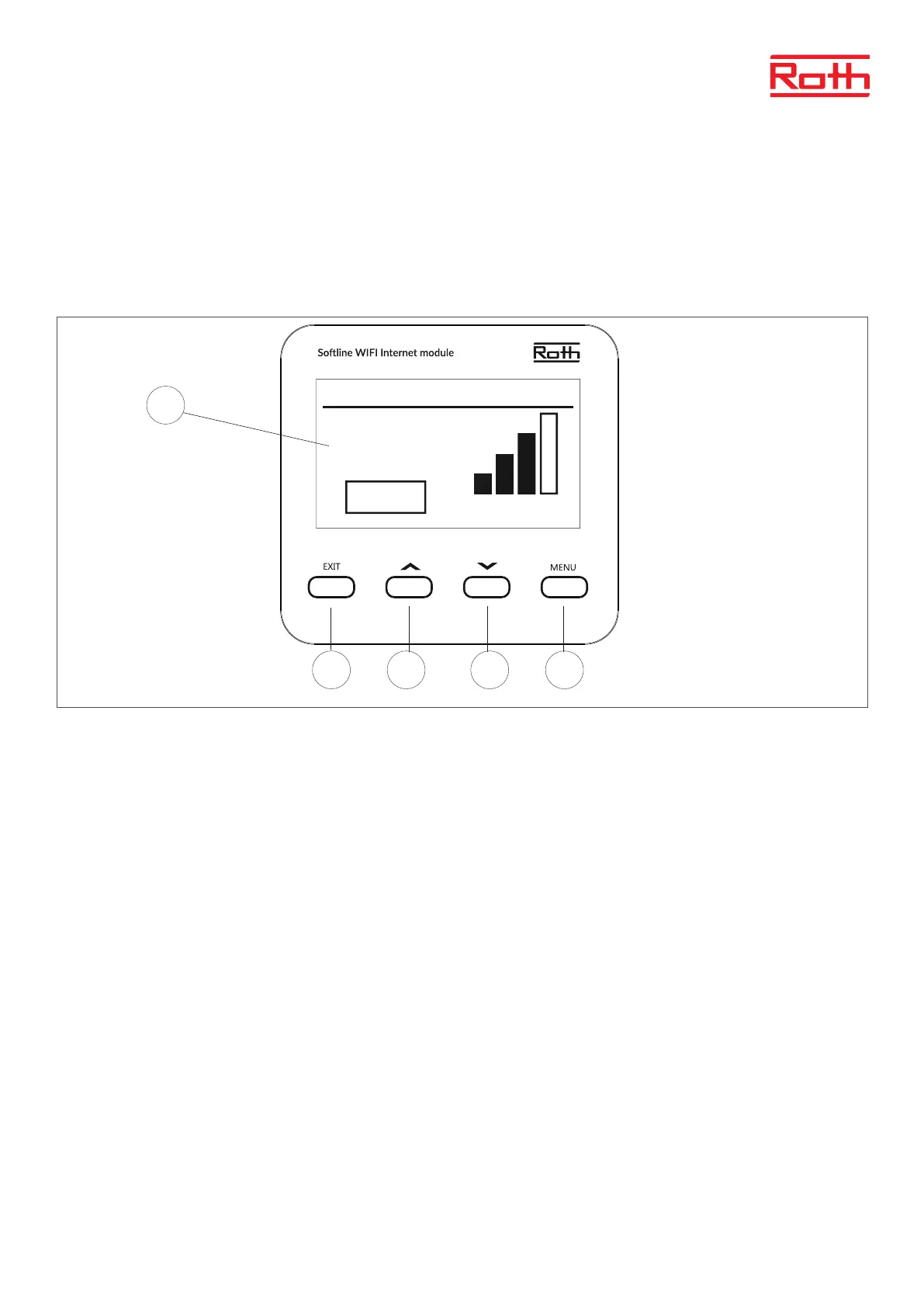
The user navigates in the menu structure using the buttons located below the display. To wake up the display from sleep mode just press one of
the buttons.
1. Display.
2. EXIT button – it is used to exit the menu and to cancel the setting.
3. ▲ - “up” “plus” - it is used to view the menu options and increase the value while editing parameters. During standard operation, the button is
used to switch between dierent parameters.
4. ▾ - “down” “minus” - it is used to view the menu options and decrease the value while editing parameters. During standard operation, the
button is used to switch between dierent parameters.
5. MENU button – it is used to enter the WiFi Internet module menu and to conrm the new setting.
Tue.
06.07.21
09:25
Network name:
RUT950_537A
Signal
Active
1
2 3 4 5



 To Next Page